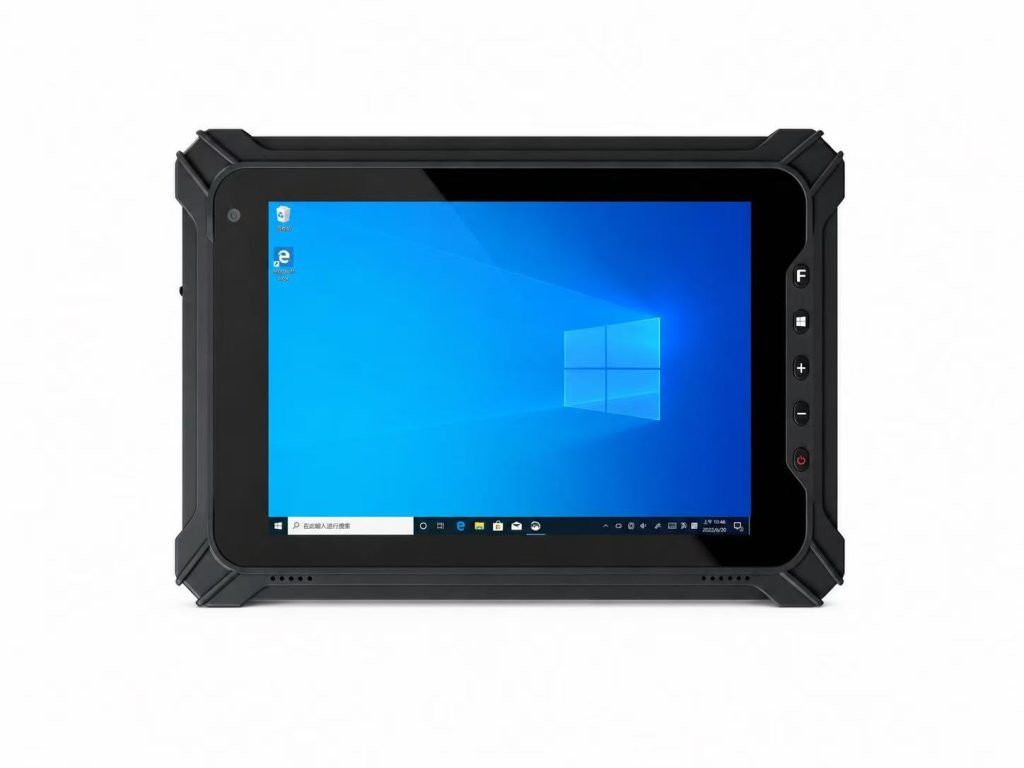
Android vs Windows Rugged Tablet: Which Is Better for Industrial Use?
Android and Windows are the two most common operating-system choices for industrial rugged tablets, but they are designed for different software environments, workflows and enterprise requirements.
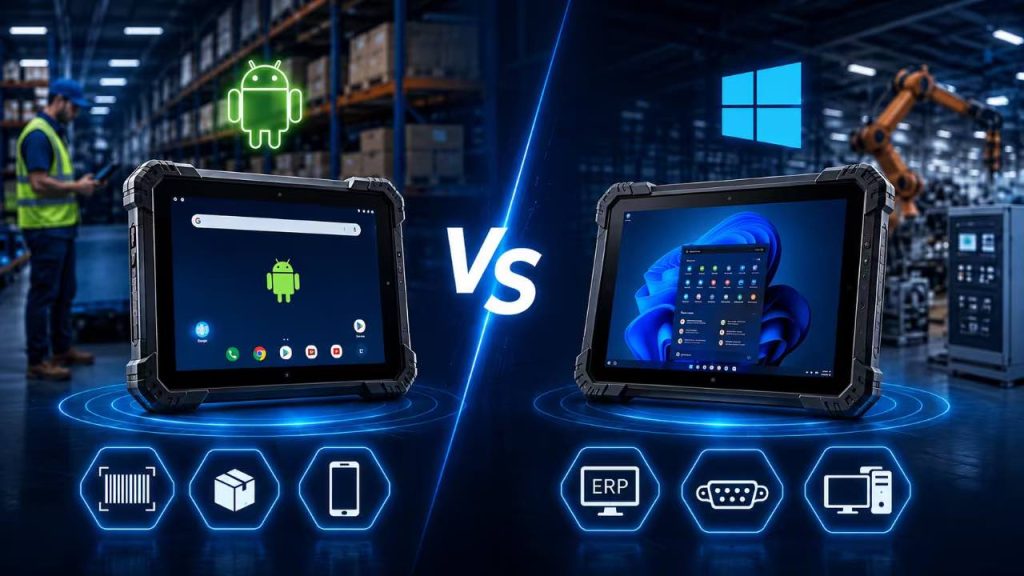
Android rugged tablets are widely used for barcode scanning, inventory management, logistics and mobile data collection, while Windows rugged tablets are often preferred for ERP systems, manufacturing software, engineering applications and industrial peripherals.
Choosing the right operating system can improve software compatibility, simplify deployment and reduce long-term operating costs.
Android
Windows
Industrial Use
Part 1: Android vs Windows Rugged Tablet: Why the Operating System Matters
When comparing an Android vs Windows rugged tablet, the operating system should be selected according to the software, workflow and IT environment of the project.
If you are still evaluating screen size, IP rating, connectivity, battery, scanners and accessories, read our complete guide on how to choose a rugged tablet for industrial use.
Both platforms can be used successfully in industrial applications, but they have different strengths.
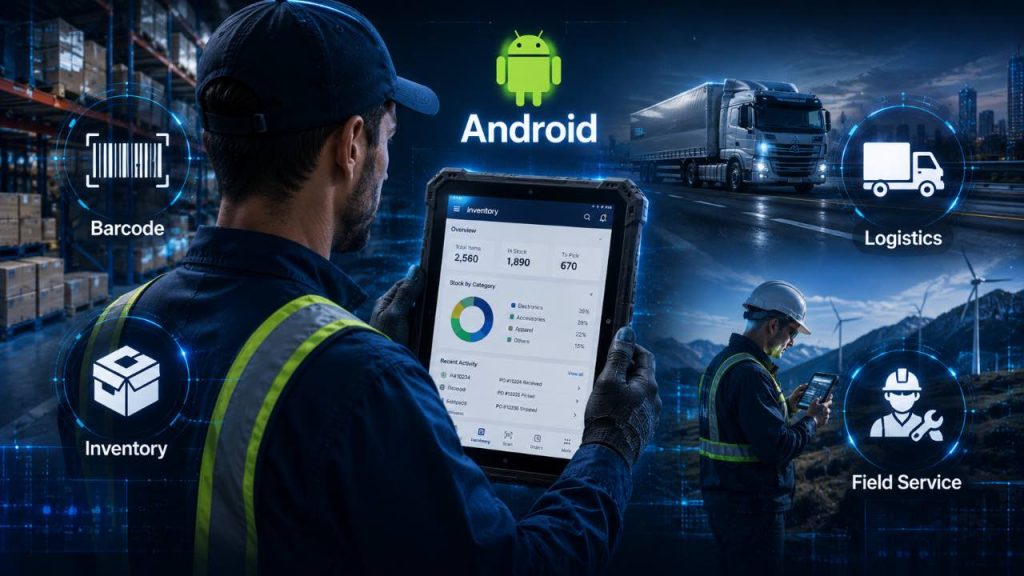
Android rugged tablets are often optimized for touch-based mobile workflows. They are commonly used for warehouse inventory, barcode scanning, order picking, logistics, delivery operations, field service and mobile inspections.
Windows rugged tablets provide a more traditional PC environment and are often selected for manufacturing, production monitoring, ERP or MES systems, engineering applications and projects that require desktop software or industrial peripherals.
The operating system can also affect battery consumption, application compatibility, enterprise device management, hardware interfaces, security policies, user training and long-term support.
For this reason, businesses should not choose Android or Windows simply because one platform is more familiar. The better choice is the operating system that integrates most effectively with the actual software and working environment.
This guide compares Android and Windows rugged tablets across the most important industrial purchasing factors and explains when each platform is the better choice.
If you are still evaluating screen size, IP rating, connectivity, battery, scanners and accessories, read our complete guide on how to choose a rugged tablet for industrial use.
Quick Answer
Choose Android when the priority is mobile operation, barcode scanning, inventory management, logistics, touch-based applications and efficient handheld workflows.
Choose Windows when the project requires traditional desktop software, ERP or MES systems, engineering applications, industrial interfaces or compatibility with an existing Windows IT environment.
Neither operating system is automatically better for every industrial application. The correct choice depends on software compatibility and the real workflow.
Part 2: Android vs Windows Rugged Tablet: Quick Comparison
Android and Windows rugged tablets can both support demanding industrial applications, but they are optimized for different workflows.
Android is generally better suited to mobile-first operations such as barcode scanning, inventory management, logistics, delivery and field data collection. Windows is often preferred when businesses need traditional desktop software, ERP or MES systems, industrial interfaces or compatibility with an existing Windows-based IT environment.
The table below provides a quick comparison before we examine each factor in more detail.
| Comparison | Android Rugged Tablet | Windows Rugged Tablet |
|---|---|---|
| Typical Workflow | Mobile-first and touch-based | PC-style and desktop-oriented |
| Software | Android apps and web applications | Windows desktop and enterprise software |
| Barcode Scanning | Excellent for mobile scanning workflows | Suitable when Windows software requires scanning |
| Industrial Interfaces | Depends on hardware and application requirements | Often preferred for legacy and industrial peripherals |
| Battery & Mobility | Often optimized for mobile workflows | Depends more heavily on hardware and workload |
| Enterprise Management | Android Enterprise management ecosystem | Strong integration with Microsoft enterprise environments |
| Typical Industries | Warehouse, logistics, retail, field service | Manufacturing, engineering, industrial control |
| Best When | Mobility and simple touch workflows are priorities | Desktop software and Windows compatibility are priorities |
Android Is Usually Better When...
Android is often the better choice when:
• Workers spend most of the day carrying the tablet.
• Barcode scanning and inventory management are core workflows.
• Applications are designed for touch-first mobile use.
• The project relies on Android apps or browser-based systems.
• Battery efficiency and mobility are important.
• The device is used for warehouse, logistics, delivery or field operations.
Windows Is Usually Better When...
Windows is often the better choice when:
• Existing software requires the Windows operating system.
• Workers need traditional desktop applications.
• ERP, MES or engineering software is part of the workflow.
• The tablet connects to industrial equipment or specialized peripherals.
• The organization already uses a Windows-based IT environment.
• The device is used for manufacturing, industrial control or engineering applications.
The Biggest Difference Is Software Compatibility
For most industrial projects, software compatibility should be the first consideration when choosing between Android and Windows.
If your warehouse management, barcode scanning or field-service application already runs on Android, choosing an Android rugged tablet can simplify deployment.
If your production system depends on Windows desktop software, ERP applications, engineering tools or specialized drivers, a Windows rugged tablet may be the safer choice.
Hardware specifications matter, but a powerful rugged tablet provides little value if it cannot run the software required by the workflow.
Don't Choose by Operating System Alone
Android vs Windows should not be the only purchasing decision.
After confirming software compatibility, also compare processor performance, RAM and storage, screen size, barcode scanning, Wi-Fi and cellular connectivity, battery design, industrial interfaces, docking options, IP rating and operating temperature.
The best rugged tablet is the one that matches the complete industrial workflow.
For a complete hardware selection framework, see our rugged tablet buyer’s guide for industrial applications.
Quick Takeaway
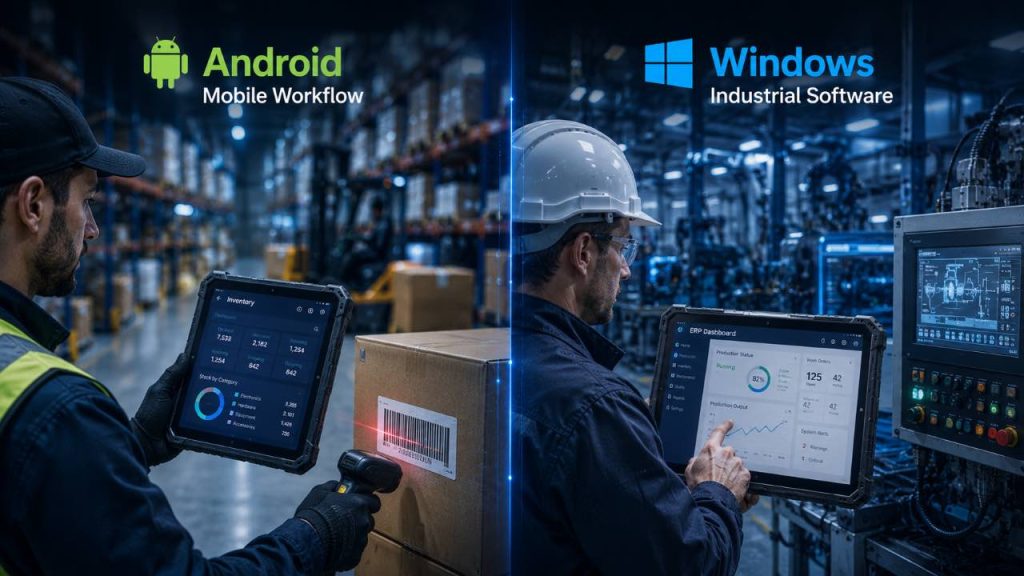
Choose Android for mobile-first workflows such as barcode scanning, inventory management, logistics and field operations.
Choose Windows when desktop software, ERP or MES systems, engineering applications and industrial peripheral compatibility are more important.
For most businesses, software compatibility should be evaluated before comparing hardware specifications.
Quick Recommendation
Choose Android when the priority is mobility, barcode scanning, inventory management, logistics, field service and touch-based applications.
Android is especially effective when the project already uses mobile apps, browser-based platforms or cloud systems.
If the application depends on traditional Windows desktop software or industrial drivers, Windows may be the better choice.
Part 4: Windows Rugged Tablet: When Is It the Better Choice?
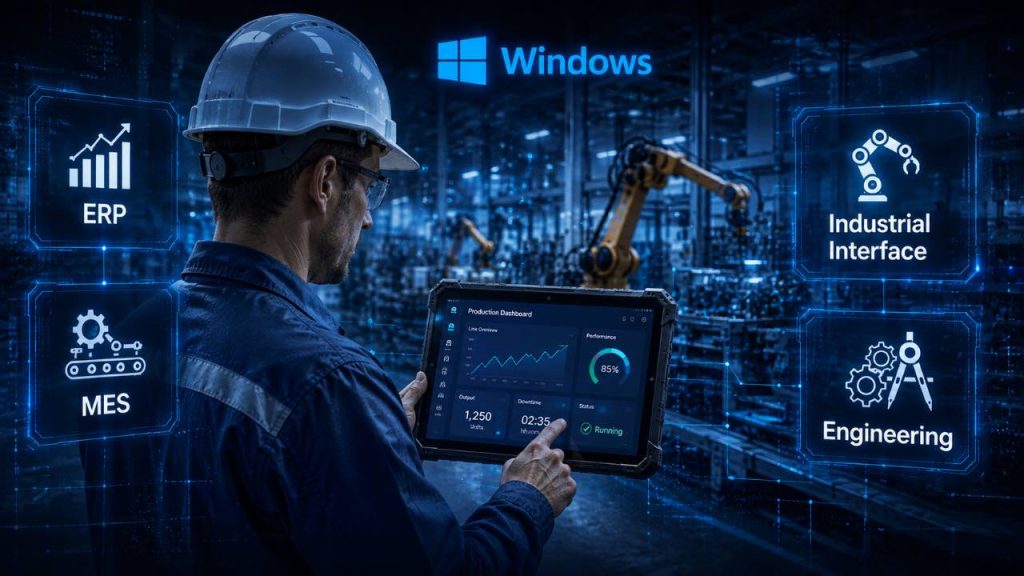
A Windows rugged tablet is often the better choice when industrial projects depend on traditional desktop software, ERP or MES systems, engineering applications or existing Windows-based IT infrastructure.
Windows provides a familiar PC-style environment and can be especially useful in manufacturing, industrial control, vehicle-mounted systems and applications that require specialized drivers or external peripherals.
For businesses that already rely heavily on Windows software, choosing a Windows rugged tablet can reduce compatibility issues and simplify integration.
1. Manufacturing and Production
Manufacturing is one of the strongest use cases for Windows rugged tablets.
Production teams may use the device for ERP or MES access, equipment monitoring, quality inspection, maintenance records and production reporting.
Windows is especially useful when the factory already uses desktop-based industrial software that cannot easily be replaced by a mobile application.
A Windows rugged tablet can provide the flexibility of a mobile device while still supporting software traditionally used on industrial PCs.
2. ERP and MES Applications
Enterprise resource planning and manufacturing execution systems are often central to industrial operations.
Some ERP and MES platforms are designed specifically for Windows environments or rely on desktop applications, browser components or drivers that are easier to deploy on Windows.
In these cases, a Windows rugged tablet can provide direct access to the same software used on office PCs and industrial workstations.
This can reduce the need to redesign existing applications for a mobile operating system.
3. Engineering and Industrial Software
Engineering teams may need CAD viewers, diagnostic tools, programming utilities, maintenance applications or other specialized desktop software.
Windows rugged tablets can support a broader range of traditional PC applications, making them suitable for engineers and technicians who need more than simple mobile apps.
This is particularly important when software vendors provide Windows-only applications or when employees need to work with files and tools already used on desktop computers.
4. Industrial Interfaces and Peripheral Compatibility
Windows rugged tablets are often selected for projects that require connections to industrial equipment or specialized peripherals.
Depending on the hardware configuration, these devices may support USB, RJ45 Ethernet, RS232 serial ports, HDMI, docking stations and other expansion options.
Windows can also provide better compatibility with legacy drivers, measurement equipment, printers, industrial scanners and machine interfaces.
Before purchasing, businesses should confirm both the physical interface and the required software driver.
5. Vehicle-Mounted and Fixed Industrial Use
Windows rugged tablets can also work well in forklifts, trucks, production stations and other semi-fixed installations.
In these environments, the device may remain connected to a powered dock, external keyboard, Ethernet network or industrial peripheral.
Because mobility is less important than software compatibility and interface availability, Windows can be a practical choice for these applications.
Powered docks can also provide continuous charging and simplify integration with vehicle or workstation systems.
6. Existing Windows Enterprise Environment
Businesses with an existing Windows-based IT environment may prefer Windows rugged tablets for easier integration.
Employees may already be familiar with the operating system, while IT teams may already use Microsoft tools for identity, security, updates and device management.
Standardizing on Windows can reduce training requirements and simplify support when the same software environment is used across desktops, laptops and rugged tablets.
Businesses managing Windows devices at scale can also review Microsoft’s official Windows enterprise and device-management documentation.
Windows Rugged Tablet Is Best For
✓ Manufacturing
✓ ERP and MES systems
✓ Engineering applications
✓ Industrial control
✓ Desktop software
✓ Legacy Windows applications
✓ Industrial peripherals
✓ Vehicle-mounted systems
✓ Windows-based enterprise environments
Consider Android Instead When
• Mobility is the top priority.
• Workers mainly use barcode scanning and inventory apps.
• The project relies on Android or browser-based applications.
• Long handheld shifts require a mobile-first device.
• The workflow does not depend on Windows-only desktop software.
Quick Recommendation
Choose Windows when the project depends on desktop software, ERP or MES platforms, engineering applications, industrial peripherals or an existing Windows-based IT environment.
Windows is especially suitable for manufacturing, industrial control, vehicle-mounted systems and applications that require traditional PC software.
If the priority is mobile scanning, inventory management and touch-first workflows, Android may provide a simpler solution.
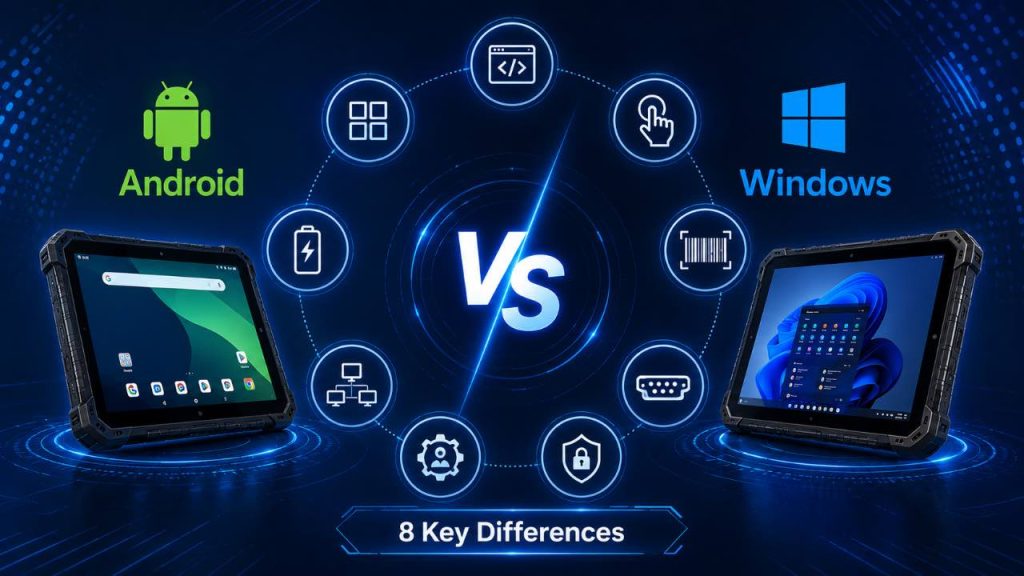
Part 5: Android vs Windows Rugged Tablet: 8 Key Differences
The difference between an Android vs Windows rugged tablet goes far beyond the operating-system logo.
Software compatibility, user interface, battery behavior, barcode scanning, industrial interfaces, enterprise management, security and typical application scenarios can all influence the final purchasing decision.
The following eight factors provide a practical side-by-side comparison for industrial projects.
1. Software Compatibility
Software compatibility is usually the most important difference.
Android rugged tablets are well suited to Android applications, browser-based platforms and mobile-first enterprise software.
Windows rugged tablets are better suited to traditional desktop applications, ERP or MES software, engineering tools and Windows-only programs.
Before selecting hardware, businesses should confirm which operating system is officially supported by the required software.
2. User Interface and Workflow
Android is generally optimized for touch-first mobile workflows.
This can make it easier for workers who spend most of the day scanning products, moving between locations or completing simple forms.
Windows provides a more traditional PC-style environment that may be better for detailed data entry, multitasking, desktop applications and fixed or semi-fixed workstations.
The better interface depends on how employees actually use the device during the workday.
3. Battery Life and Mobility
Android rugged tablets are often built around mobile-focused processors and workflows, which can help support efficient battery use during handheld operation.
Windows devices may consume more power depending on processor performance, desktop applications and background services.
However, battery life varies significantly between models.
Businesses should compare real operating time, removable battery options and hot-swap capability rather than assuming that one operating system will always provide better battery performance.
4. Barcode Scanning and Data Collection
Android rugged tablets are especially common in high-frequency barcode scanning, warehouse and logistics workflows.
The operating system works well with touch-based inventory and scanning applications.
Windows rugged tablets can also support integrated barcode scanners, but they are often chosen when the scanning process must connect directly to Windows desktop software or enterprise systems.
Both platforms can support barcode, NFC, RFID and camera-based data collection when the required hardware and software are available.
5. Industrial Interfaces and Peripherals
Windows rugged tablets are often preferred when projects require USB peripherals, RJ45 Ethernet, RS232 serial communication, HDMI, docking stations or specialized industrial drivers.
Android devices can also support industrial interfaces, but compatibility depends more heavily on the device hardware and application design.
For projects involving legacy machinery or specialized peripherals, businesses should verify both physical ports and driver support before choosing the operating system.
6. Enterprise Device Management
Both Android and Windows support enterprise device management.
Android deployments can use Android Enterprise tools and compatible mobile-device-management platforms for enrollment, application control, security policies and remote administration.
Windows devices can integrate with Microsoft enterprise-management technologies and existing Windows IT infrastructure.
The better platform often depends on which management ecosystem the organization already uses.
7. Security and Update Strategy
Security should be evaluated at the operating-system, device and management-platform levels.
Businesses should confirm security-update policies, operating-system support periods, application compatibility and remote-management capability.
Android projects should review the supplier’s update policy and Android Enterprise support options.
Windows projects should confirm Windows edition, update-management strategy and compatibility with existing enterprise security policies.
Long-term software support can be especially important for industrial projects expected to remain deployed for several years.
8. Best Industrial Applications
Android rugged tablets are commonly used in warehouses, logistics, delivery, field service and other mobile-first workflows.
Windows rugged tablets are often preferred for manufacturing, engineering, industrial control, ERP or MES applications and projects requiring desktop software or specialized peripherals.
Neither platform is universally better.
The correct choice is the operating system that best matches the software, hardware and workflow requirements of the project.
Android vs Windows Rugged Tablet Comparison Table
| Comparison Factor | Android Rugged Tablet | Windows Rugged Tablet |
|---|---|---|
| Software | Android apps, web apps, mobile-first software | Desktop software, ERP, MES, engineering tools |
| User Interface | Touch-first and mobile-oriented | PC-style and desktop-oriented |
| Battery & Mobility | Often optimized for mobile workflows | Depends more on hardware and workload |
| Barcode Scanning | Excellent for warehouse and logistics scanning | Useful when scanning connects to Windows software |
| Industrial Interfaces | Depends on hardware and application support | Often stronger for legacy peripherals and drivers |
| Enterprise Management | Android Enterprise ecosystem | Microsoft enterprise-management ecosystem |
| Security & Updates | Depends on device and supplier update policy | Integrates well with Windows enterprise policies |
| Best Applications | Warehouse, logistics, field service, delivery | Manufacturing, engineering, ERP/MES, industrial control |
Which One Should You Choose?
Choose Android when mobility, barcode scanning, touch-based applications, logistics and field workflows are the main priorities.
Choose Windows when desktop software, ERP or MES systems, engineering applications, industrial interfaces or Windows compatibility are more important.
If software compatibility is unclear, test the required application on a sample device before making the final purchasing decision.
Quick Takeaway
Android is generally stronger for mobile-first industrial workflows, while Windows is often better for desktop software, industrial interfaces and existing Windows enterprise environments.
The most important factor is software compatibility.
Choose the operating system that supports the real workflow first, then compare hardware specifications.
Part 6: Android vs Windows Rugged Tablet by Industry
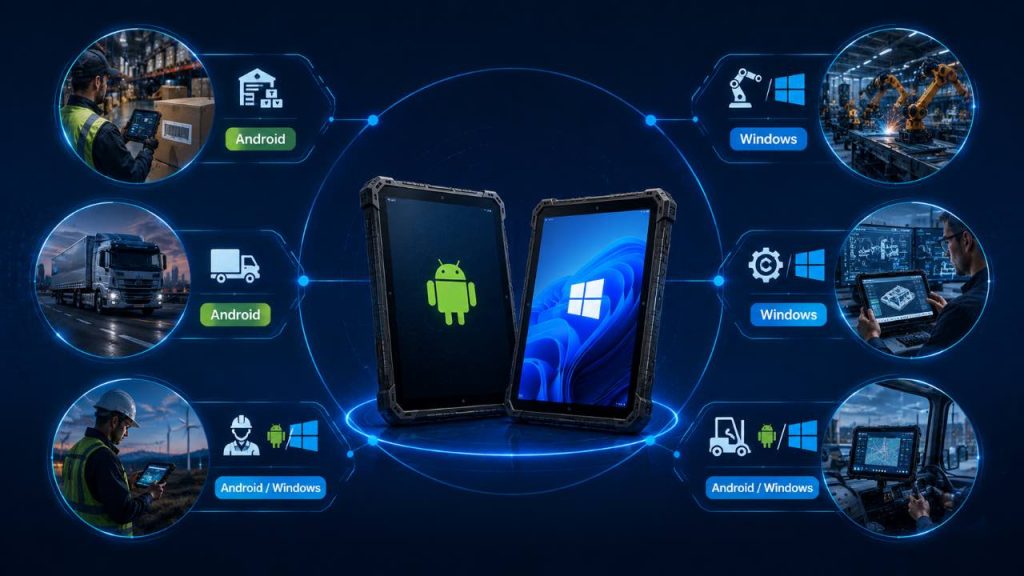
The best operating system can vary by industry because each workflow has different software, mobility and interface requirements.
When comparing an Android vs Windows rugged tablet, businesses should look at the real tasks employees perform rather than choosing an operating system based only on familiarity.
The examples below show which platform is commonly more suitable for several industrial applications.
1. Warehouse and Distribution
Android is often the preferred choice for warehouse operations.
Workers typically need barcode scanning, inventory management, order picking, receiving and shipping applications that are designed for touch-first mobile use.
Android rugged tablets are also well suited to continuous handheld operation because employees move throughout the warehouse during most of the shift.
Windows may still be appropriate when the warehouse relies on desktop ERP software, legacy applications or specialized Windows peripherals.
Recommended: Usually Android
2. Manufacturing and Production
Windows is often the stronger choice for manufacturing environments.
Factories may depend on ERP, MES, production-monitoring software, engineering tools and industrial peripherals that are designed for Windows.
Windows rugged tablets can also work well in fixed or semi-fixed workstations, production lines and vehicle-mounted environments.
Android can still be useful for inspection, material tracking, barcode scanning and mobile production workflows that use dedicated Android applications.
Recommended: Usually Windows
3. Logistics and Transportation
Logistics operations often favor Android because drivers and mobile workers need route information, barcode scanning, proof of delivery, GPS and cloud connectivity.
Android rugged tablets are well suited to mobile applications and touch-based operation inside and outside vehicles.
Windows can be useful when logistics systems rely on desktop software, specialized fleet applications or Windows-based vehicle integration.
The final choice depends on whether mobility or desktop compatibility is the higher priority.
Recommended: Usually Android
4. Field Service and Mobile Inspection
Android is often a strong choice for field-service technicians who need work orders, inspection forms, GPS navigation, photo documentation and mobile communication.
Its touch-first interface is well suited to employees who spend most of the day away from a desk.
Windows may be more appropriate when technicians require desktop diagnostic software, engineering programs or specialized device drivers.
For mixed environments, businesses should test the required software on both platforms before making the final decision.
Recommended: Android or Windows depending on software
5. Engineering and Industrial Control
Windows is usually better suited to engineering and industrial-control applications.
Engineers may need CAD viewers, diagnostic tools, configuration utilities, programming software or applications that require Windows drivers.
These workflows often depend on traditional desktop software and external industrial interfaces.
Android can still support monitoring dashboards and simplified mobile applications, but it may not replace all Windows engineering tools.
Recommended: Usually Windows
6. Vehicle-Mounted and Forklift Applications
Both Android and Windows can work well in vehicle-mounted applications.
Android is often suitable for forklifts, delivery vehicles and logistics workflows where scanning, navigation and mobile apps are the main requirements.
Windows may be better when the vehicle-mounted tablet connects to industrial equipment, specialized peripherals or desktop-based fleet software.
Businesses should also evaluate powered docks, vibration resistance, charging and interface requirements.
Recommended: Android or Windows
Android vs Windows Rugged Tablet Industry Guide
| Industry / Application | Typical Recommendation | Main Reason |
|---|---|---|
| Warehouse | Android | Barcode scanning, inventory and mobile workflows |
| Manufacturing | Windows | ERP, MES, engineering and industrial software |
| Logistics | Android | Delivery, GPS, scanning and mobile connectivity |
| Field Service | Android / Windows | Depends on mobile apps vs desktop software |
| Engineering | Windows | Desktop tools, drivers and specialized applications |
| Vehicle-Mounted | Android / Windows | Depends on software, interfaces and peripherals |
Quick Industry Guide
Choose Android for mobile-first workflows such as warehouse scanning, logistics, delivery and field operations.
Choose Windows for manufacturing, engineering, ERP or MES systems and applications that depend on traditional desktop software or industrial peripherals.
For mixed workflows, let software compatibility determine the operating system before comparing hardware.
Quick Takeaway
Both Android and Windows can support enterprise device management.
Android is often a strong fit for mobile-first fleets managed through Android Enterprise-compatible platforms.
Windows is often easier to integrate into organizations already using Microsoft enterprise-management tools.
The best choice depends on application compatibility, existing IT infrastructure and long-term support requirements.
Part 8: Hardware, Interfaces and Peripheral Compatibility
Hardware interfaces and peripheral compatibility can be just as important as the operating system itself.
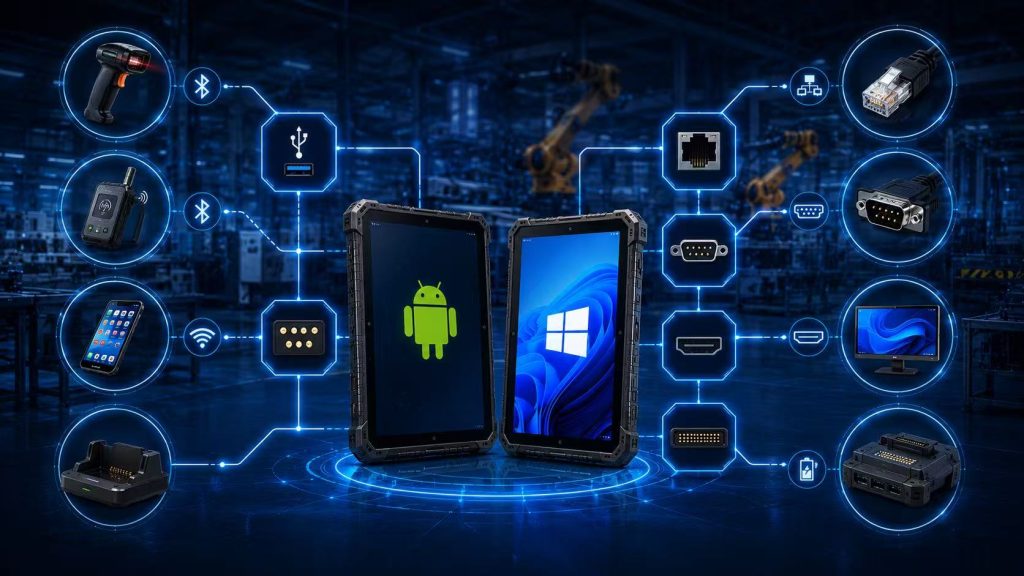
Industrial rugged tablets may need to connect with barcode scanners, printers, vehicle docks, Ethernet networks, serial devices, sensors or legacy machinery.
When comparing an Android vs Windows rugged tablet, businesses should confirm not only which physical ports are available, but also whether the required drivers and software are supported.
1. USB Connectivity
USB is one of the most common interfaces on rugged tablets and can be used for accessories, external storage, scanners, keyboards, printers and service tools.
Both Android and Windows rugged tablets can support USB, but compatibility depends on the hardware design and the connected device.
Windows often provides broader support for traditional USB peripherals because many industrial accessories are designed with Windows drivers.
Android can still work well with USB accessories when the device and application support the required communication method.
2. RJ45 Ethernet
RJ45 Ethernet can be important in factories, fixed workstations and industrial environments where a stable wired network connection is required.
A Windows rugged tablet may be preferred when the device connects directly to industrial networks, production systems or local equipment.
Android rugged tablets can also support Ethernet through built-in ports, docks or adapters, but businesses should confirm compatibility before deployment.
For fixed installations, wired Ethernet can provide more predictable connectivity than relying only on Wi-Fi.
3. RS232 Serial Communication
RS232 remains widely used in industrial environments for communication with legacy machinery, measurement equipment, sensors and specialized devices.
Windows rugged tablets are often easier to integrate with RS232 equipment because many industrial applications and drivers were originally developed for Windows.
Android can also support serial communication, but the application may require additional development or specific hardware support.
If RS232 is essential to the project, test the exact peripheral and software before placing a large order.
4. HDMI and External Display Support
Some industrial applications require a rugged tablet to connect to an external monitor, control panel or presentation display.
Windows rugged tablets often provide familiar multi-display behavior for desktop applications and workstations.
Android rugged tablets may also support HDMI or display output depending on the hardware platform.
Businesses should confirm resolution, connector type and whether the required application works correctly on an external display.
5. Pogo Pin and Docking Stations
Pogo-pin connectors allow rugged tablets to connect quickly to charging cradles, vehicle docks, keyboards and expansion modules.
This can reduce wear on exposed USB ports when devices are docked and removed many times each day.
Both Android and Windows rugged tablets can support docking solutions, but available features depend on the device design.
For vehicle or workstation installations, confirm whether the dock provides charging, Ethernet, USB, serial communication or additional interfaces.
6. Barcode, RFID and NFC Hardware
Data-collection hardware is another important compatibility factor.
Android rugged tablets are especially common in barcode-scanning and mobile inventory workflows because many applications are designed around touch-first data collection.
Windows rugged tablets can also support integrated barcode scanners, RFID and NFC, particularly when the data must feed directly into Windows software or enterprise systems.
The operating system should support both the hardware module and the business application that receives the data.
7. Drivers and Legacy Industrial Equipment
Driver compatibility can become the deciding factor in industrial projects.
Factories and service environments may use printers, sensors, measurement devices or machinery that depend on Windows-specific drivers.
In these cases, a Windows rugged tablet can reduce integration complexity.
Android may be suitable when the peripheral uses standard protocols, network communication or an Android-compatible SDK.
Always test critical devices with the exact tablet configuration before deployment.
Android vs Windows Interface Compatibility
| Interface / Peripheral | Android Rugged Tablet | Windows Rugged Tablet |
|---|---|---|
| USB | Good when hardware and apps support the peripheral | Broad compatibility with traditional PC peripherals |
| RJ45 Ethernet | Supported through device, dock or adapter | Strong fit for fixed industrial networks |
| RS232 | Requires compatible hardware and application support | Often easier for legacy industrial equipment |
| HDMI | Depends on hardware platform | Well suited to desktop-style multi-display use |
| Pogo Pin / Dock | Excellent for mobile charging and expansion | Excellent for workstation and vehicle integration |
| Barcode / RFID / NFC | Strong fit for mobile data collection | Strong when integrated with Windows enterprise software |
| Legacy Drivers | May require custom SDK or app support | Often stronger compatibility with older peripherals |
Interface Compatibility Checklist
✓ Required USB devices
✓ RJ45 Ethernet requirement
✓ RS232 or serial communication
✓ HDMI or external display
✓ Vehicle dock or desktop dock
✓ Pogo-pin expansion
✓ Barcode scanner
✓ RFID or NFC
✓ Printer compatibility
✓ Industrial sensor or measurement devices
✓ Required drivers or SDKs
✓ Legacy equipment compatibility
Quick Takeaway
Choose Android when peripherals are designed for mobile data collection and the workflow mainly uses barcode, RFID, NFC or cloud-connected accessories.
Choose Windows when the project depends on legacy drivers, industrial serial equipment, desktop peripherals or existing Windows-based machinery.
For critical interfaces, always test the exact hardware, driver and application combination before deployment.
Part 9: How to Choose Between Android and Windows Rugged Tablets
Choosing between Android and Windows should begin with the actual software and workflow requirements of the project.
The operating system affects application compatibility, user experience, interfaces, device management, battery behavior and long-term support.
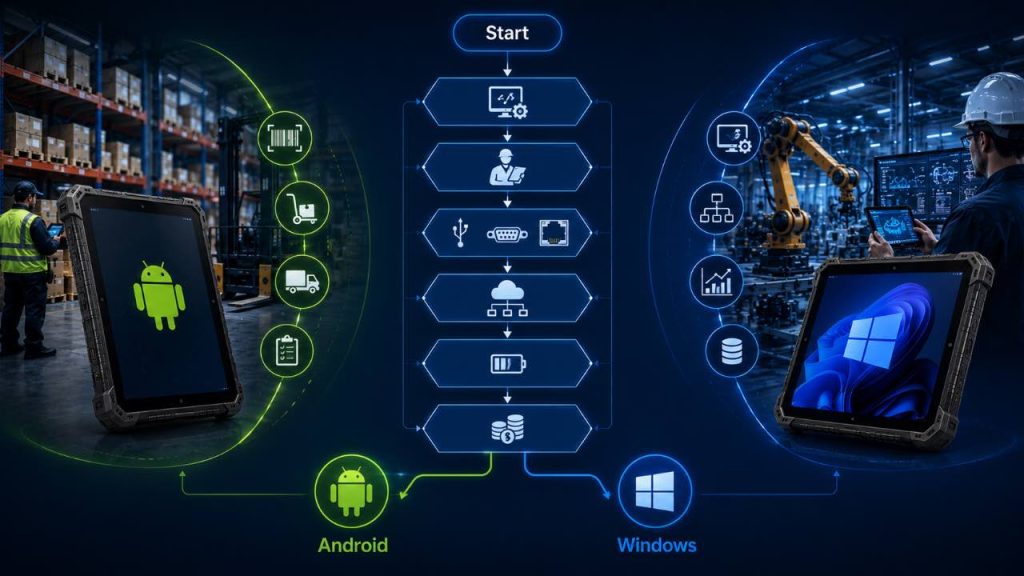
The following six-step process can help businesses identify which platform is more suitable for an industrial rugged tablet deployment.
Step 1: Start with the Required Software
Software compatibility should be the first decision.
If the required application is Android-based, mobile-first or browser-based, an Android rugged tablet may be the simpler choice.
If the project depends on Windows desktop software, ERP or MES applications, engineering tools or specialized drivers, Windows is usually more appropriate.
Always confirm software support before comparing processor, memory or screen specifications.
Step 2: Evaluate the Daily Workflow
Consider how employees will use the tablet throughout the workday.
Android is often better for workers who move continuously, scan barcodes, complete simple forms and rely on touch-based applications.
Windows is often better when users perform detailed data entry, multitask between desktop applications or work from a fixed or vehicle-mounted position.
The operating system should match the real workflow, not only the company’s general IT preference.
Step 3: Confirm Interfaces and Peripheral Requirements
List every peripheral and interface required by the project.
This may include barcode scanners, RFID, NFC, USB devices, RJ45 Ethernet, RS232 serial equipment, HDMI, printers, vehicle docks or measurement tools.
Android can work well with mobile peripherals and integrated data-collection hardware.
Windows is often easier to integrate with legacy equipment, industrial drivers and traditional PC peripherals.
Critical hardware should always be tested with the exact operating system before deployment.
Step 4: Consider Enterprise Management
Large device fleets need centralized enrollment, application deployment, security policies and remote management.
Android can integrate with Android Enterprise-compatible management platforms, while Windows can integrate closely with Microsoft enterprise-management environments.
If the organization already uses a mature MDM platform, selecting the operating system that fits the existing management ecosystem can simplify deployment and support.
Step 5: Compare Mobility and Battery Requirements
For highly mobile workflows, device weight, power efficiency and battery design can become important.
Android rugged tablets are often optimized for handheld operation and mobile-first workloads.
Windows rugged tablets may require more processing power depending on the software, which can affect battery consumption.
However, actual battery life depends on the hardware platform, screen brightness, wireless connectivity and application workload.
Always compare real-world operating time instead of judging battery performance by operating system alone.
Step 6: Evaluate Lifecycle and Total Cost of Ownership
The lowest purchase price is not always the lowest long-term cost.
Businesses should consider operating-system support, security updates, application maintenance, accessories, replacement batteries, repair service and user training.
Android may reduce costs in mobile-first workflows where simple apps and lightweight hardware are sufficient.
Windows may reduce integration costs when existing software and peripherals already depend on the Windows ecosystem.
The most cost-effective platform is the one that minimizes compatibility problems and supports the project throughout its expected lifecycle.
Android or Windows: 6-Step Decision Guide
| Decision Step | Choose Android When | Choose Windows When |
|---|---|---|
| Software | Apps are Android, mobile-first or browser-based | Software requires Windows desktop applications |
| Workflow | Mobility, scanning and touch operation are priorities | Desktop-style work and detailed applications are priorities |
| Interfaces | Mobile peripherals and integrated scanners | Legacy equipment, drivers and industrial interfaces |
| Enterprise Management | Android Enterprise ecosystem fits the IT environment | Microsoft enterprise environment is already in use |
| Mobility & Battery | Long handheld shifts and mobile operation | Higher-performance applications or mounted use |
| Total Cost | Mobile workflow simplicity reduces deployment cost | Existing Windows software reduces integration cost |
Simple Rule
Choose Android when the workflow is mobile-first, touch-based and centered on barcode scanning, inventory, logistics or field applications.
Choose Windows when the project depends on desktop software, ERP or MES systems, engineering tools, industrial interfaces or existing Windows infrastructure.
If software or peripheral compatibility is uncertain, test both platforms with a sample before making the final decision.
For a complete purchasing framework covering screen size, ruggedness, connectivity, battery, scanners and accessories, read our guide on how to choose a rugged tablet for industrial use.
Quick Takeaway
Start with software compatibility, then evaluate workflow, interfaces, enterprise management, mobility and total cost.
Android is usually the stronger choice for mobile-first industrial applications.
Windows is usually the stronger choice for desktop software, industrial peripherals and existing Windows environments.
Testing a sample with the real application is the safest way to confirm the final operating-system choice.
Part 10:What to Ask Your Rugged Tablet Supplier Before Ordering
Choosing Android or Windows is only one part of the purchasing process.
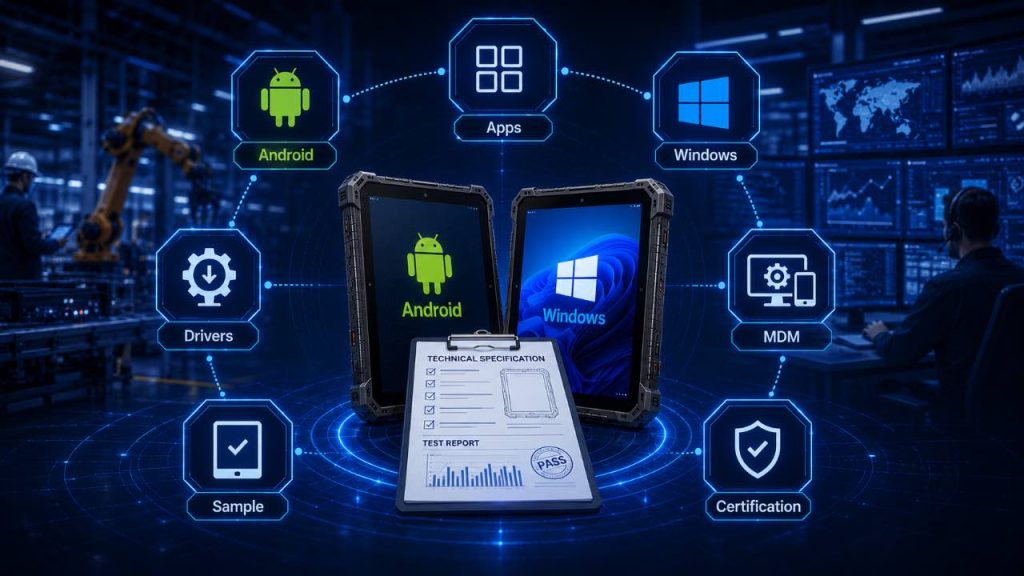
Before ordering rugged tablets, businesses should also confirm operating-system version, update policy, application compatibility, drivers, interfaces, device-management support, certifications and long-term product availability.
Clear technical confirmation before purchase can prevent costly compatibility problems during deployment.
Quick Takeaway
这是示例文本,单击 “编辑” 按钮更改此文本。
1. Confirm the Operating System Version
Ask which Android or Windows version is installed on the device and whether alternative versions are available.
For Android projects, confirm the exact Android version and whether future operating-system upgrades are supported.
For Windows projects, confirm the Windows edition and whether the required enterprise or professional features are included.
The operating-system version should be tested with the actual business application before mass deployment.
2. Ask About Security Updates and OS Support
Industrial rugged tablets may remain in service for several years, so update support is important.
Ask how long the device will receive security updates, whether major operating-system upgrades are available and how updates are distributed.
Android buyers should confirm the manufacturer’s update policy rather than assuming that every device receives the same support period.
Windows buyers should confirm compatibility with Microsoft’s lifecycle and update-management requirements.
3. Verify Application Compatibility
Do not assume that an application will work correctly simply because it supports Android or Windows.
Ask the supplier to confirm processor architecture, RAM, storage, screen resolution and any required system components.
For critical projects, install the real WMS, ERP, MES, field-service or engineering application on a sample device and test the complete workflow.
Application compatibility should be confirmed before the final hardware configuration is approved.
4. Confirm Drivers, Interfaces and Peripherals
List every external device that the rugged tablet must support.
This may include barcode scanners, RFID readers, printers, RS232 equipment, Ethernet networks, USB devices, docking stations and vehicle systems.
Windows projects should confirm that the required drivers are available for the selected Windows version.
Android projects should confirm SDK, API or application support for specialized peripherals.
The physical connector alone does not guarantee compatibility.
5. Ask About MDM and Enterprise Enrollment
Large deployments usually require centralized device management.
Ask whether the rugged tablet supports the organization’s existing MDM platform and enrollment process.
For Android, confirm compatibility with Android Enterprise and the required management mode.
For Windows, confirm compatibility with the company’s Microsoft management environment and security policies.
This is particularly important for projects involving hundreds or thousands of devices.
6. Request a Sample for Real-World Testing
A sample device should be tested before placing a large order.
Use the same software, Wi-Fi network, cellular connection, barcode labels, docks, peripherals and accessories that employees will use in the real deployment.
Also test screen visibility, glove touch, battery life, device weight and user comfort.
A successful pilot can identify problems before they affect a large fleet.
7. Confirm Certifications, Warranty and Product Lifecycle
Ask which certifications are available for the target market, such as CE, FCC, RoHS or other regional requirements.
Also confirm warranty terms, battery warranty, repair procedures, spare parts and accessory availability.
For long-term industrial projects, buyers should ask how long the model is expected to remain available and whether a controlled product-lifecycle plan is offered.
A stable product platform can simplify future replacement and fleet expansion.
Rugged Tablet Supplier Checklist
| What to Confirm | Why It Matters |
|---|---|
| Android / Windows Version | Ensures compatibility with required applications |
| Update Policy | Supports long-term security and lifecycle planning |
| Application Compatibility | Reduces deployment and integration risk |
| Drivers and Interfaces | Confirms peripheral and industrial-equipment support |
| MDM / Enrollment | Enables centralized enterprise management |
| Sample Testing | Verifies the complete real-world workflow |
| Certification / Warranty | Supports compliance and after-sales service |
| Product Lifecycle | Helps maintain a consistent device fleet |
Before You Place an Order
Ask for technical confirmation, not only marketing specifications.
Verify the operating-system version, update policy, software compatibility, drivers, interfaces, MDM support, certifications, warranty and product lifecycle.
For large deployments, always test a sample with the actual software and peripherals before confirming mass production.
Quick Takeaway
Before ordering, confirm the operating-system version, application compatibility, update policy, interfaces, drivers and enterprise-management requirements.
Ask about certifications, warranty and long-term product availability.
For critical industrial projects, sample testing is the safest way to validate the complete Android or Windows configuration.
Part 11: Frequently Asked Questions About Android vs Windows Rugged Tablets
The following answers cover common questions businesses ask when comparing Android and Windows rugged tablets for industrial applications.
Neither platform is automatically better for every industrial application. Android is often better for mobile-first workflows such as barcode scanning, inventory management, logistics and field service, while Windows is often better for desktop software, ERP or MES systems, engineering tools and industrial peripherals.
Is Android better for warehouse barcode scanning?
Windows rugged tablets are commonly used in manufacturing because factories may depend on ERP, MES, engineering, diagnostic or industrial-control software designed for Windows. Windows can also provide strong compatibility with legacy drivers, peripherals and industrial interfaces.
Yes, if the ERP or MES platform provides an Android application, browser-based interface or compatible mobile client. If the system requires traditional Windows desktop software, a Windows rugged tablet may be more appropriate.
Android rugged tablets are often optimized for mobile-first hardware and can provide strong battery efficiency, but battery life depends on the specific processor, screen brightness, connectivity, application workload and battery capacity. Buyers should compare real-world operating time rather than operating system alone.
Yes. Both platforms can support barcode scanners, RFID, NFC and camera-based data collection when the required hardware modules, drivers or software are available. Compatibility should be confirmed with the actual application.
Windows is often easier to integrate with traditional industrial peripherals, RS232 equipment and legacy drivers. Android can also support industrial interfaces, but compatibility may depend more heavily on the hardware design, SDK and application support.
Yes. A sample should be tested with the actual software, Wi-Fi network, barcode scanner, peripherals, docks, MDM platform and working environment. Sample testing is one of the most effective ways to prevent compatibility problems before a large deployment.
Conclusion: Android vs Windows Rugged Tablet
Choosing between an Android vs Windows rugged tablet should begin with the software and workflow requirements of the project.
Android is generally better suited to mobile-first industrial applications such as barcode scanning, inventory management, logistics, delivery and field service. Its touch-based interface and mobile application ecosystem can make it efficient for workers who spend most of the day moving between locations.
Windows is often the stronger choice for manufacturing, engineering, ERP or MES applications, industrial interfaces and projects that depend on traditional desktop software or legacy peripherals.
However, the operating system should never be evaluated in isolation. Businesses should also compare processor performance, memory, storage, screen size, ruggedness, connectivity, battery design, scanners, interfaces, docking options, enterprise management and long-term software support.
The best rugged tablet is the device that runs the required software, integrates with existing systems and supports the real industrial workflow throughout the expected product lifecycle.
For a complete purchasing framework covering screen size, IP rating, connectivity, batteries, scanners, accessories and customization, read our complete guide on how to choose a rugged tablet for industrial use.
If environmental protection is also an important purchasing factor, compare the differences between an IP65 vs IP67 rugged tablet before selecting the final configuration.
Not Sure Whether Android or Windows Is Right for Your Project?
Tell us your application, operating system, software, screen size, barcode scanning, connectivity, interfaces, accessories and deployment requirements.
Our team can recommend a suitable Android or Windows rugged tablet configuration and arrange sample testing for your project.