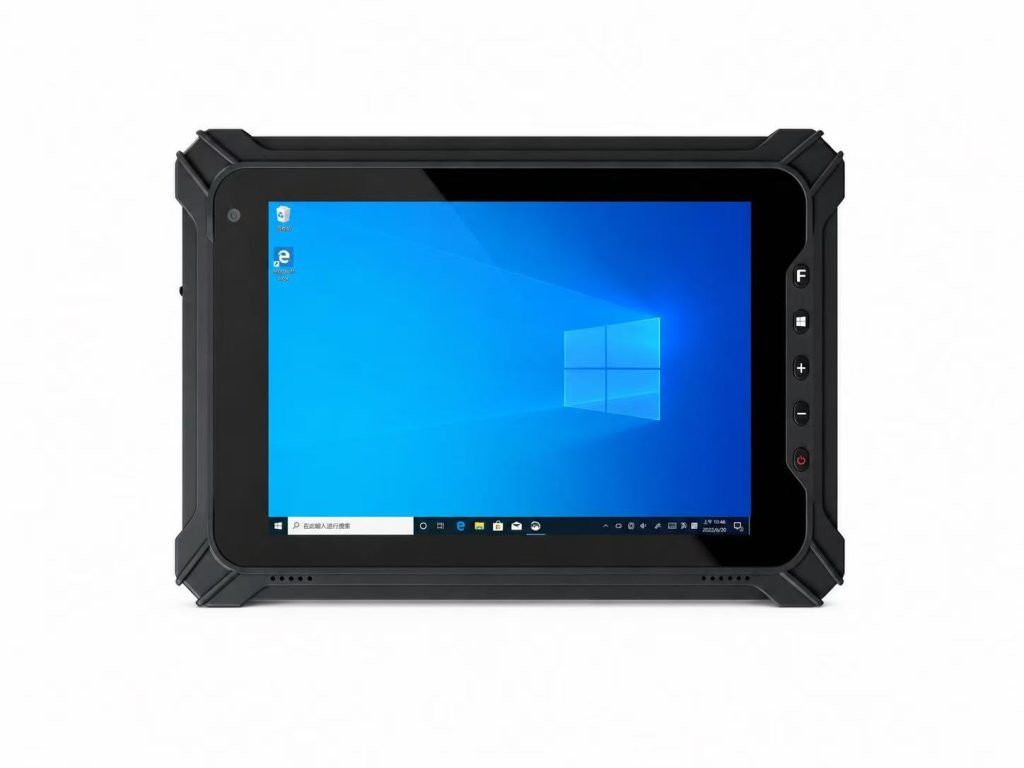
Rugged Tablet Screen Size Guide: 8-inch vs 10-inch vs 12-inch
Choosing the right rugged tablet screen size is not only about display dimensions.
An 8-inch rugged tablet provides greater mobility, a 10-inch model offers a balance between portability and screen visibility, while a 12-inch rugged tablet provides more workspace for dashboards, industrial software and detailed applications.
The right choice depends on how employees use the device, how much information they need to view and whether the tablet is handheld, vehicle-mounted or used at a fixed workstation.
8-inch
10-inch
12-inch
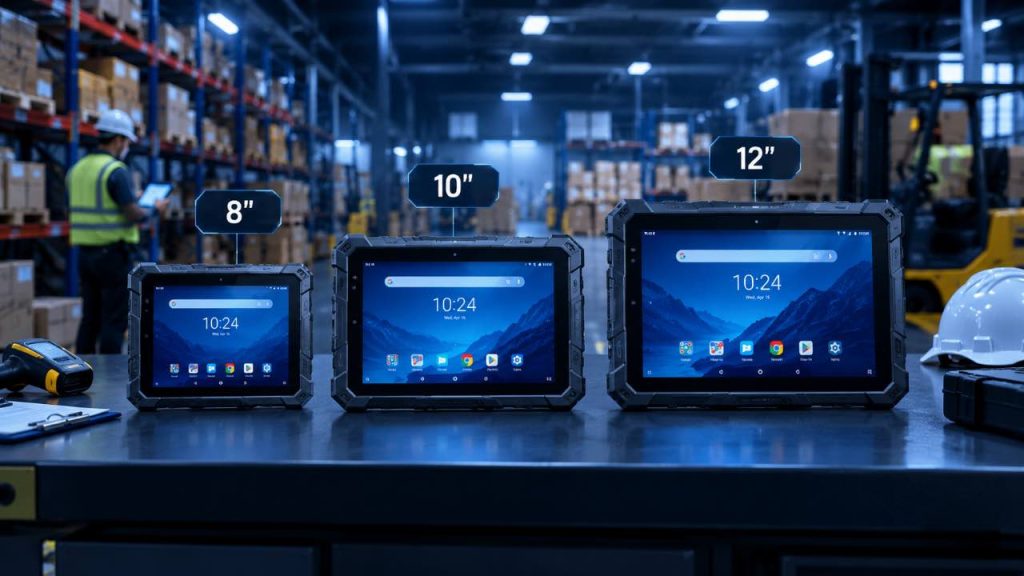
Part 1: Rugged Tablet Screen Size: Why the Right Size Matters
When selecting a rugged tablet screen size, businesses need to balance portability, screen visibility, productivity and the physical requirements of the working environment.
Smaller rugged tablets are easier to carry and can be more convenient for barcode scanning, inventory management and mobile field work. Larger displays provide more space for dashboards, documents, maps, ERP or MES applications and detailed industrial interfaces.
An 8-inch rugged tablet is often selected for highly mobile workflows where workers carry the device throughout the day.
A 10-inch rugged tablet provides a practical balance between mobility and display area, making it suitable for a wide range of warehouse, logistics, manufacturing and field applications.
A 12-inch rugged tablet provides a larger workspace and can be more appropriate for engineering, production monitoring, vehicle-mounted systems and applications that require detailed information on screen.
However, a larger screen is not automatically better. Screen size can also affect device dimensions, weight, mounting options, portability and user comfort.
This guide compares 8-inch, 10-inch and 12-inch rugged tablets and explains how to choose the right screen size according to the real industrial workflow.
If you are also comparing operating systems, IP ratings, connectivity, batteries, scanners and accessories, read our complete guide on how to choose a rugged tablet for industrial use.
Quick Answer
Choose an 8-inch rugged tablet when maximum mobility, barcode scanning and handheld operation are the main priorities.
Choose a 10-inch rugged tablet when you need the best balance between portability and screen visibility for general industrial use.
Choose a 12-inch rugged tablet when larger dashboards, detailed industrial software, engineering applications or vehicle-mounted use require more screen space.
The best screen size is the one that matches the real workflow rather than simply choosing the largest display available.
Part 2: What Does Rugged Tablet Screen Size Actually Affect?
Rugged tablet screen size affects much more than the physical dimensions of the display.
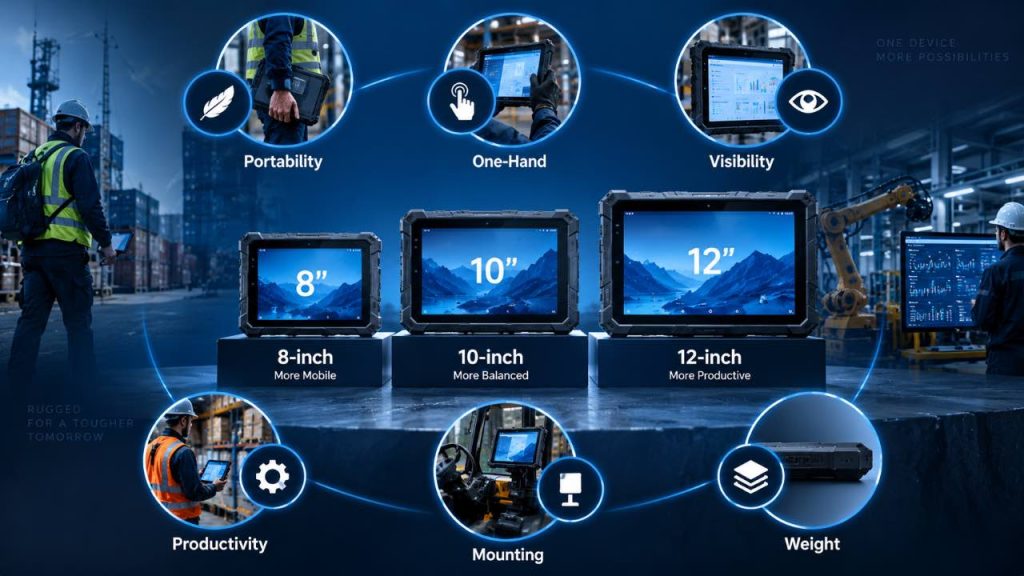
It influences portability, weight, one-hand operation, screen visibility, productivity, mounting options and how comfortably employees can use the device throughout a work shift.
When comparing 8-inch, 10-inch and 12-inch rugged tablets, businesses should consider how each of these factors affects the actual workflow.
1. Portability
Smaller rugged tablets are generally easier to carry during mobile work.
An 8-inch tablet can be more convenient for warehouse employees, field technicians and logistics workers who move continuously between locations.
A 10-inch device remains portable but provides more screen area, while a 12-inch rugged tablet is usually better suited to semi-fixed, vehicle-mounted or workstation-style use.
The more mobile the workflow, the more important device size and carrying comfort become.
2. One-Hand Operation
One-hand operation can be important for workers who need to hold the tablet while scanning products, inspecting equipment or entering data.
An 8-inch rugged tablet is usually easier to grip and operate with one hand.
A 10-inch tablet may still work well with a hand strap, while a 12-inch model generally requires two-handed use, a shoulder strap or a mounting solution.
Businesses should evaluate how employees physically interact with the device rather than selecting screen size based only on display preference.
3. Screen Visibility
Larger displays make it easier to view more information at the same time.
A 12-inch rugged tablet can display larger dashboards, maps, technical drawings and industrial software interfaces with less scrolling.
A 10-inch screen offers a good compromise for general industrial applications.
An 8-inch screen is more compact and may be perfectly suitable for barcode scanning, forms, work orders and inventory applications where only limited information is displayed at once.
4. Productivity and Data Entry
Screen size can affect how efficiently users enter and review information.
Larger screens provide more space for forms, virtual keyboards, ERP or MES interfaces and multitasking.
This can improve productivity in manufacturing, engineering and production-monitoring applications.
Smaller screens are better suited to quick interactions such as barcode scanning, status updates and simple mobile workflows.
The right choice depends on whether employees mainly consume simple information or work with complex applications.
5. Vehicle and Workstation Mounting
Screen size also affects mounting options.
10-inch and 12-inch rugged tablets are commonly used in forklifts, trucks, production stations and other mounted applications where a larger display improves visibility.
An 8-inch device may be more suitable when the tablet needs to be removed from the vehicle frequently and carried by the operator.
Businesses should evaluate mounting space, viewing distance, dock size and whether the device must transition between handheld and mounted use.
6. Weight and Long-Shift Comfort
Larger rugged tablets usually require larger housings, displays and batteries, which can increase overall device weight.
For employees carrying a tablet for eight hours or more, even a small difference in weight can affect comfort.
Smaller tablets can reduce fatigue during mobile work, while larger tablets may be more comfortable when mounted or used on a workstation.
The best screen size should support both the technical requirements and the physical comfort of the user.
How Screen Size Affects Rugged Tablet Use
| Factor | 8-inch | 10-inch | 12-inch |
|---|---|---|---|
| Portability | Excellent | Very Good | Moderate |
| One-Hand Use | Best | Possible with support | Limited |
| Screen Visibility | Compact | Balanced | Excellent |
| Detailed Applications | Basic | Good | Excellent |
| Vehicle Mounting | Good | Excellent | Excellent |
| Long-Shift Carrying | Most Comfortable | Balanced | Better Mounted |
Quick Takeaway
Choose a smaller screen when portability, one-hand operation and long-shift carrying comfort are the main priorities.
Choose a larger screen when visibility, detailed software, dashboards and mounted use are more important.
For many general industrial applications, 10-inch provides the most balanced combination of mobility and screen space.
Part 3: 8-inch Rugged Tablet: When Is It the Right Choice?
An 8-inch rugged tablet is a practical choice for industrial workers who prioritize mobility, compact dimensions and frequent handheld operation.
Compared with larger tablets, an 8-inch device is easier to carry between work areas and can be more convenient for barcode scanning, inventory checks, inspections, delivery workflows and field service.
The smaller display does not make it suitable for every application. The key question is whether the workflow requires maximum mobility or a large amount of information to remain visible on screen.
Warehouse Scanning
Field Service
Logistics
Mobile Inspection
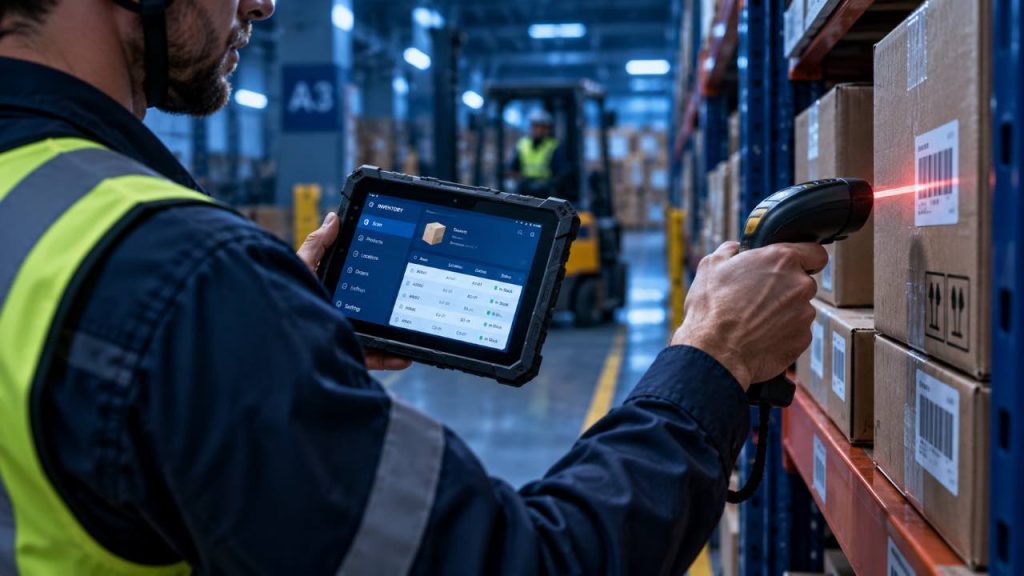
1. Why Choose an 8-inch Rugged Tablet?
The main advantage of an 8-inch rugged tablet is mobility. Its smaller form factor makes it easier for workers to carry the device while moving through warehouses, vehicles, production areas or outdoor job sites.
This format can also make frequent scanning and short data-entry tasks more comfortable when the user repeatedly switches between walking, scanning, checking information and updating records.
① Compact and Portable
Easier to carry between work areas and suitable for employees who remain mobile throughout the shift.
② Easier Handheld Operation
The smaller form factor can make handheld use more practical, especially when combined with a hand strap or carrying accessory.
③ Efficient for Scanning Workflows
Well suited to workflows where workers scan barcodes, check inventory or retrieve short pieces of information repeatedly.
④ Suitable for Limited Workspaces
Compact dimensions can be useful inside vehicles, warehouse aisles and other environments where a larger tablet may be less convenient.
2. Typical Applications for an 8-inch Rugged Tablet
An 8-inch rugged tablet is particularly useful in applications where employees need continuous access to digital information while remaining mobile.
Barcode scanning, picking, inventory checks and stock movement.
Delivery confirmation, shipment tracking and mobile data access.
Work orders, inspections, maintenance records and on-site reporting.
Asset Management
Asset identification, barcode or RFID workflows and equipment records.
3. When an 8-inch Rugged Tablet May Not Be the Best Choice
An 8-inch rugged tablet may be less suitable when users need to view large dashboards, detailed technical drawings, complex ERP or MES interfaces, multiple data fields or large maps for extended periods.
In these situations, a 10-inch or 12-inch rugged tablet can provide more screen space and reduce the need for frequent scrolling or zooming.
Quick Takeaway
An 8-inch rugged tablet is best suited to highly mobile workflows where portability, handheld operation and frequent scanning are more important than maximum screen space.
If workers spend most of the day carrying the device between locations, 8-inch can be a practical choice. If the application requires larger dashboards, detailed documents or complex industrial software, consider moving to a 10-inch or 12-inch display.
Part 4: 10-inch Rugged Tablet: The Balanced Choice for Industrial Use
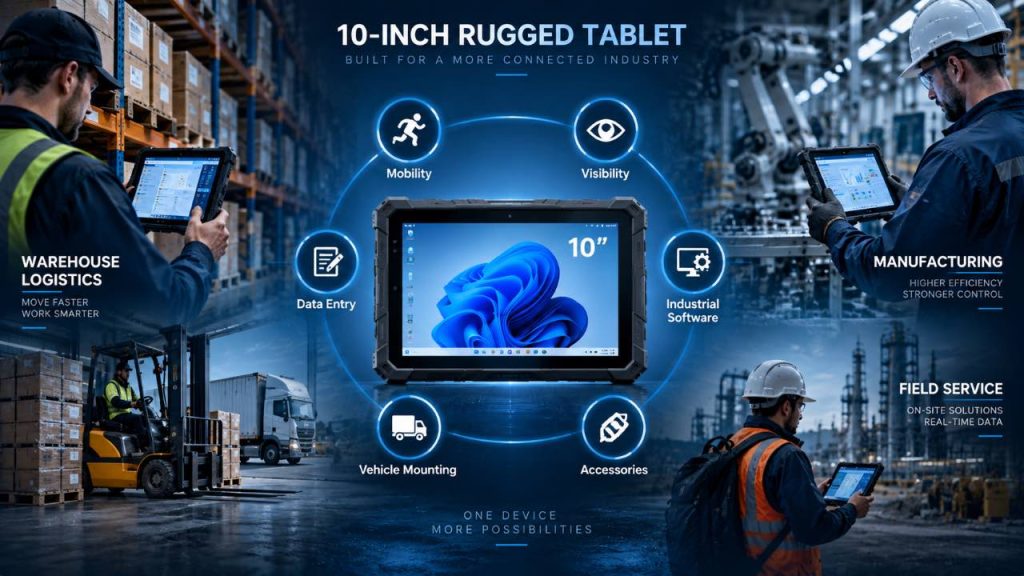
A 10-inch rugged tablet offers a practical balance between portability and screen visibility, making it one of the most versatile screen sizes for industrial applications.
Compared with an 8-inch tablet, the larger display provides more room for forms, dashboards, inventory systems and industrial software. Compared with a 12-inch model, it remains easier to carry between work areas and integrate into mobile workflows.
This balance makes a 10-inch rugged tablet suitable for warehouses, manufacturing facilities, logistics operations, field service and vehicle-mounted applications where workers need both mobility and a comfortable viewing area.
1. Balanced Portability
A 10-inch rugged tablet provides more screen space than a compact 8-inch device while remaining portable enough for many mobile industrial workflows.
Workers can carry the tablet between warehouse zones, production lines, vehicles and field locations without moving to a significantly larger form factor.
For organizations that need employees to remain mobile while still having enough screen space for everyday industrial applications, the 10-inch format provides a practical middle ground.
2. Better Screen Visibility
The larger display provides more room for work orders, inventory information, forms, maps and industrial applications.
Compared with an 8-inch screen, users can view more information at once and may need less scrolling or zooming during routine tasks.
This additional viewing area can be particularly useful in warehouses, factories and field environments where workers need to quickly read information while continuing to move between work areas.
3. Data Entry and Forms
A 10-inch display provides more usable space for on-screen keyboards, digital forms and data-entry fields.
This can make it easier for workers to complete inspections, update inventory records, enter production information or prepare field service reports.
For workflows that involve more than simple barcode scanning or short status updates, the additional screen space can improve usability without requiring a larger 12-inch device.
4. Industrial Software and Dashboards
Many warehouse management, manufacturing, logistics and field applications benefit from a medium-sized display that can present multiple data fields clearly.
A 10-inch rugged tablet can provide sufficient workspace for WMS, ERP, MES and other industrial applications while maintaining a relatively portable form factor.
However, the ideal screen size also depends on the software interface, display resolution and amount of information users need to view at the same time. Applications with highly detailed dashboards or complex engineering interfaces may benefit from a larger display.
5. Vehicle and Forklift Mounting
A 10-inch rugged tablet can be well suited to forklifts, trucks and other vehicle-mounted environments because the display provides a comfortable viewing area without requiring an oversized device.
With a compatible vehicle dock or mounting system, workers can use the tablet as a fixed terminal while driving or operating equipment.
When necessary, the tablet can also be removed from the dock and carried into a warehouse, loading area or job site. This flexibility makes the 10-inch format useful for workflows that alternate between mounted and handheld operation.
6. Accessories and Flexible Deployment
Industrial tablets are often used with accessories such as hand straps, shoulder straps, vehicle docks, charging cradles, barcode scanners and external peripherals.
A 10-inch form factor can support both mobile and mounted workflows, allowing businesses to configure the same device for different operational roles.
When selecting a rugged tablet, buyers should verify accessory compatibility, mounting requirements, charging options and interface requirements rather than considering screen size alone.
Where a 10-inch Rugged Tablet Fits
A 10-inch rugged tablet can support a wide range of industrial workflows, but its suitability depends on how the device is used and how much information workers need to view.
| Workflow | Suitability | Why It Fits |
|---|---|---|
| Warehouse Management | Very Good | Balances mobility with screen visibility |
| Manufacturing | Very Good | Suitable for forms, production data and dashboards |
| Logistics | Very Good | Portable while providing more viewing space |
| Field Service | Very Good | Comfortable for work orders, reports and inspections |
| Vehicle / Forklift | Very Good | Suitable for mounted and removable workflows |
| Complex Engineering | Depends | A larger display may provide more workspace |
Quick Takeaway
A 10-inch rugged tablet is a practical choice when an industrial workflow requires both mobility and a comfortable viewing area.
It provides more screen space than an 8-inch device while remaining easier to carry than larger 12-inch models. This makes the 10-inch format suitable for many warehouse, manufacturing, logistics, field service and vehicle-mounted applications.
Choose a 10-inch rugged tablet when neither maximum portability nor maximum screen size is the only priority. It is especially useful when workers need a balanced device that can move between handheld, vehicle-mounted and workstation-style workflows.
Part 5: 12-inch Rugged Tablet: When a Larger Display Matters
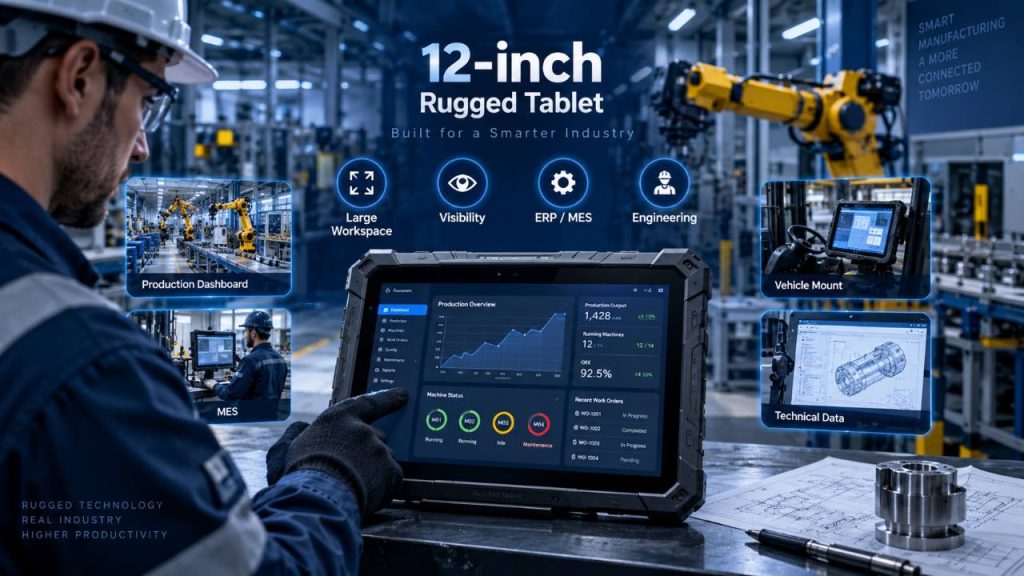
A 12-inch rugged tablet is designed for industrial workflows where screen visibility, detailed information and a larger digital workspace are more important than maximum portability.
Compared with 8-inch and 10-inch rugged tablets, a 12-inch display provides more room for dashboards, technical documents, maps, digital forms and complex industrial software. This can reduce the need for frequent scrolling or zooming when users work with large amounts of information.
The larger form factor is particularly useful in manufacturing, engineering, production monitoring, vehicle-mounted systems and other applications where the tablet is frequently used on a workstation, dock or mounting system.
1. Larger Digital Workspace
One of the main advantages of a 12-inch rugged tablet is the additional screen space available for industrial applications.
The larger display can show more data fields, menus, controls and visual information at the same time. This can be useful for applications that require workers to review detailed information instead of performing only short scanning or data-entry tasks.
For users working with dashboards, production systems or technical documents throughout the day, the additional workspace can improve usability and reduce unnecessary screen navigation.
2. Better Visibility for Detailed Information
A larger display can make detailed information easier to read, especially when the tablet is positioned on a desk, vehicle mount or industrial workstation.
Maps, technical drawings, equipment diagrams, inspection records and production dashboards can benefit from the additional viewing area.
Screen size alone does not determine readability, so buyers should also consider display resolution, brightness, viewing distance and the software interface when evaluating a 12-inch rugged tablet.
3. ERP, MES and Industrial Software
Industrial ERP, MES, WMS and production-management applications can contain multiple menus, tables, status indicators and data-entry fields.
A 12-inch rugged tablet provides more room for these interfaces and can make complex applications easier to operate without constantly switching between screens.
This can be particularly useful in manufacturing environments where supervisors, engineers and operators need access to production data, work instructions, quality records or equipment information from the same device.
4. Engineering and Technical Applications
Engineering and technical workflows often require users to review drawings, diagrams, maps, equipment documentation or detailed inspection information.
A 12-inch display provides more space for this type of content and can make zooming, navigation and document review more comfortable.
For field engineers, maintenance teams and technical personnel, the larger screen can be valuable when detailed visual information is more important than one-hand operation.
5. Vehicle and Workstation Use
A 12-inch rugged tablet is well suited to applications where the device spends a significant amount of time mounted in a vehicle, forklift, production station or industrial workstation.
In these environments, the additional device size is less of a concern because workers do not need to carry the tablet continuously throughout the shift.
A compatible dock or mounting system can transform the tablet into a larger industrial terminal while still allowing it to be removed when mobile access is required.
6. Productivity for Information-Heavy Workflows
Larger screens can improve usability when employees need to compare information, complete detailed forms or work with applications that contain multiple interface elements.
The additional display area can reduce scrolling and provide more room for on-screen keyboards, tables, dashboards and documents.
However, the productivity benefit depends on the workflow. For simple barcode scanning or highly mobile tasks, the additional size and weight of a 12-inch tablet may provide little advantage over a smaller device.
Where a 12-inch Rugged Tablet Fits
A 12-inch rugged tablet is most useful when screen space and detailed information are more important than maximum handheld mobility. The table below shows where the larger form factor typically fits within industrial workflows.
| Workflow | Suitability | Why It Fits |
|---|---|---|
| Manufacturing | Very Good | More space for production data, dashboards and work instructions |
| ERP / MES | Very Good | Supports information-rich interfaces and multiple data fields |
| Engineering | Very Good | Larger workspace for drawings, diagrams and technical documents |
| Vehicle / Workstation | Very Good | Large display is practical when the device is frequently mounted |
| Field Inspection | Good | Useful when detailed forms, maps or documents need to be reviewed |
| Barcode-Intensive Mobile Work | Depends | Smaller tablets may be easier to carry for continuous scanning |
Quick Takeaway
A 12-inch rugged tablet is a strong choice when screen visibility, detailed information and a larger digital workspace are more important than maximum portability.
The larger display is particularly useful for manufacturing, ERP or MES applications, engineering workflows, production monitoring and vehicle- or workstation-mounted systems.
Choose a 12-inch rugged tablet when employees regularly work with detailed dashboards, technical documents, maps or information-rich industrial software. If workers primarily scan barcodes or carry the tablet continuously throughout the shift, an 8-inch or 10-inch model may be more practical.
Part 6: 8-inch vs 10-inch vs 12-inch Rugged Tablet: Key Differences
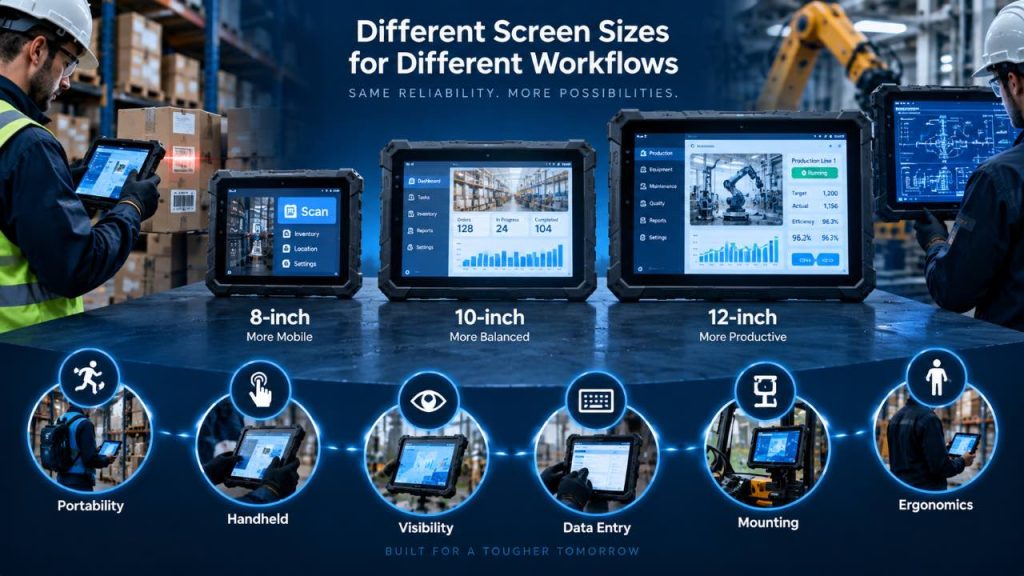
The main difference between 8-inch, 10-inch and 12-inch rugged tablets is not simply the physical size of the display. Screen size changes how easily workers can carry the device, how much information they can view, how comfortably they can enter data and how the tablet fits into handheld, vehicle-mounted or workstation-based workflows.
An 8-inch rugged tablet generally prioritizes mobility and handheld operation. A 10-inch model provides a balance between portability and screen space, while a 12-inch rugged tablet provides a larger digital workspace for information-heavy applications.
The following comparison looks at six practical factors that industrial buyers should consider when choosing between these screen sizes.
1. Portability
Portability is one of the clearest differences between rugged tablet screen sizes.
An 8-inch rugged tablet is generally easier to carry throughout a work shift and is well suited to employees who move continuously between warehouse aisles, vehicles, equipment and job sites.
A 10-inch tablet remains portable for many industrial workflows while providing a larger viewing area.
A 12-inch tablet offers more screen space, but the larger form factor is usually more practical when the device is frequently mounted, placed on a workstation or carried only for shorter periods.
2. Handheld and One-Hand Operation
The way workers physically hold and operate the tablet should influence screen-size selection.
An 8-inch device is typically the easiest of the three sizes to use while standing, walking or scanning items. Hand straps and carrying accessories can further improve handheld operation.
A 10-inch rugged tablet can still support mobile use, especially with an appropriate hand strap or shoulder strap, but prolonged one-hand operation may be less practical.
A 12-inch device is generally better suited to two-handed, mounted or workstation-based operation when users need a larger display.
3. Screen Visibility and Information Density
Larger screens provide more physical space for displaying information, which can be valuable when applications contain multiple fields, menus, charts or controls.
An 8-inch display works well for focused tasks such as scanning, work orders, inventory checks and simple forms.
A 10-inch display provides more room for general industrial applications without significantly increasing the overall device size.
A 12-inch display is better suited to detailed dashboards, technical documents, maps and information-rich applications where users benefit from seeing more content at the same time.
4. Data Entry and Productivity
Screen size can also affect how comfortably users interact with forms, virtual keyboards and industrial software.
An 8-inch tablet is effective for short data-entry tasks, barcode scanning and quick status updates.
A 10-inch model provides more room for forms and on-screen controls, making it suitable for workflows that combine scanning, information review and regular data entry.
A 12-inch tablet can provide a more comfortable workspace for detailed forms, production records, technical applications and other tasks that require users to interact with larger amounts of information.
5. Vehicle and Workstation Mounting
The ideal screen size can change when the tablet is mounted instead of carried.
An 8-inch tablet uses less mounting space and can be convenient when the device needs to be removed frequently for handheld work.
A 10-inch rugged tablet provides a strong balance for forklifts, trucks and mobile workstations because it offers good visibility while remaining relatively compact.
A 12-inch tablet is particularly useful when the device functions as a larger vehicle terminal or workstation display and portability is a secondary requirement.
Buyers should verify available mounting space, viewing distance, dock compatibility and power requirements before selecting a device.
6. Weight and Long-Shift Ergonomics
Screen size often influences the overall dimensions and weight of a rugged tablet, although the exact difference depends on the device design, battery configuration and installed accessories.
For workers who carry a tablet throughout an entire shift, a smaller and lighter device can reduce fatigue.
For mounted or workstation-based applications, additional weight may be less important, allowing businesses to prioritize screen visibility and workspace instead.
For this reason, buyers should compare the complete device weight rather than judging ergonomics from screen size alone.
8-inch vs 10-inch vs 12-inch Rugged Tablet Comparison
The table below summarizes the practical differences between the three screen sizes. These are general workflow guidelines rather than fixed rules, because actual device dimensions, weight, display specifications and accessories vary by model.
| Factor | 8-inch | 10-inch | 12-inch |
|---|---|---|---|
| Primary Strength | Mobility | Balanced Use | Large Workspace |
| Portability | Excellent | Very Good | Moderate |
| Handheld Operation | Excellent | Very Good | Limited |
| Screen Visibility | Compact | Balanced | Excellent |
| Data Entry | Short Tasks | Regular Data Entry | Detailed Data Entry |
| Industrial Dashboards | Basic | Very Good | Excellent |
| Barcode Workflows | Excellent | Very Good | Depends on Mobility Needs |
| Vehicle Mounting | Good | Excellent | Excellent |
| Long-Shift Carrying | Most Convenient | Balanced | Better for Mounted Use |
| Typical Workflow | Highly Mobile | Mixed Mobile / Mounted | Information-Heavy / Mounted |
Quick Takeaway
The key difference between 8-inch, 10-inch and 12-inch rugged tablets is the balance between mobility and usable screen space.
Choose an 8-inch rugged tablet when handheld mobility, frequent scanning and carrying comfort are the main priorities.
Choose a 10-inch rugged tablet when workers need a balance between portability, screen visibility and flexible handheld or mounted use.
Choose a 12-inch rugged tablet when detailed dashboards, technical documents, industrial software or mounted workflows require a larger digital workspace.
The best screen size is not necessarily the largest one. It is the size that allows workers to complete their actual tasks efficiently and comfortably.
Part 7: Rugged Tablet Screen Size by Industrial Application
The right rugged tablet screen size often depends on the industrial application and how workers interact with the device during a typical shift.
A warehouse employee scanning products while walking between aisles has different requirements from a production supervisor monitoring manufacturing data or a driver using a tablet mounted inside a vehicle.
Instead of selecting a screen size based only on display dimensions, businesses should consider mobility, viewing distance, data-entry requirements, mounting conditions and the complexity of the software being used.
The following examples show how 8-inch, 10-inch and 12-inch rugged tablets can fit different industrial workflows.
1. Warehouse and Inventory Management
Warehouse workflows often require employees to move continuously between aisles, storage locations, loading areas and workstations.
For barcode scanning, picking, inventory checks and stock movement, an 8-inch rugged tablet can be convenient because the compact form factor is easier to carry throughout the shift.
A 10-inch rugged tablet can be a better fit when warehouse workers also need to review larger inventory records, complete forms or interact with a warehouse management system.
The choice between 8-inch and 10-inch therefore depends on whether the workflow prioritizes continuous handheld scanning or a combination of mobility and information visibility.
2. Logistics and Transportation
Logistics operations can involve shipment tracking, delivery confirmation, route information, barcode scanning and communication between drivers, warehouses and distribution centers.
An 8-inch rugged tablet can work well for highly mobile delivery and scanning tasks where the device is frequently carried in one hand.
A 10-inch model provides additional screen space for shipment details, digital forms, maps and transportation applications while remaining portable enough for many mobile workflows.
For tablets that spend more time mounted inside trucks or other vehicles, a 10-inch or 12-inch display may provide better visibility from the operator’s normal viewing position.
3. Manufacturing and Production
Manufacturing environments often require workers to access production schedules, work instructions, quality records, machine information and ERP or MES applications.
A 10-inch rugged tablet provides a practical balance for operators who need to move between production areas while still viewing detailed information.
A 12-inch rugged tablet can be more suitable for production monitoring, larger dashboards, technical documents and workstation-based applications where screen visibility is more important than maximum mobility.
For manufacturing use, the ideal size depends on whether the tablet is carried by an operator, shared between work areas or installed at a production station.
4. Field Service and Mobile Inspection
Field service technicians may use rugged tablets for work orders, maintenance records, equipment inspections, photographs, maps and on-site reporting.
An 8-inch rugged tablet can be useful when technicians carry the device for long periods and frequently move between equipment or job locations.
A 10-inch model provides more space for inspection forms, technical information and reports while still supporting mobile use.
A 12-inch tablet may be appropriate when technicians regularly review detailed drawings, diagrams or complex documentation, although the larger form factor can be less convenient for continuous handheld work.
5. Vehicle and Forklift Applications
Screen-size priorities change when a rugged tablet is mounted inside a forklift, truck or industrial vehicle.
Because the operator does not need to carry the device continuously, screen visibility and viewing distance can become more important than minimum device size.
A 10-inch rugged tablet is a flexible option for many vehicle applications because it provides a comfortable viewing area while remaining relatively compact.
A 12-inch display can provide additional visibility for dashboards, maps and information-rich applications when sufficient mounting space is available.
Businesses should also consider dock compatibility, mounting position, vibration, power connections and whether the tablet needs to be removed from the vehicle for handheld use.
6. Engineering and Technical Work
Engineering and technical applications can require users to view drawings, equipment diagrams, maps, inspection records and detailed documentation.
For these workflows, a 10-inch or 12-inch rugged tablet generally provides more usable screen space than a compact 8-inch device.
A 10-inch tablet can be appropriate when engineers need to move frequently between locations, while a 12-inch model provides a larger workspace for detailed visual information and information-heavy software.
The final choice should consider not only screen size but also display resolution, brightness, software interface and how long users need to work with detailed information on screen.
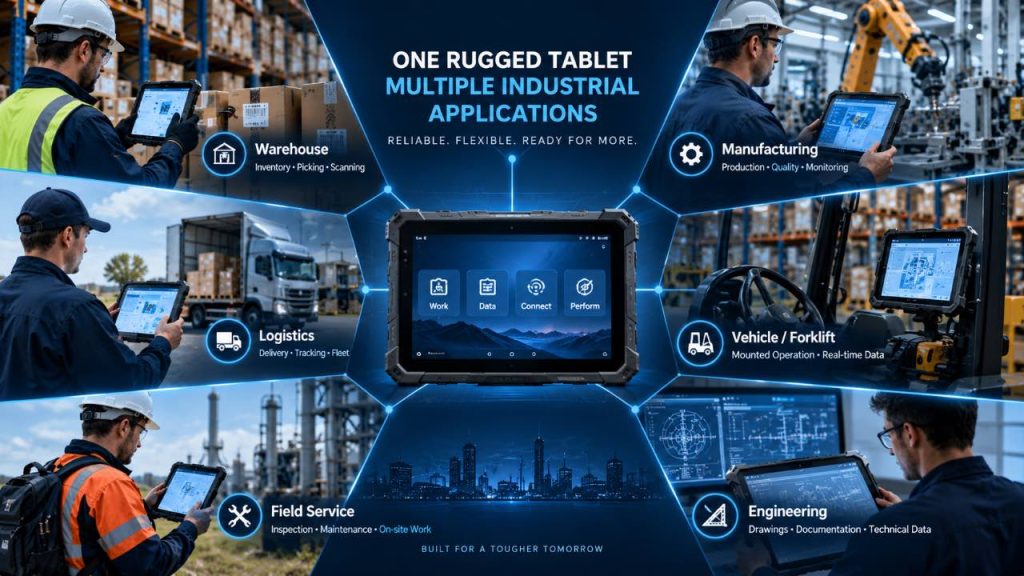
Recommended Screen Size by Industrial Workflow
The table below provides a general starting point for matching rugged tablet screen size with common industrial workflows. Actual requirements can vary depending on software, accessories, mounting conditions and how employees use the device.
| Industrial Application | Typical Screen Size | Main Requirement |
|---|---|---|
| Warehouse Scanning | 8-inch / 10-inch | Mobility, barcode scanning and inventory access |
| Logistics & Delivery | 8-inch / 10-inch | Portable access to shipments, forms and route information |
| Manufacturing | 10-inch / 12-inch | Production data, work instructions and industrial software |
| Field Service | 8-inch / 10-inch | Work orders, inspections and mobile reporting |
| Vehicle / Forklift | 10-inch / 12-inch | Mounted visibility, dashboards and vehicle applications |
| Engineering | 10-inch / 12-inch | Drawings, technical documents and detailed information |
Quick Takeaway
Choose rugged tablet screen size according to the real industrial workflow rather than the industry name alone.
An 8-inch rugged tablet is well suited to highly mobile applications such as warehouse scanning, delivery and field inspection.
A 10-inch rugged tablet provides a versatile balance for warehouse management, logistics, manufacturing, field service and vehicle applications.
A 12-inch rugged tablet becomes more useful when larger dashboards, technical documents, production data or mounted operation require additional screen space.
The same industry may use multiple screen sizes for different roles, so businesses should evaluate the tasks performed by each group of users before standardizing on one device size.
Part 8: Portability, Weight and One-Hand Operation
Screen size affects more than how much information fits on the display. It also influences how easily workers can carry, hold and operate a rugged tablet throughout the working day.
For employees who walk between warehouse aisles, inspect equipment, scan barcodes or perform field service, device dimensions and weight can directly affect handling comfort. For workers who mainly use the tablet in a vehicle, dock or workstation, portability may be less important than screen visibility.
The best choice therefore depends on how long the device is carried, how frequently workers need both hands for other tasks and whether accessories such as hand straps, shoulder straps or vehicle docks are used.
1. Consider How Long Workers Carry the Tablet
A rugged tablet that feels comfortable during a short demonstration may feel very different after several hours of continuous use.
Workers in warehouses, logistics operations and field service may carry the device throughout much of the shift while walking, scanning products, inspecting equipment or moving between job locations.
In these highly mobile workflows, a compact 8-inch tablet can reduce the physical burden of carrying a device continuously. A 10-inch tablet provides more screen space while remaining practical for many mobile tasks.
A 12-inch device may be more comfortable when it is frequently placed on a workstation, attached to a mount or carried only when necessary.
2. Compare Complete Device Weight, Not Screen Size Alone
Screen size can influence device weight, but it is not the only factor.
Battery capacity, housing materials, integrated barcode scanners, expansion modules, protective bumpers and other hardware can significantly change the final weight of a rugged tablet.
Two tablets with the same screen size may therefore have different handling characteristics.
When comparing devices, buyers should check the actual product weight in the technical specifications and include frequently used accessories when evaluating how comfortable the complete configuration will be during a work shift.
3. Evaluate One-Hand Operation
One-hand operation can be important when workers need the other hand to scan items, open packages, inspect equipment, operate tools or maintain balance while moving through a work area.
An 8-inch rugged tablet generally provides the most compact form factor for handheld workflows.
A 10-inch tablet can still be practical for mobile use, especially when a hand strap helps distribute the device weight and improves grip.
A 12-inch rugged tablet usually provides a larger viewing area but is better suited to two-handed operation, a supporting accessory or a mounted configuration when used for extended periods.
4. Use Hand Straps and Carrying Accessories
Accessories can significantly change how a rugged tablet feels during real-world use.
A rotating hand strap can improve grip and allow workers to hold the tablet more securely while standing or walking. Shoulder straps can reduce the need to continuously support the device by hand, while carrying handles can make it easier to move the tablet between work areas.
For mobile workers, accessory selection should be considered together with screen size rather than treated as an afterthought.
Before purchasing, businesses should verify that the required straps, handles and protective accessories are compatible with the tablet and do not interfere with scanners, ports, docks or other hardware.
5. Decide Between Handheld and Mounted Use
The same screen size can feel very different depending on whether the tablet is carried or mounted.
For continuous handheld use, compact dimensions and comfortable weight distribution are usually important.
For forklift, truck and workstation applications, the device may remain in a dock for much of the shift. In these situations, a larger 10-inch or 12-inch display can provide additional viewing space without creating the same carrying burden.
Businesses should also consider whether workers need to remove the tablet from the mount frequently. A device that moves between mounted and handheld use may require a different balance than one that remains fixed throughout the shift.
6. Test the Device in the Real Workflow
Technical specifications alone cannot fully show how comfortable a rugged tablet will be in daily operation.
Whenever possible, businesses should evaluate the device using the same tasks employees perform during a normal shift. This may include walking with the tablet, scanning barcodes, entering data, wearing gloves, attaching a hand strap or moving the device between a vehicle dock and handheld use.
A short workflow test can reveal whether the tablet is easy to grip, whether important controls remain accessible and whether the screen size provides enough information without creating unnecessary carrying burden.
The goal is to select a device that supports the complete workflow rather than choosing a screen size based only on display preference.
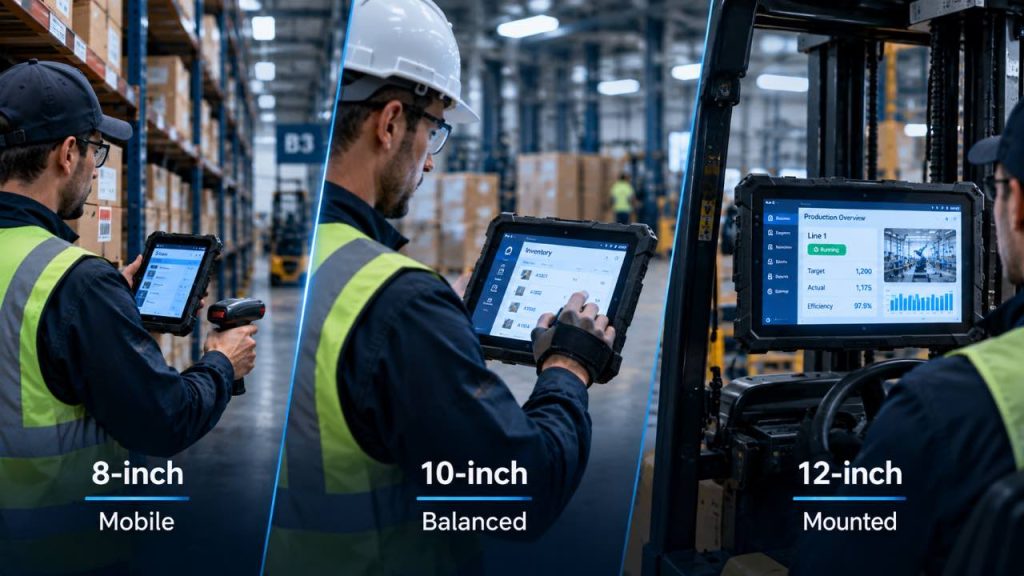
Portability and Handling Comparison
The table below summarizes how different rugged tablet screen sizes generally fit common handling styles. Actual device weight and ergonomics vary by model, battery configuration and accessories.
| Handling Factor | 8-inch | 10-inch | 12-inch |
|---|---|---|---|
| Continuous Carrying | Well Suited | Suitable | Consider Support |
| One-Hand Operation | Most Practical | Possible with Support | Limited |
| Hand Strap Use | Useful | Highly Useful | Support Recommended |
| Shoulder Strap | Optional | Useful | Useful for Mobile Work |
| Mounted Operation | Good | Very Good | Very Good |
| Typical Handling Style | Highly Mobile | Mobile / Mixed | Two-Handed / Mounted |
Quick Takeaway
For highly mobile workers who carry a device throughout the shift, compact dimensions and comfortable handling can be more important than maximum screen size.
An 8-inch rugged tablet is generally the most practical format for frequent handheld and one-hand operation.
A 10-inch rugged tablet provides a balance between portability and screen space, especially when combined with a hand strap or carrying accessory.
A 12-inch rugged tablet becomes more practical when the device is used with two hands, placed on a workstation or installed in a vehicle mount.
Always compare the complete device weight, accessories and real working conditions before making a final screen-size decision.
Part 9: Screen Size, Visibility and Productivity
Rugged tablet screen size affects how much information workers can view, how easily they can interact with industrial software and how efficiently they complete everyday tasks.
A larger display can provide more room for forms, dashboards, maps and technical information, while a smaller display can keep the device compact and easier to use during quick mobile interactions.
However, screen size alone does not determine productivity. Display resolution, software design, viewing distance, brightness and the type of information shown on screen are also important.
The goal is to choose a display that provides enough usable workspace for the application without adding unnecessary size to the device.
1. How Much Information Needs to Stay Visible?
Different industrial applications require different amounts of information to remain visible at the same time.
Barcode scanning, inventory checks and simple work orders may require only a small number of fields or controls, making an 8-inch display practical for these focused tasks.
Applications that show inventory records, production information, inspection forms or multiple controls can benefit from the additional workspace of a 10-inch display.
When workers need to view detailed dashboards, technical documents or multiple data elements simultaneously, a 12-inch rugged tablet can reduce the need for frequent scrolling or zooming.
2. Forms and Data Entry
Industrial workflows often require employees to complete inspection forms, enter quantities, update work orders or record production information.
On a smaller display, compact forms can work efficiently when users only need to enter a few values at a time.
A 10-inch screen provides additional room for input fields, buttons and the on-screen keyboard, making it suitable for regular data-entry tasks.
For complex forms with many fields or detailed records, a 12-inch display can provide a larger working area, particularly when the device is used on a workstation or mount.
3. ERP, MES and WMS Applications
Enterprise and industrial software can contain tables, navigation menus, status indicators, charts and multiple data fields.
A 10-inch rugged tablet can provide a practical balance for many ERP, MES and WMS workflows because it offers more interface space while remaining portable.
A 12-inch display can be useful for information-rich interfaces, production monitoring and applications where users need to review several data elements at the same time.
The ideal size depends on how the software interface is designed, so businesses should test their actual applications on the target device whenever possible.
4. Dashboards and Production Monitoring
Dashboards are most useful when important information can be understood quickly without excessive navigation.
A larger screen can provide more room for production status, equipment information, charts, alerts and key performance indicators.
For mobile supervisors involved in production monitoring, a 10-inch rugged tablet can provide a useful balance between dashboard visibility and portability while moving between production areas.
For control stations, vehicle-mounted systems or information-heavy monitoring applications, a 12-inch display may provide a more comfortable viewing area.
5. Maps, Technical Drawings and Documents
Maps, equipment diagrams, technical drawings and PDF documents can require more screen space than simple forms or scanning applications.
Users working on an 8-inch display may need to zoom and move around detailed content more frequently.
A 10-inch screen provides additional viewing area while remaining practical for mobile field work.
A 12-inch rugged tablet can provide a larger workspace for engineering drawings, site plans, technical manuals and other visual information, especially when users review these materials for extended periods.
6. Screen Size Is Only One Part of Display Quality
A larger screen does not automatically provide better readability or a better user experience.
Display resolution affects how much detail can be shown, while brightness influences visibility in warehouses, vehicles and outdoor environments. Viewing angles, touch performance and software scaling can also affect how comfortably workers interact with the screen.
For outdoor or brightly lit applications, buyers should evaluate display brightness together with screen size. For detailed software, resolution and interface scaling should also be considered.
Screen size should therefore be evaluated as part of the complete display specification rather than as an isolated number.
For a broader evaluation of display specifications, durability, operating systems, connectivity and other purchasing factors, see our complete guide on how to choose a rugged tablet for industrial use.
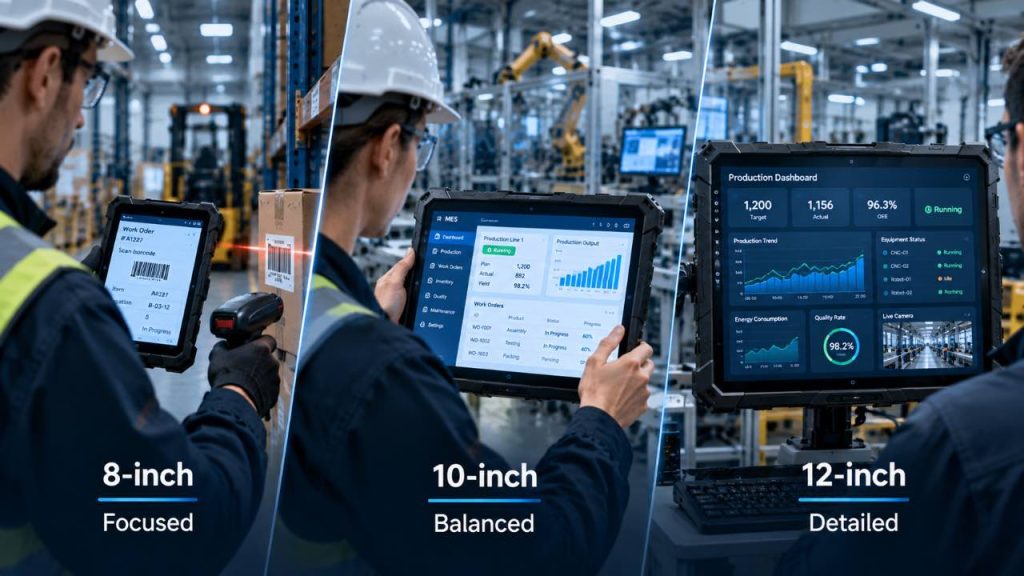
Screen Size and Information Display Comparison
The table below summarizes how 8-inch, 10-inch and 12-inch rugged tablets generally fit different information and software requirements. Actual usability depends on display resolution, software design and the specific device configuration.
| Display Requirement | 8-inch | 10-inch | 12-inch |
|---|---|---|---|
| Barcode / Quick Tasks | Very Good | Very Good | More Space Than Needed |
| Digital Forms | Basic / Compact | Very Good | Excellent for Detailed Forms |
| ERP / MES / WMS | Focused Interfaces | Balanced | Information-Rich Interfaces |
| Dashboards | Basic | Very Good | Excellent |
| Maps & Documents | More Zooming | Balanced | Larger Viewing Area |
| Technical Drawings | Limited Workspace | Good | More Workspace |
| Typical Interaction | Quick / Focused | General Industrial | Detailed / Information-Heavy |
Quick Takeaway
Choose screen size according to the amount and complexity of information workers need to view and interact with.
An 8-inch rugged tablet works well for focused tasks such as barcode scanning, inventory checks and simple work orders.
A 10-inch rugged tablet provides a balanced workspace for forms, ERP, MES, WMS and general industrial applications.
A 12-inch rugged tablet provides additional viewing area for detailed dashboards, technical documents, maps and information-rich software.
However, screen size alone does not determine visibility or productivity. Display resolution, brightness, software design and the real working environment should also be evaluated before making a final decision.
Part 10: Vehicle Mounting, Accessories and Interfaces
Choosing the right rugged tablet screen size also requires considering how the device will be mounted, carried, charged and connected to other equipment.
A tablet used inside a forklift or truck may require a secure vehicle dock and continuous power, while a warehouse worker may need a hand strap, barcode scanner or charging cradle. Manufacturing applications may require additional interfaces for connecting peripherals or industrial equipment.
Because screen size affects the physical dimensions of the device, it can also influence mounting space, accessory compatibility and how easily the tablet moves between handheld and fixed operation.
For this reason, buyers should evaluate the complete deployment configuration rather than selecting the tablet itself in isolation.
1. Vehicle and Forklift Mounting
Vehicle-mounted rugged tablets are commonly used in forklifts, trucks, warehouse vehicles and other mobile industrial equipment.
An 8-inch tablet requires less mounting space and can be convenient when operators frequently remove the device for handheld work.
A 10-inch rugged tablet provides a larger viewing area while remaining practical for many forklift and vehicle installations.
A 12-inch tablet can provide additional screen space for maps, dashboards and detailed information, but buyers should confirm that the vehicle has sufficient mounting space and that the display does not interfere with visibility or controls.
Mount position, viewing distance, vibration and ease of device removal should all be considered before selecting the final screen size.
2. Docking Stations and Charging Cradles
A docking station or charging cradle can turn a rugged tablet into a more permanent workstation while allowing the device to remain removable when mobile use is required.
In warehouses and manufacturing facilities, charging cradles can provide a consistent location for storing and charging devices between shifts.
Vehicle docks may provide power and, depending on the system, additional connections for peripherals or external equipment.
Because docks are normally designed for specific tablet dimensions and mounting systems, businesses should verify compatibility with the exact device model rather than assuming that a dock will fit every screen size.
3. Hand Straps, Shoulder Straps and Carrying Options
Carrying accessories can make a significant difference when rugged tablets are used away from a desk or vehicle mount.
Hand straps can improve grip during warehouse scanning, inspections and field work. Shoulder straps can reduce the need to continuously support the tablet by hand, while carrying handles can make larger devices easier to move between locations.
These accessories become increasingly important when workers use the tablet for long periods or frequently switch between data entry and physical tasks.
Buyers should confirm that straps and handles do not block cameras, barcode scanners, expansion modules, ports or docking connections.
4. Barcode Scanners, RFID and Data Capture
Many industrial workflows require more than touchscreen input.
Warehouse, logistics, asset-management and manufacturing applications may use barcode scanners, RFID readers, NFC or cameras to identify products, equipment and materials.
Some rugged tablets integrate these functions into the device, while other deployments use external scanners or accessories.
Screen size should therefore be evaluated together with the complete data-capture workflow. Buyers should consider where the scanner is positioned, how the device is held during scanning and whether external peripherals need to remain connected during mobile use.
5. Ports and Peripheral Interfaces
Industrial tablet deployments may require connections for scanners, printers, keyboards, diagnostic equipment, external displays or other peripherals.
Depending on the device and application, relevant interfaces may include USB, serial connections, Ethernet, audio, video output or dedicated docking connectors.
The number and type of interfaces vary by tablet model, so buyers should define the required peripherals before selecting the final device.
For fixed or vehicle-mounted installations, a docking station can sometimes provide additional connectivity while keeping the tablet itself easier to remove and carry.
6. Power and Charging for Different Workflows
Power requirements can change depending on whether the rugged tablet is used as a mobile device or installed in a fixed location.
Mobile workers may rely on internal batteries, replaceable batteries or charging during breaks, while vehicle-mounted and workstation applications can benefit from continuous external power.
Charging cradles can also help businesses organize multiple devices and keep tablets ready between shifts.
When planning a deployment, buyers should consider expected shift length, charging opportunities, dock power requirements and whether the device needs to remain operational while moving between handheld and mounted use.
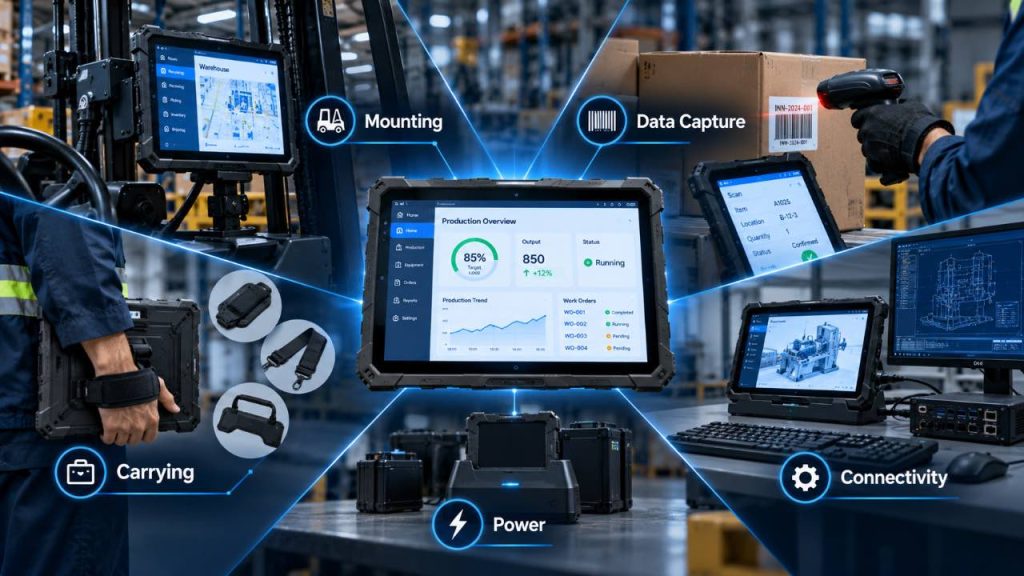
Accessories and Deployment Requirements
The table below summarizes common accessories and deployment considerations for different industrial workflows. Exact compatibility depends on the rugged tablet model and the accessories available for that device.
| Workflow | Useful Accessories | Key Consideration |
|---|---|---|
| Warehouse Scanning | Hand Strap / Scanner / Charging Cradle | Comfortable handling and fast data capture |
| Logistics & Delivery | Vehicle Dock / Shoulder Strap / Charger | Easy transition between vehicle and mobile use |
| Manufacturing | Dock / Scanner / External Peripherals | Connectivity with production workflows |
| Field Service | Hand Strap / Shoulder Strap / Charger | Mobility and reliable power during field work |
| Forklift Operation | Vehicle Mount / Powered Dock | Secure mounting, visibility and continuous power |
| Workstation Use | Dock / Keyboard / External Peripherals | Connectivity and comfortable long-term operation |
Quick Takeaway
Choosing a rugged tablet is not only about screen size. The complete deployment should also include the mounting, carrying, charging and connectivity requirements of the workflow.
For handheld applications, evaluate hand straps, shoulder straps, scanners and charging options.
For forklifts, trucks and workstations, verify mounting space, dock compatibility, continuous power and viewing distance.
For applications that use scanners, printers or other peripherals, confirm the required interfaces before selecting the final tablet.
The best solution is a device and accessory configuration that supports the entire workflow rather than the tablet alone.
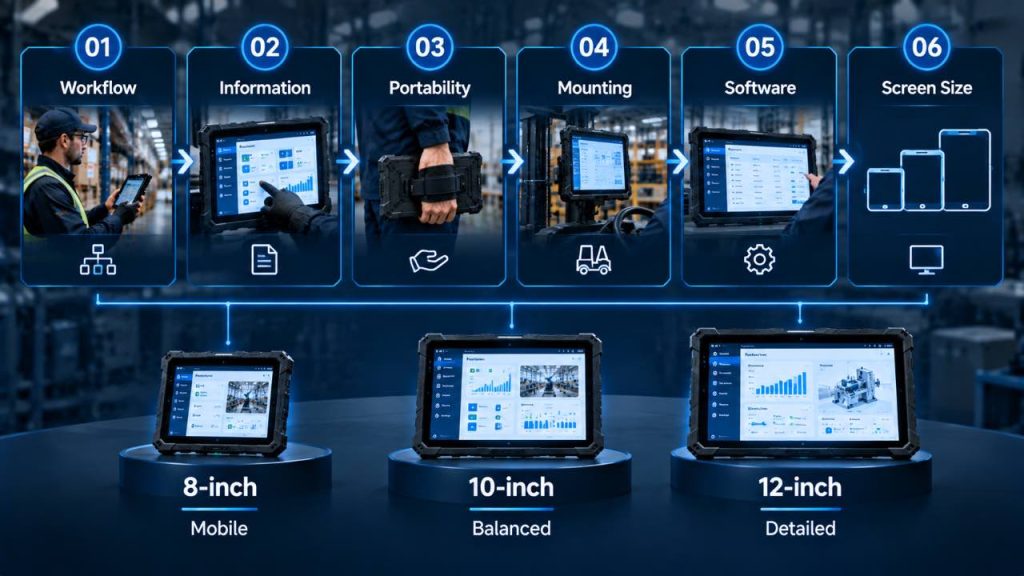
Part 11: How to Choose the Right Rugged Tablet Screen Size
Choosing the right rugged tablet screen size becomes easier when the decision starts with the actual workflow rather than the display dimensions.
Instead of asking whether an 8-inch, 10-inch or 12-inch tablet is generally better, businesses should identify how employees will carry the device, what information they need to see, which software they use and whether the tablet will operate handheld, mounted or at a workstation.
The following six-step process can help narrow down the most practical screen size for an industrial deployment.
Step 1 — Define the Primary Workflow
Start by identifying what employees actually do with the tablet during a normal working day.
Workers who continuously walk, scan products and move between locations generally need a more portable device than employees who mainly review dashboards or operate the tablet from a workstation.
List the primary tasks first: barcode scanning, inventory management, inspections, data entry, production monitoring, navigation, technical documentation or vehicle operation.
The dominant workflow should guide the screen-size decision before secondary features are considered.
Step 2 — Determine How Much Information Must Be Visible
Next, evaluate the amount and complexity of information employees need to see at the same time.
Simple scanning interfaces, work orders and inventory checks can work efficiently on a compact display.
Forms, WMS, ERP or MES applications may benefit from the additional workspace of a 10-inch screen.
Detailed dashboards, technical drawings, maps and information-rich software may be easier to use on a 12-inch display.
The goal is to provide enough usable workspace without making the device larger than the workflow requires.
Step 3 — Evaluate Handheld and Carrying Requirements
Consider how long employees will physically carry the tablet and whether they need one hand available for other tasks.
An 8-inch rugged tablet is generally the most compact option for highly mobile workflows and frequent handheld operation.
A 10-inch tablet can provide a balance between screen space and portability, particularly when used with a hand strap or shoulder strap.
A 12-inch device may be more practical when it is carried for shorter periods, operated with two hands or supported by a workstation or mount.
Actual device weight and accessory configuration should always be checked before making the final decision.
Step 4 — Check Mounting and Accessory Requirements
Determine whether the tablet will remain handheld or move between handheld, vehicle-mounted and workstation-based use.
Forklift and truck applications may require a powered vehicle dock, while warehouse workers may need hand straps, barcode scanners or charging cradles.
Larger screens can provide better visibility in mounted applications, but they also require more installation space.
Before selecting a tablet, verify dock dimensions, mounting location, charging requirements and compatibility with the accessories required by the workflow.
Step 5 — Test the Actual Software
The same screen size can provide very different user experiences depending on the software interface.
Whenever possible, test the actual WMS, ERP, MES, field-service application or other industrial software on the device before deployment.
Check whether important buttons and data fields are easy to access, whether users need excessive scrolling or zooming and whether the on-screen keyboard leaves enough usable workspace.
Display resolution and software scaling should be evaluated together with physical screen size.
Step 6 — Match the Screen Size to the Workflow
After evaluating workflow, information requirements, portability, mounting and software, the final screen-size decision should become much clearer.
Choose an 8-inch rugged tablet when mobility, frequent scanning and handheld operation are the main priorities.
Choose a 10-inch rugged tablet when the workflow requires a balance between portability, screen visibility and flexible handheld or mounted use.
Choose a 12-inch rugged tablet when larger dashboards, detailed documents, technical applications or mounted operation require additional screen space.
The right choice is the smallest screen size that comfortably supports the complete workflow without limiting productivity.
Quick Screen Size Decision Guide
If the workflow requirements are already clear, the following table provides a quick way to narrow down the most suitable rugged tablet screen size.
| If Your Priority Is... | Consider | Typical Workflow |
|---|---|---|
| Maximum Mobility | 8-inch | Walking, scanning and frequent handheld use |
| One-Hand Operation | 8-inch | Barcode scanning, inventory and mobile inspection |
| Mobility + Screen Space | 10-inch | General warehouse, logistics and field operations |
| Handheld + Mounted Flexibility | 10-inch | Manufacturing, vehicles and mixed workflows |
| Detailed Information | 12-inch | Dashboards, technical documents and engineering |
| Primarily Mounted Use | 10-inch / 12-inch | Forklifts, vehicles and industrial workstations |
Quick Takeaway
Start with the workflow, not the screen size.
Choose 8-inch when workers need maximum mobility, frequent scanning and compact handheld operation.
Choose 10-inch when the application requires a balance between portability, screen visibility and flexible handheld or mounted use.
Choose 12-inch when users regularly work with detailed dashboards, technical documents or information-rich software and the device is frequently mounted or supported.
Before deployment, test the actual device, software and accessories together under real working conditions.
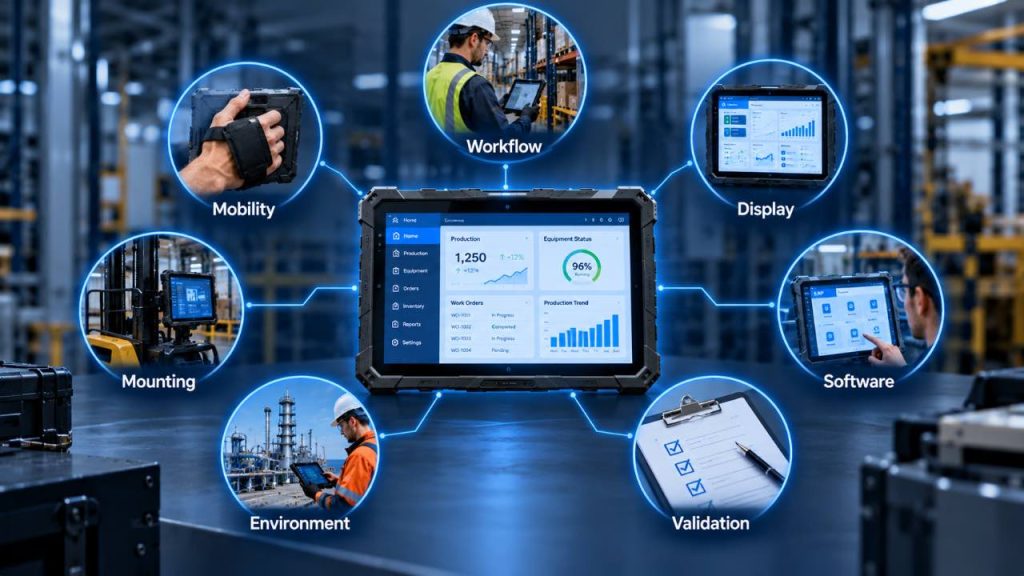
Part 12: Rugged Tablet Screen Size Selection Checklist
Before selecting an 8-inch, 10-inch or 12-inch rugged tablet, buyers should review the complete working environment rather than focusing on screen size alone.
The checklist below can help procurement teams, system integrators and industrial users identify the practical requirements that may affect the final device size.
Use it before requesting samples or comparing rugged tablet models so that the selected device can be evaluated against the real workflow.
Screen Size Selection Checklist
Review each requirement below before making the final screen-size decision.
01
Workflow
Start with the tasks workers perform every day.
✓
Identify the primary tasks performed on the tablet.
✓
Determine whether barcode scanning or frequent data capture is required.
✓
Check whether workers mainly view simple information or detailed dashboards.
02
Mobility & Handling
Evaluate how workers carry and operate the device.
✓
Estimate how long workers carry the tablet during each shift.
✓
Determine whether one-hand operation is important.
✓
Compare complete device weight, not screen size alone.
03
Display & Information
Match the display to the information workers need to see.
✓
Determine how much information must remain visible at the same time.
✓
Evaluate resolution, brightness and viewing conditions together with screen size.
✓
Check whether maps, drawings, dashboards or technical documents require additional workspace.
04
Software & Data Entry
Test the real application instead of relying only on specifications.
✓
Test the actual WMS, ERP, MES or field-service software.
✓
Check whether forms and buttons are comfortable to use at the selected size.
✓
Evaluate scrolling, zooming, software scaling and on-screen keyboard space.
05
Mounting & Accessories
Plan how the tablet fits into the complete deployment.
✓
Confirm available space for vehicle, forklift or workstation mounting.
✓
Verify compatibility with docks, hand straps, shoulder straps and charging cradles.
✓
Check required scanners, ports and external peripherals.
06
Working Environment
Confirm that the complete device fits the real operating conditions.
✓
Evaluate indoor, outdoor, warehouse, vehicle or production-floor use.
✓
Consider viewing distance, lighting conditions and available installation space.
✓
Confirm the required ruggedness and environmental protection for the application.
07
Final Validation
Validate the complete solution before full deployment.
✓
Compare 8-inch, 10-inch and 12-inch options against the same workflow.
✓
Test the tablet together with the required software and accessories.
✓
Run a pilot test with actual users before standardizing the device.
What Does Your Checklist Suggest?
After completing the checklist, the screen-size direction should become easier to identify.
If most requirements involve walking, scanning, one-hand operation and continuous carrying, an 8-inch rugged tablet may be the more practical format.
If the workflow combines mobile use, regular data entry, industrial software and occasional mounting, a 10-inch rugged tablet can provide a balanced working area.
If the application focuses on detailed dashboards, technical documents, engineering information or primarily mounted operation, a 12-inch rugged tablet can provide additional screen space.
If the requirements overlap, test two screen sizes with the same software and workflow before standardizing the final device.
If environmental protection is also a key purchasing factor, see our guide to IP65 vs IP67 rugged tablets.
Quick Takeaway
Before choosing a rugged tablet screen size, evaluate the complete workflow rather than the display dimension alone.
Check how workers carry the device, how much information they need to view, which software they use, whether the tablet will be mounted and which accessories are required.
An 8-inch rugged tablet generally supports highly mobile and scan-intensive workflows, while a 10-inch model provides a balanced option for mixed industrial use. A 12-inch rugged tablet provides additional workspace for detailed applications and mounted operation.
Whenever possible, test the selected tablet with real users, software and accessories before full deployment.
Frequently Asked Questions About Rugged Tablet Screen Size
The following questions address common considerations when comparing 8-inch, 10-inch and 12-inch rugged tablets for industrial applications.
There is no single screen size that is best for every industrial application.
An 8-inch rugged tablet is well suited to highly mobile workflows where workers frequently carry the device, scan barcodes or perform focused tasks.
A 10-inch rugged tablet provides a balance between portability and usable screen space for many warehouse, logistics, manufacturing and field-service applications.
A 12-inch rugged tablet provides additional workspace for detailed dashboards, technical documents and applications that are frequently used in mounted or workstation environments.
The most suitable size depends on the actual workflow, software and deployment requirements.
Not necessarily. An 8-inch rugged tablet can be highly practical when mobility and handheld operation are more important than maximum screen space.
It can work well for barcode scanning, inventory checks, inspections, delivery workflows and other tasks that require workers to carry the device throughout the day.
However, applications with complex forms, detailed dashboards or large technical documents may benefit from a larger display.
A 10-inch rugged tablet can provide a practical balance between portability and screen visibility for many industrial workflows.
It offers more workspace than a compact 8-inch device while remaining easier to carry than larger tablets. This can make it suitable for warehouse management, logistics, manufacturing, field service, data entry and vehicle-mounted applications.
The final choice should still be based on the software, carrying requirements and working environment.
A 12-inch rugged tablet can be useful when workers need additional screen space for detailed information.
Typical examples include production dashboards, ERP or MES applications, engineering documents, technical drawings, maps and vehicle- or workstation-mounted systems.
Because larger devices may be less convenient for continuous handheld use, businesses should evaluate device weight, mounting options and the amount of time workers carry the tablet.
A larger screen can improve usability when employees need to view detailed forms, dashboards, maps or multiple data elements at the same time.
However, a larger display does not automatically improve productivity. Device weight, portability, software design, display resolution, brightness and the way workers interact with the tablet are also important.
The most productive screen size is the one that provides enough usable workspace without making the device unnecessarily difficult to carry or operate.
For scan-intensive workflows, compact rugged tablets are often easier to carry and position during repeated scanning tasks.
An 8-inch rugged tablet can be practical for highly mobile barcode workflows, while a 10-inch model provides additional screen space when workers also need to review inventory records, forms or other information.
Screen size should be evaluated together with scanner position, device weight, grip and the overall data-capture workflow.
Both 10-inch and 12-inch rugged tablets can be suitable for forklift and vehicle-mounted applications, depending on available mounting space and viewing requirements.
A 10-inch tablet can provide a balance between visibility and installation size, while a 12-inch display provides additional viewing area for dashboards, maps and detailed information.
Buyers should also evaluate viewing distance, mount position, vibration, continuous power and whether the tablet needs to be removed for handheld use.
Yes. When possible, testing the actual device in the real workflow can provide more useful information than comparing specifications alone.
Workers should test the tablet with the software, accessories, scanners and mounting system that will be used during normal operation.
A pilot test can help identify issues related to screen visibility, weight, data entry, carrying comfort and software usability before a larger deployment.
Conclusion: Choosing the Right Rugged Tablet Screen Size
Choosing between an 8-inch, 10-inch and 12-inch rugged tablet is ultimately a question of matching the device to the real industrial workflow.
An 8-inch rugged tablet is a practical option for highly mobile users who prioritize compact dimensions, frequent scanning and handheld operation.
A 10-inch rugged tablet provides a balance between portability and screen space, making it suitable for a wide range of warehouse, logistics, manufacturing, field-service and mixed handheld or mounted workflows.
A 12-inch rugged tablet provides additional workspace for detailed dashboards, technical documents, industrial software and applications where the device is frequently mounted or supported.
Screen size should not be evaluated alone. Device weight, display quality, software usability, mounting, accessories, environmental requirements and connectivity can all influence the final decision.
Before standardizing a device across a workforce, test the rugged tablet with the actual software, accessories and working conditions whenever possible.
Screen size is only one part of rugged tablet selection. For a complete evaluation of durability, operating systems, connectivity, batteries, scanners and other industrial requirements, read our complete guide on how to choose a rugged tablet for industrial use.
Need Help Choosing?
Not Sure Which Rugged Tablet Screen Size Fits Your Application?
Tell us about your application, software, working environment and mounting requirements. Our team can help you compare suitable rugged tablet sizes and configurations for your industrial project.
Industrial Rugged Tablets • Configuration Support • B2B Project Consultation