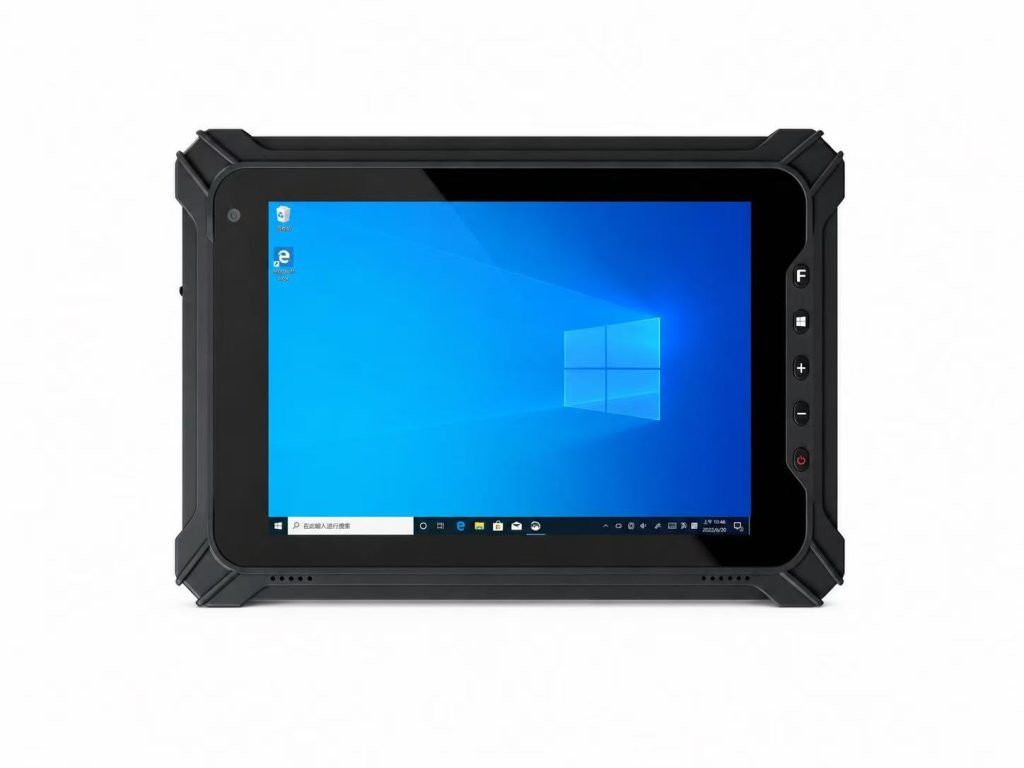
Best Rugged Tablet for Warehouse Management in 2026
Warehouse operations have become increasingly complex as businesses face growing customer expectations, faster delivery requirements and higher inventory accuracy standards. Whether managing a small distribution center or a global logistics network, warehouse managers are under constant pressure to improve operational efficiency while reducing costs and minimizing errors.
Traditional consumer tablets often fail in warehouse environments. Frequent drops, dusty storage areas, forklift vibrations, temperature changes and long working hours quickly expose the limitations of standard mobile devices. Broken screens, battery failures and unreliable wireless connections can interrupt workflows and increase operational costs.
This is why more companies are replacing consumer devices with industrial rugged tablets specifically designed for warehouse management.
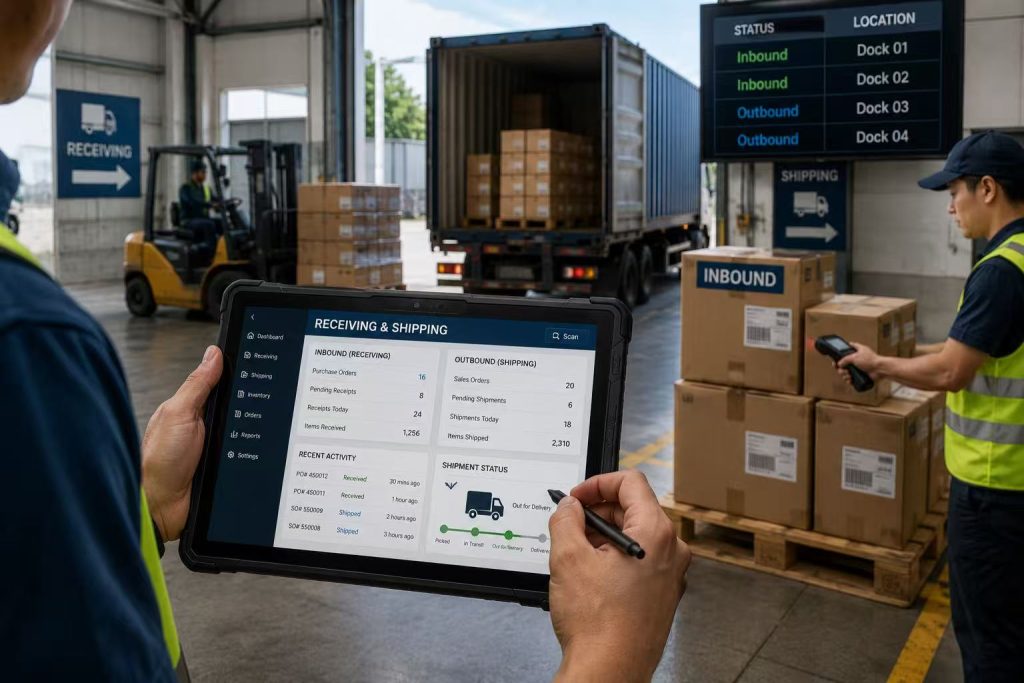
A rugged tablet combines industrial durability with enterprise-level performance, allowing warehouse employees to scan barcodes, update inventory records, manage receiving and shipping operations, track assets and communicate with warehouse management systems (WMS) in real time.
Unlike ordinary tablets, rugged tablets feature reinforced housings, IP65-rated protection, long battery life and advanced wireless connectivity, making them ideal for demanding warehouse environments.
In this guide, we’ll explore how rugged tablets improve warehouse operations, the key features you should consider before purchasing, and how to choose the best rugged tablet for your warehouse in 2026.
Table of Contents
1. Why Warehouse Management Needs Rugged Tablets
2. Challenges in Modern Warehouse Operations
3. Key Features of Warehouse Rugged Tablets
4. Benefits of Using Rugged Tablets
5. How to Choose the Best Rugged Tablet
6. Warehouse Application Scenarios
7. Buying Guide
8. Frequently Asked Questions
9. Why Choose INNORUGGED
Why Warehouse Management Needs Rugged Tablets
Warehouses have evolved into highly connected digital workplaces where every movement of inventory must be recorded accurately and instantly. Manual paperwork has largely been replaced by mobile data collection, barcode scanning and cloud-based warehouse management systems.
Warehouse personnel now rely on mobile devices throughout their daily operations, including:
* Receiving inbound shipments
* Inventory counting
* Barcode scanning
* Stock replenishment
* Order picking
* Packing
* Shipping
* Asset management
* Quality inspection
* Warehouse reporting
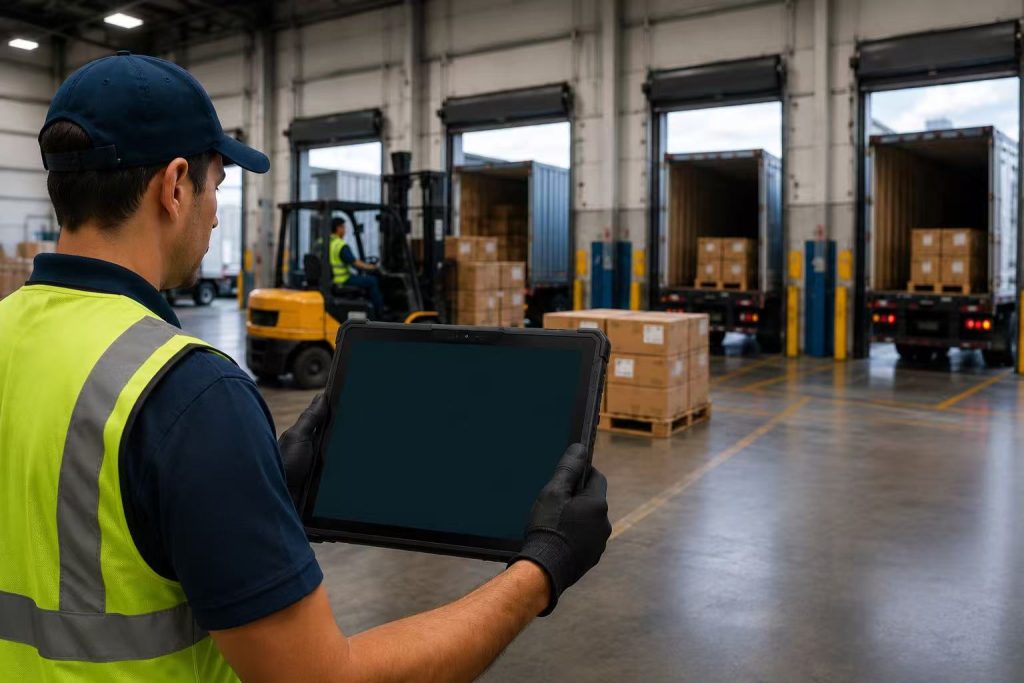
A rugged tablet allows employees to access critical warehouse information wherever they are, eliminating unnecessary trips back to office workstations.
With real-time synchronization to ERP and WMS software, warehouse managers can make faster decisions based on accurate operational data.
Common Challenges in Warehouse Operations
Many warehouses continue to experience operational inefficiencies caused by outdated equipment or consumer-grade mobile devices.
Frequent Device Damage
Warehouse floors are busy environments where mobile devices are frequently dropped or exposed to impacts.
Consumer tablets often suffer from:
* Broken displays
* Damaged charging ports
* Internal hardware failures
Industrial rugged tablets are specifically engineered to survive accidental drops and harsh working conditions.
⸻
Dust and Moisture
Warehouses generate significant dust from pallets, cartons and forklifts.
Loading docks also expose equipment to rain and humidity.
Rugged tablets with IP65 protection prevent dust ingress while resisting water splashes during everyday warehouse operations.
⸻
Battery Limitations
Warehouse operations commonly run across multiple shifts.
Employees cannot afford mobile devices that require charging halfway through the day.
Industrial rugged tablets typically offer:
* Long-life batteries
* Hot-swappable battery options
* Continuous operation during extended shifts
⸻
Barcode Scanning Efficiency
Barcode scanning is one of the most critical warehouse tasks.
Consumer tablets require external accessories that slow down workflows.
Many rugged tablets integrate:
* 1D Barcode Scanner
* 2D Barcode Scanner
* QR Code Scanner
This significantly improves inventory accuracy while reducing employee workload.
⸻
Wireless Connectivity Challenges
Large warehouses require stable wireless coverage.
Industrial tablets support:
* Wi-Fi 6
* 5G
* Bluetooth 5.2
* GPS
* NFC
These technologies ensure uninterrupted communication with warehouse systems.
⸻
Extreme Working Conditions
Warehouse workers often move between:
* Indoor storage
* Outdoor loading areas
* Refrigerated environments
* Shipping docks
Industrial rugged tablets are designed to operate reliably across wide temperature ranges while maintaining consistent performance.
How Rugged Tablets Improve Warehouse Productivity
Replacing paper-based workflows and consumer devices with rugged tablets offers measurable operational improvements.
Faster Inventory Updates
Employees can scan inventory and synchronize stock levels immediately, reducing manual data entry and minimizing inventory discrepancies.
Higher Picking Accuracy
Real-time order information allows workers to pick the correct products more efficiently, reducing fulfillment errors.
Improved Employee Productivity
Warehouse personnel spend less time walking between office terminals and storage locations because all required information is available directly on the tablet.
Better Warehouse Visibility
Managers receive real-time operational insights, allowing them to optimize inventory allocation, labor scheduling and shipping priorities.
Reduced Equipment Downtime
Industrial rugged tablets require fewer repairs and replacements, lowering long-term operating costs.
Top 10 Features Every Warehouse Rugged Tablet Should Have
Not all tablets are suitable for warehouse operations. Consumer-grade tablets are designed for office or home use, while warehouse environments demand devices that can survive drops, dust, temperature changes, and continuous daily operation.
Choosing the best rugged tablet for warehouse management means looking beyond screen size or processor speed. The right device should improve productivity, reduce downtime, and integrate seamlessly with barcode scanners, warehouse management systems (WMS), and ERP platforms.
Below are the ten most important features every warehouse should consider before investing in industrial rugged tablets.
1. IP65/IP67 Dust and Water Resistance
Warehouse environments are often filled with dust, moisture, and accidental liquid spills. A rugged tablet with an IP65 or IP67 rating protects internal components from dust ingress and water exposure, ensuring reliable operation in demanding industrial environments.
Whether workers are unloading goods outdoors or operating inside refrigerated warehouses, waterproof protection significantly reduces equipment failures.
2. Military-Grade Drop Protection
Warehouse employees carry tablets throughout long shifts. Accidental drops are inevitable.
A rugged tablet certified to MIL-STD-810H can survive repeated drops from heights of up to 1.2–1.5 meters, reducing repair costs and preventing workflow interruptions.
Compared with consumer tablets, rugged devices are built with reinforced frames, shock-absorbing corners, and strengthened glass.
3. Sunlight Readable Display
Warehouse operations frequently move between indoor storage areas and outdoor loading docks.
A display with 700–1000 nits of brightness allows workers to read inventory information clearly even under direct sunlight, improving operational efficiency and reducing reading errors.
4. Long Battery Life
Warehouse staff typically work 8 to 12-hour shifts without interruption.
A rugged tablet equipped with a high-capacity battery—or even hot-swappable batteries—can support continuous operation throughout the day without charging downtime.
Reliable battery performance is critical for inventory management, shipping, and order fulfillment.
5. Integrated Barcode Scanner
Barcode scanning is one of the most important warehouse applications.
An integrated 1D/2D barcode scanner enables workers to:
* Receive inventory
* Track products
* Verify shipments
* Update stock levels instantly
Compared with external scanners, integrated scanning improves speed while reducing equipment costs.
6. Multiple Connectivity Options
Modern warehouses rely on constant communication between workers, inventory systems, and cloud platforms.
A professional warehouse rugged tablet should support:
* Wi-Fi 6
* Bluetooth
* 4G LTE / 5G
* GPS
* NFC
Reliable connectivity ensures real-time synchronization of warehouse data.
7. Powerful Industrial Performance
Warehouse management applications require stable performance even when running multiple enterprise systems simultaneously.
Modern rugged tablets equipped with Qualcomm or Intel processors can easily support:
* WMS
* ERP
* Barcode scanning
* Inventory databases
* Real-time reporting
8. Easy Integration with Warehouse Management Systems
The best rugged tablets integrate easily with leading warehouse software platforms including SAP, Oracle, Microsoft Dynamics, and other ERP systems.
This allows businesses to streamline operations without replacing existing infrastructure.
9. Flexible Accessories
Warehouse environments require different mounting and carrying solutions.
Popular accessories include:
* Vehicle docks
* Charging stations
* Hand straps
* Shoulder straps
* Stylus pens
* Keyboard docks
These accessories improve worker comfort and productivity.
10. Lower Total Cost of Ownership
Although rugged tablets have a higher initial purchase price, they often reduce long-term costs.
Benefits include:
* Fewer repairs
* Longer service life
* Less downtime
* Higher employee productivity
* Lower replacement costs
For most warehouses, rugged tablets provide a significantly better return on investment than consumer devices.
Consumer Tablet vs Rugged Tablet for Warehouse Management
| Feature | Consumer Tablet | Rugged Tablet |
|---|---|---|
| Drop Protection | ✕ Limited | ✓ MIL-STD-810H |
| Dust & Water Resistance | ✕ Usually Not Rated | ✓ IP65 / IP67 |
| Barcode Scanner | External Accessory | ✓ Integrated 1D / 2D Scanner |
| Battery Life | 6–8 Hours | ✓ 10–20 Hours |
| Outdoor Visibility | ✕ Limited Brightness | ✓ 700–1000 Nits |
| Operating Temperature | Limited Range | ✓ Industrial Temperature Range |
| Connectivity | Wi-Fi and Bluetooth | ✓ Wi-Fi 6, 5G, Bluetooth, GPS & NFC |
| Vehicle Mounting | ✕ Limited Support | ✓ Vehicle Dock and Charging Cradle |
| Service Life | 2–3 Years | ✓ 5–7 Years |
| Total Cost of Ownership | Higher Replacement Cost | ✓ Lower Long-Term Cost |
For warehouse operations that require continuous barcode scanning, inventory updates and access to warehouse management systems, rugged tablets provide better durability, longer service life and a lower total cost of ownership than consumer-grade devices.
How to Choose the Best Rugged Tablet for Warehouse Management in 2026
Choosing the best rugged tablet for warehouse management requires more than comparing processor speed, screen size or purchase price. Every warehouse has different workflows, software platforms, environmental conditions and data collection requirements.
A small retail warehouse may need compact Android tablets for inventory counting and barcode scanning, while a large distribution center may require Windows rugged tablets that support advanced WMS, ERP and vehicle-mounted applications.
Before selecting a warehouse rugged tablet, businesses should evaluate operating systems, screen size, scanning requirements, connectivity, battery life, mounting options, software compatibility and total cost of ownership.
The following buying guide explains the most important factors to consider when choosing an industrial tablet for warehouse operations in 2026.
1. Choose Between Android and Windows
The operating system determines which warehouse applications, security tools and enterprise platforms the tablet can support.
Android rugged tablets are commonly used for barcode scanning, inventory counting, order picking, receiving and mobile data collection. They usually offer a simple user interface, fast application deployment and lower hardware requirements.
Windows rugged tablets are better suited for warehouses that need desktop-level software, legacy applications, complex ERP systems or direct integration with existing Windows infrastructure.
Choose Android when your priority is mobility, scanning efficiency and ease of use. Choose Windows when your warehouse depends on full desktop software, advanced peripherals or customized enterprise systems.
Before purchasing, confirm that the device supports your warehouse management system, mobile device management platform and required security policies.
| Requirement | Android Rugged Tablet | Windows Rugged Tablet |
|---|---|---|
| Best For | Scanning, picking and mobile workflows | ERP, desktop software and complex systems |
| Ease of Use | Simple and mobile-friendly | Familiar desktop environment |
| Application Deployment | Fast app installation and management | Supports traditional Windows applications |
| Typical Users | Pickers, packers and inventory teams | Supervisors, engineers and system operators |
2. Select the Right Screen Size
Screen size affects portability, readability and the type of work that can be performed comfortably.
An 8-inch rugged tablet is lightweight and easy to carry throughout a warehouse. It is suitable for barcode scanning, inventory counting, shelf inspection and order picking.
A 10-inch rugged tablet provides a better balance between portability and screen visibility. It is a practical choice for warehouse supervisors, forklift operators and employees who need to review detailed WMS information.
A 12-inch or larger industrial tablet is more suitable for vehicle mounting, production monitoring, technical documentation and applications that require larger dashboards or multiple data fields.
For most general warehouse workflows, an 8-inch or 10-inch tablet provides the best combination of mobility, readability and productivity.
8 Inch Android Rugged Tablet
10 Inch Android Rugged Tablet
12 Inch Android Rugged Tablet
3. Determine Your Barcode Scanning Requirements
Barcode scanning performance has a direct impact on warehouse speed and accuracy.
Warehouses that scan items only occasionally may use the tablet camera or an external Bluetooth scanner. However, high-volume operations should choose a rugged tablet with an integrated industrial 1D/2D barcode scanner.
An integrated scanner allows employees to scan labels without carrying a separate device. It also improves ergonomics, reduces pairing problems and supports faster inventory updates.
Before selecting a scanner, consider scan distance, damaged-label performance, barcode type, lighting conditions and daily scan volume.
For inventory management, receiving, shipping and order fulfillment, a professional integrated scanner is usually more reliable than a consumer tablet camera.
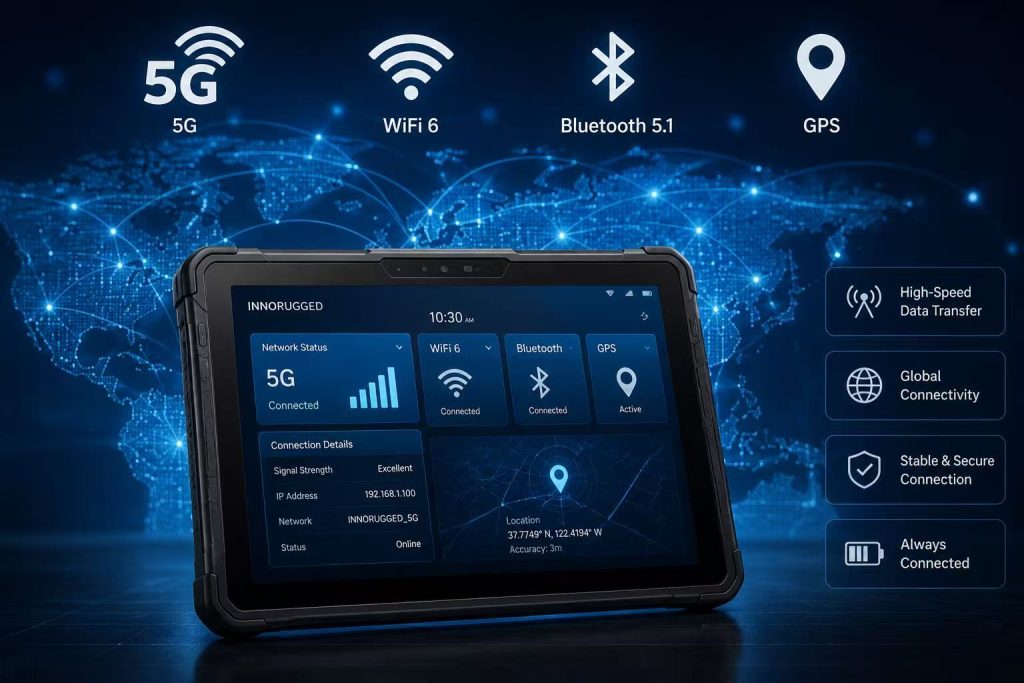
4. Evaluate Warehouse Connectivity
Reliable wireless connectivity is essential for real-time warehouse operations.
A warehouse rugged tablet should support dual-band Wi-Fi, stable roaming between access points and modern security standards. Wi-Fi 6 is especially useful in large facilities with many connected devices.
Bluetooth is required for printers, scanners, headsets and other warehouse accessories. NFC can support employee identification, asset tracking and access control.
Warehouses with outdoor yards, remote storage areas or transportation operations may also require 4G LTE or 5G connectivity.
GPS is valuable for logistics yards, fleet coordination and outdoor asset management, although it may be less important for purely indoor warehouse workflows.
5. Match Battery Capacity to Your Work Shift
Battery life should be evaluated according to actual shift length, screen brightness, wireless usage and scanning frequency.
For a standard eight-hour shift, the tablet should provide enough battery capacity to complete the full working day without emergency charging.
Facilities operating multiple shifts should consider removable batteries, hot-swappable battery designs or charging docks positioned near workstations.
Vehicle-mounted tablets can use powered docks, while mobile warehouse employees may benefit from spare batteries or multi-bay charging stations.
A tablet with insufficient battery life can interrupt picking, receiving and inventory workflows, so battery performance should be tested under real operating conditions rather than relying only on laboratory specifications.
6. Consider the Warehouse Environment
Different warehouse environments require different levels of protection.
A general indoor warehouse may require IP65 protection and 1.2-meter drop resistance. Outdoor loading docks may require higher water resistance, brighter screens and wider operating temperatures.
Cold-storage warehouses should confirm that the tablet, battery and touchscreen can operate reliably at low temperatures. Workers wearing gloves may also require glove-touch support or physical function buttons.
Dusty manufacturing warehouses should prioritize sealed ports and durable housings. Forklift-mounted applications should consider vibration resistance, secure vehicle docks and stable power connections.
Always select the durability level based on the actual working environment instead of choosing specifications only for marketing value.
7. Confirm WMS and ERP Compatibility
The tablet must be compatible with the software systems used throughout the warehouse.
Before deployment, confirm support for your WMS, ERP, browser-based applications, VPN, device management software and security tools.
The device should also support required peripherals such as barcode scanners, RFID readers, printers, docking stations and external keyboards.
Testing a sample device before placing a large order is strongly recommended. A pilot deployment helps identify software, wireless, mounting and workflow issues before full-scale implementation.
8. Choose the Right Accessories
Accessories can significantly improve productivity and device usability.
Common warehouse tablet accessories include hand straps, shoulder straps, protective cases, vehicle mounts, forklift docks, desktop charging stations, stylus pens and detachable keyboards.
A warehouse picker may prefer a compact tablet with a hand strap, while a forklift operator may need a powered vehicle dock with secure locking and charging support.
Warehouse supervisors may benefit from a keyboard dock for reporting and administrative work.
Accessories should be selected together with the tablet because third-party mounts or chargers may not provide reliable power, fit or long-term durability.
9. Compare Total Cost of Ownership
The lowest purchase price does not always provide the lowest operating cost.
When comparing warehouse tablets, calculate the total cost of ownership over the expected service life. Include device replacement, repair, accessories, downtime, technical support, software deployment and employee productivity.
A consumer tablet may cost less initially but require frequent replacement after drops, port damage or battery degradation.
A rugged tablet usually has a higher initial price but offers a longer service life, fewer repairs and more reliable warehouse operation.
For high-volume warehouses, reduced downtime and improved employee efficiency can justify the rugged tablet investment within a relatively short period.
Recommended Rugged Tablet Configurations by Warehouse Type
| Warehouse Type | Recommended Configuration |
|---|---|
| Small Retail Warehouse | 8-inch Android tablet, Wi-Fi, barcode scanner, hand strap |
| E-commerce Fulfillment Center | 8–10 inch tablet, integrated 2D scanner, Wi-Fi 6, long battery life |
| Large Distribution Center | 10-inch rugged tablet, 5G, WMS integration, charging dock |
| Cold Storage Warehouse | Wide-temperature tablet, glove touch, hot-swappable battery |
| Forklift Operations | 10–12 inch tablet, powered vehicle dock, vibration resistance |
| Manufacturing Warehouse | Windows or Android tablet, barcode/RFID, industrial interfaces |
Choosing the best rugged tablet for warehouse management requires a clear understanding of daily workflows, software requirements and environmental challenges.
The ideal device should provide the right operating system, screen size, barcode scanning capability, connectivity, battery performance and accessories for your warehouse team.
Businesses should test devices in real working conditions and evaluate long-term operating costs before making a large purchasing decision. A properly selected warehouse rugged tablet can improve inventory accuracy, reduce downtime and support more efficient warehouse operations for many years.
Common Warehouse Applications for Rugged Tablets
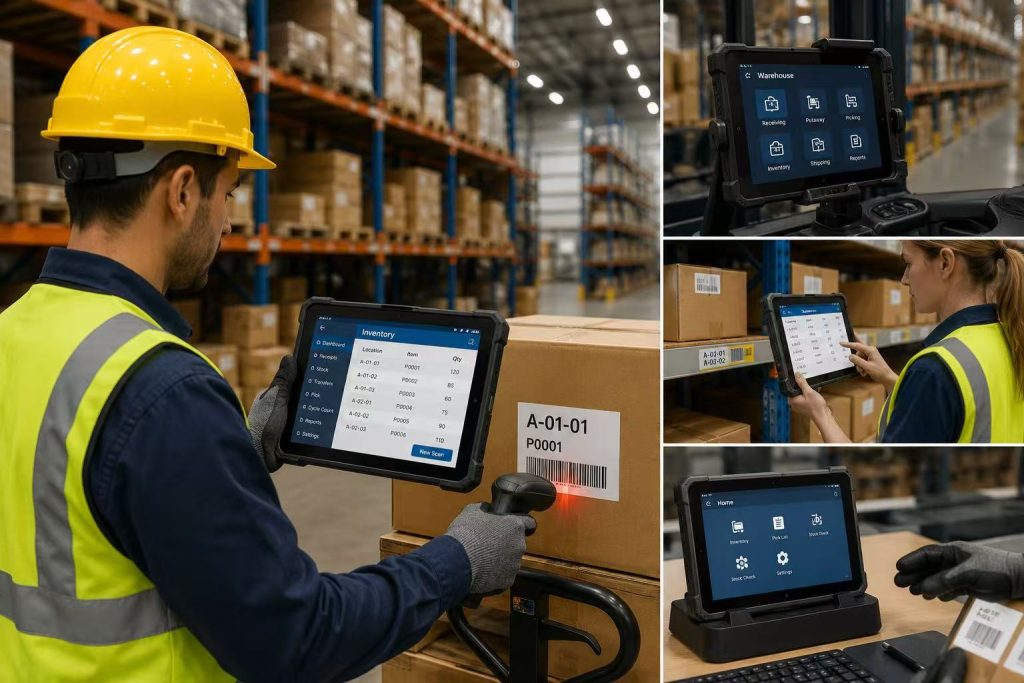
Rugged tablets can support almost every stage of modern warehouse operations, from receiving inbound goods to shipping completed orders. Their combination of barcode scanning, wireless connectivity, durable construction and real-time software access helps warehouse teams complete tasks faster and with greater accuracy.
Unlike fixed workstations, a warehouse rugged tablet allows employees to access inventory data, work orders and warehouse management systems directly at the point of activity. This reduces unnecessary walking, manual paperwork and delayed data entry.
The following applications show how rugged tablets can improve productivity, inventory visibility and operational control across different warehouse workflows.
1. Inventory Tracking and Cycle Counting
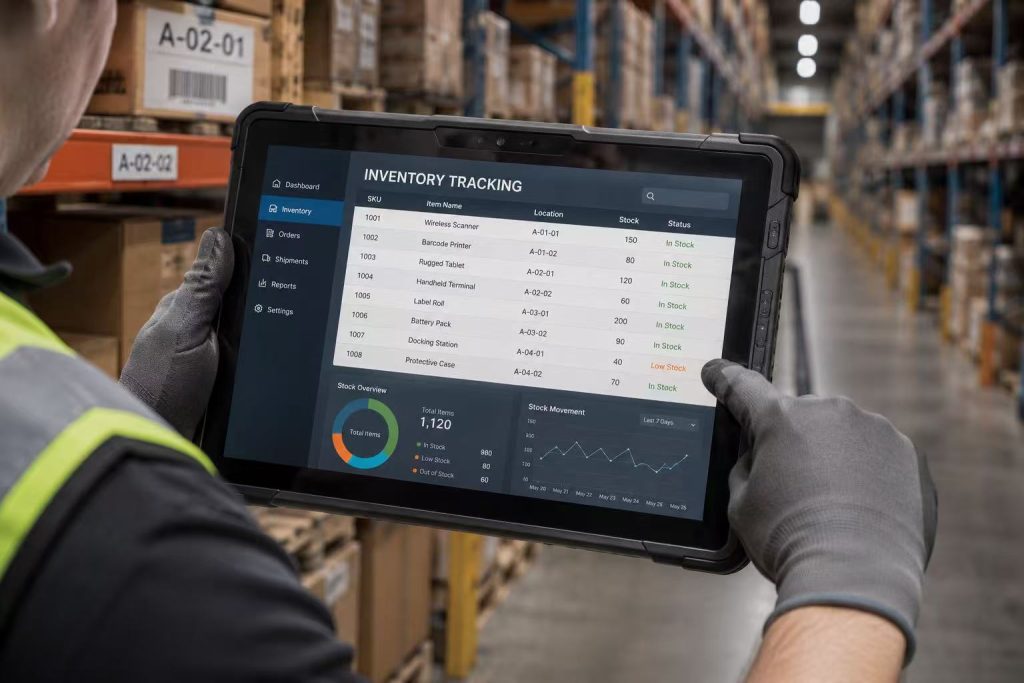
Accurate inventory data is essential for efficient warehouse management. Rugged tablets allow employees to scan products, verify storage locations and update stock quantities directly beside shelves, pallets or storage bins.
During cycle counting, workers can view assigned counting tasks, scan item labels and compare physical quantities with WMS records. Any discrepancy can be recorded immediately instead of being written on paper and entered later.
Real-time inventory tracking helps warehouses reduce stock errors, prevent misplaced goods and improve replenishment planning. Managers can also monitor counting progress and inventory accuracy without waiting for end-of-shift reports.
For high-volume warehouses, a rugged tablet with an integrated 1D or 2D barcode scanner can significantly improve scanning speed and reduce the need to carry separate devices.
2. Order Picking and Packing
Order picking is one of the most labor-intensive and error-sensitive warehouse activities. Rugged tablets provide workers with real-time access to picking lists, product locations, quantities and order priorities.
Instead of relying on printed documents, employees can follow digital instructions and confirm each item by scanning its barcode. This helps prevent incorrect products, missing quantities and shipment delays.
During packing, the same tablet can verify order contents, print shipping labels, capture package information and update order status in the warehouse management system.
A compact 8-inch rugged tablet is often suitable for highly mobile picking teams, while a 10-inch device provides more screen space for detailed order information and multi-item workflows.
3. Receiving and Shipping Operations
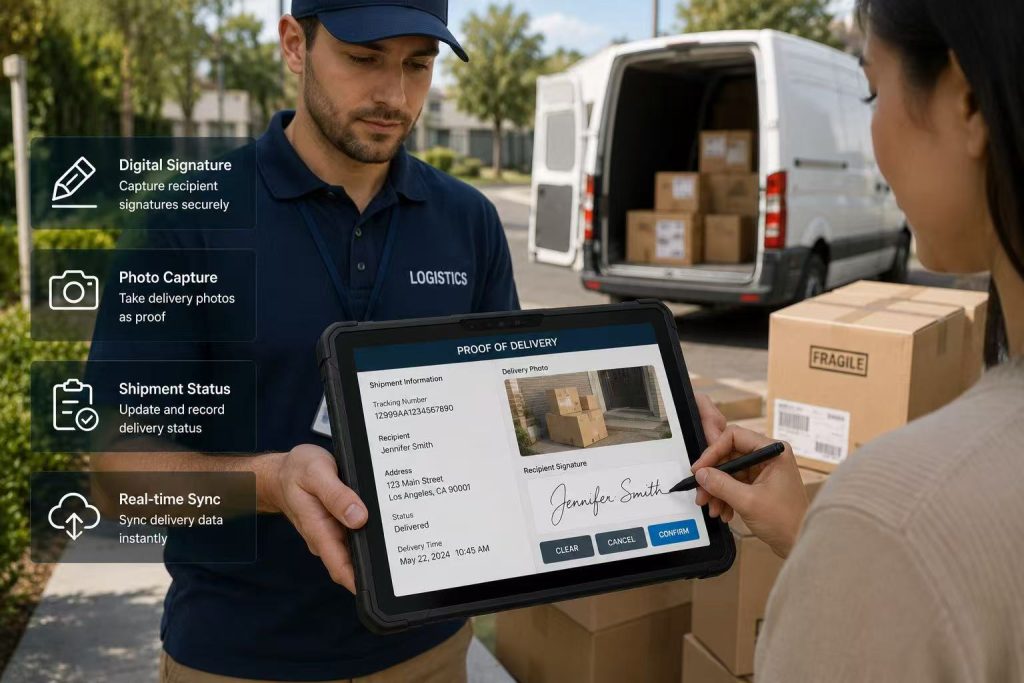
Receiving and shipping operations require fast verification and accurate documentation. Rugged tablets allow warehouse teams to scan incoming shipment labels, compare quantities with purchase orders and record damaged or missing goods immediately.
Workers can capture photos, add notes and upload receiving records directly to the warehouse management system. This improves communication between warehouse, purchasing and supplier management teams.
During shipping, rugged tablets help verify outbound orders, confirm carton quantities, scan pallet labels and update delivery status before goods leave the facility.
Because loading docks may be exposed to dust, rain, vibration and outdoor temperature changes, an IP65-rated industrial tablet provides more reliable performance than a consumer-grade device.
4. Asset and Equipment Management
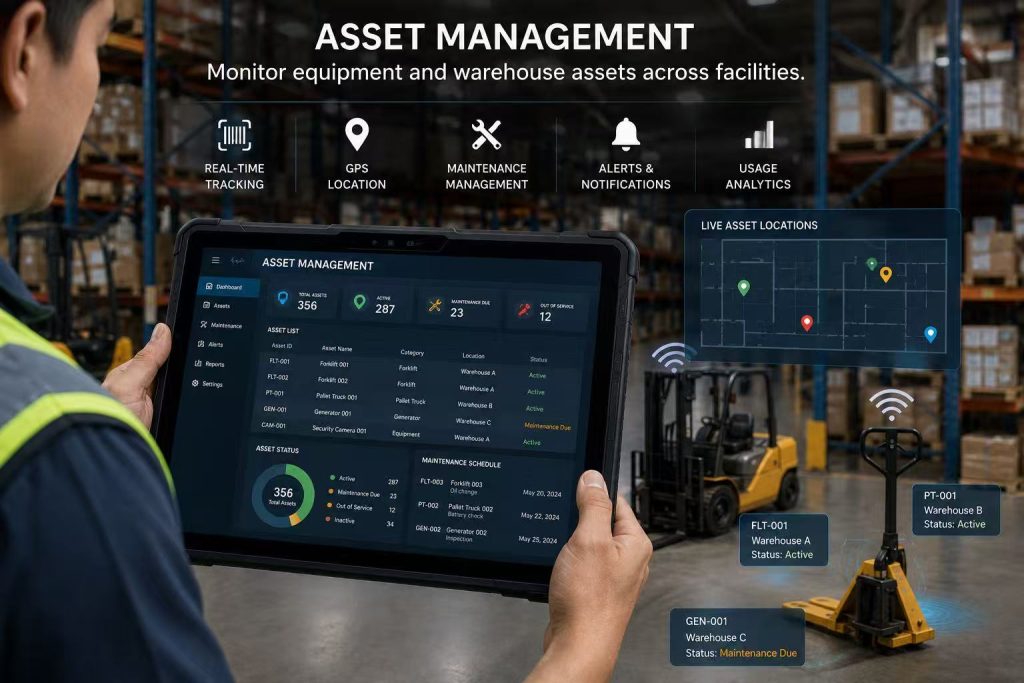
Warehouses depend on forklifts, scanners, charging stations, tools, storage equipment and other valuable assets. Rugged tablets help maintenance and operations teams monitor asset locations, usage status and service history.
Employees can scan asset labels, review maintenance schedules and record equipment conditions directly on the warehouse floor. Photos and service notes can be attached to each asset record for future reference.
Real-time asset visibility reduces equipment loss, improves preventive maintenance and helps managers allocate resources more efficiently.
Rugged tablets can also support NFC, RFID and barcode technologies, making them suitable for tracking both fixed equipment and mobile warehouse assets.
5. Forklift and Vehicle-Mounted Operations
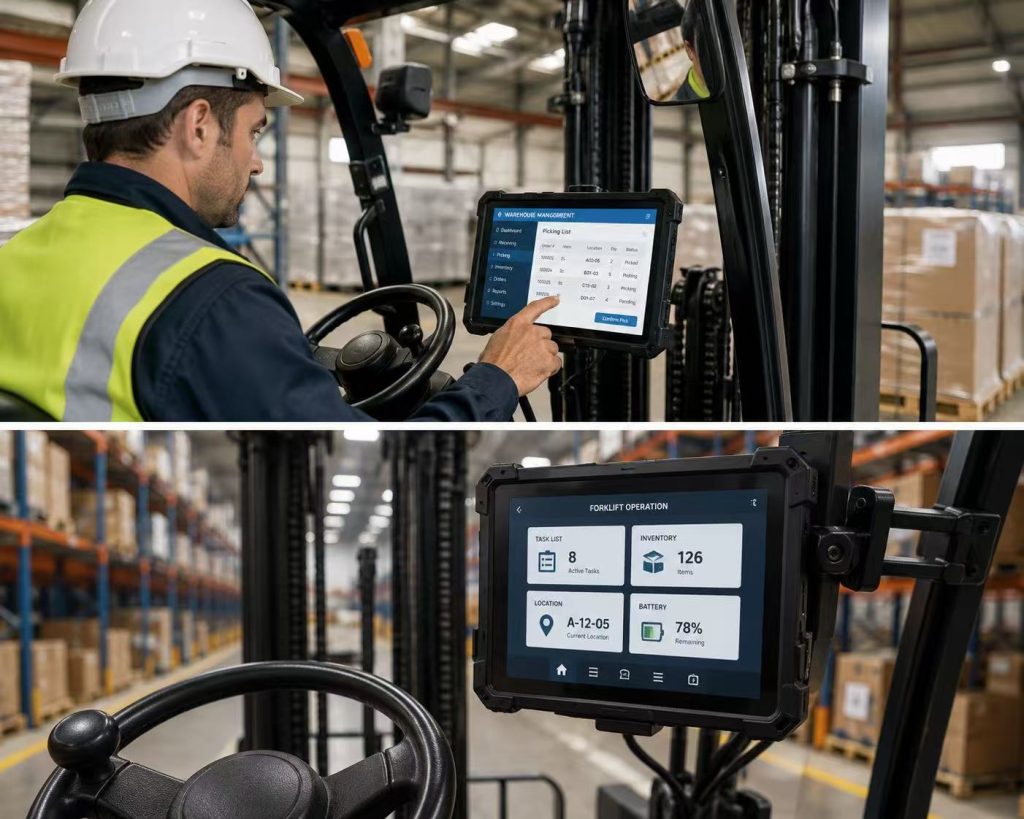
Forklift operators need immediate access to picking tasks, pallet locations, loading instructions and inventory updates. A rugged tablet mounted inside the vehicle allows operators to view and update information without leaving the forklift.
Powered vehicle docks can secure the tablet, provide continuous charging and protect the device from vibration during movement.
Larger 10-inch or 12-inch rugged tablets are often suitable for forklift applications because they provide better visibility and support more detailed warehouse interfaces.
Before deployment, businesses should confirm that the mounting system, charging connection and tablet housing can withstand long-term vibration and repeated daily use.
6. Cold Storage and Temperature-Controlled Warehousing
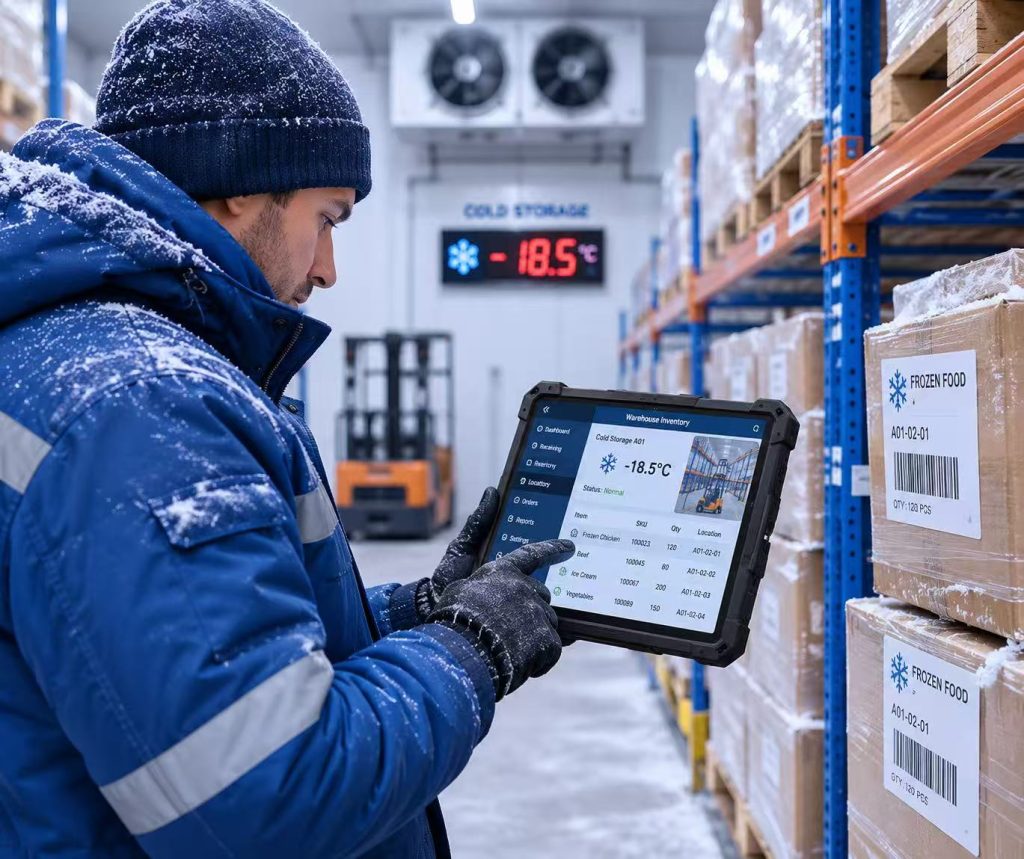
Cold storage warehouses create additional challenges for mobile devices. Low temperatures can reduce battery performance, create screen condensation and make touch operation difficult for workers wearing gloves.
Industrial rugged tablets designed for wide operating temperatures can maintain stable performance in refrigerated and freezer environments.
Features such as glove touch, physical buttons, sealed ports and removable batteries can improve usability during long shifts.
Before selecting a device for cold storage, businesses should test battery life, touchscreen response and wireless connectivity under actual warehouse temperatures.
Warehouse Applications and Rugged Tablet Benefits
| Warehouse Application | How Rugged Tablets Help |
|---|---|
| Inventory Tracking | Provides real-time stock updates and reduces inventory discrepancies. |
| Order Picking | Improves picking accuracy with digital instructions and barcode verification. |
| Receiving | Verifies inbound shipments and records damaged or missing goods immediately. |
| Shipping | Confirms outbound orders, labels and pallet quantities before dispatch. |
| Asset Management | Tracks warehouse equipment, maintenance records and asset locations. |
| Forklift Operations | Provides vehicle-mounted access to tasks, inventory and loading instructions. |
| Cold Storage | Supports mobile data collection in low-temperature warehouse environments. |
From inventory counting and order picking to asset tracking and forklift operations, rugged tablets provide mobile access to critical warehouse information at every stage of the workflow.
The best rugged tablet for warehouse management should match the specific application, software requirements and working environment of each warehouse team. By selecting the right device and accessories, businesses can improve inventory accuracy, reduce processing errors and create more efficient warehouse operations.
Explore Rugged Tablet Solutions for Warehousing
Discover Android and Windows rugged tablets designed for inventory tracking, barcode scanning, receiving, shipping and warehouse mobility.
Why Choose INNORUGGED for Warehouse Rugged Tablets?
Choosing the right hardware supplier is just as important as choosing the right tablet configuration. Warehouse projects often require more than a standard device because software compatibility, barcode scanning, mounting, charging, connectivity and customization must work together as one complete solution.
INNORUGGED provides Android and Windows rugged tablets designed for warehouse management, inventory tracking, barcode scanning, receiving, shipping, asset management and vehicle-mounted operations.
Our team supports customers from product selection and sample testing to OEM/ODM customization, accessories, software compatibility and long-term technical support. This helps businesses deploy reliable warehouse mobility solutions while reducing integration risks and operating downtime.
Industrial Durability
IP65 protection, reinforced construction and MIL-STD-810H testing help rugged tablets withstand drops, dust, vibration and demanding warehouse environments.
Android&Windows Options
Choose Android rugged tablets for mobile scanning workflows or Windows rugged tablets for ERP, desktop software and complex enterprise applications.
Integrated Data Collection
Optional 1D/2D barcode scanners, NFC, cameras and wireless connectivity support faster warehouse data collection and real-time inventory updates.
Flexible Accessories
Vehicle docks, charging cradles, hand straps, shoulder straps, keyboards and other accessories support different warehouse workflows.
OEM&ODM Support
Customize branding, housing, memory, storage, interfaces, scanning modules and accessories according to project requirements.
Technical Support
Our team supports product selection, sample testing, deployment planning and after-sales service for warehouse mobility projects.
Recommended Rugged Tablets for Warehouse Management
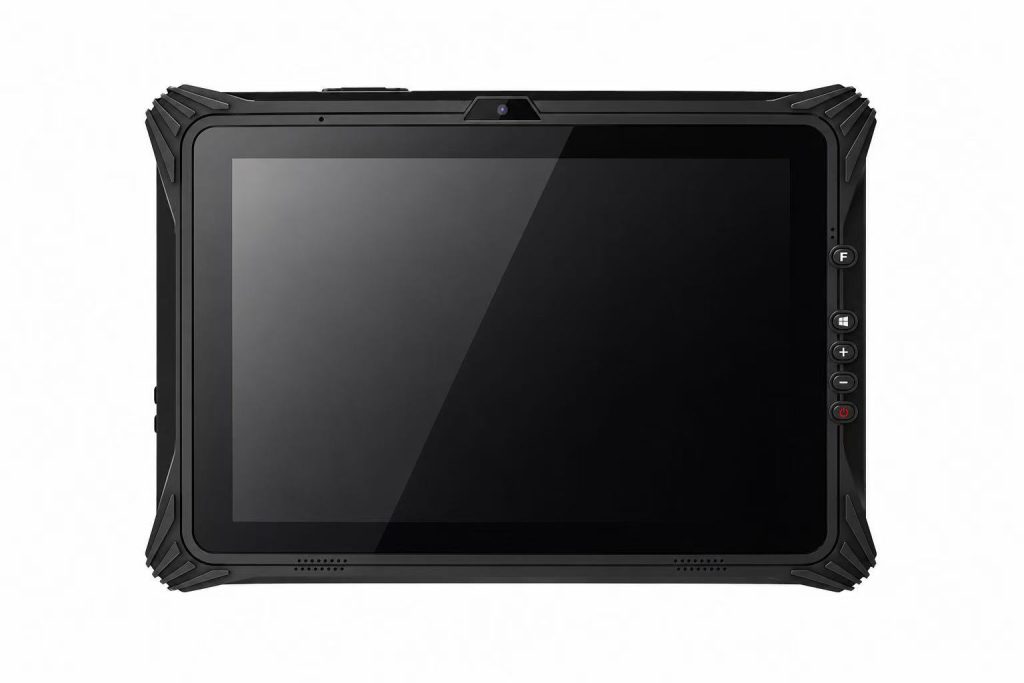
IR-80N Rugged Tablet
IR-11N Rugged Tablet
IR-20PRO Rugged Tablet
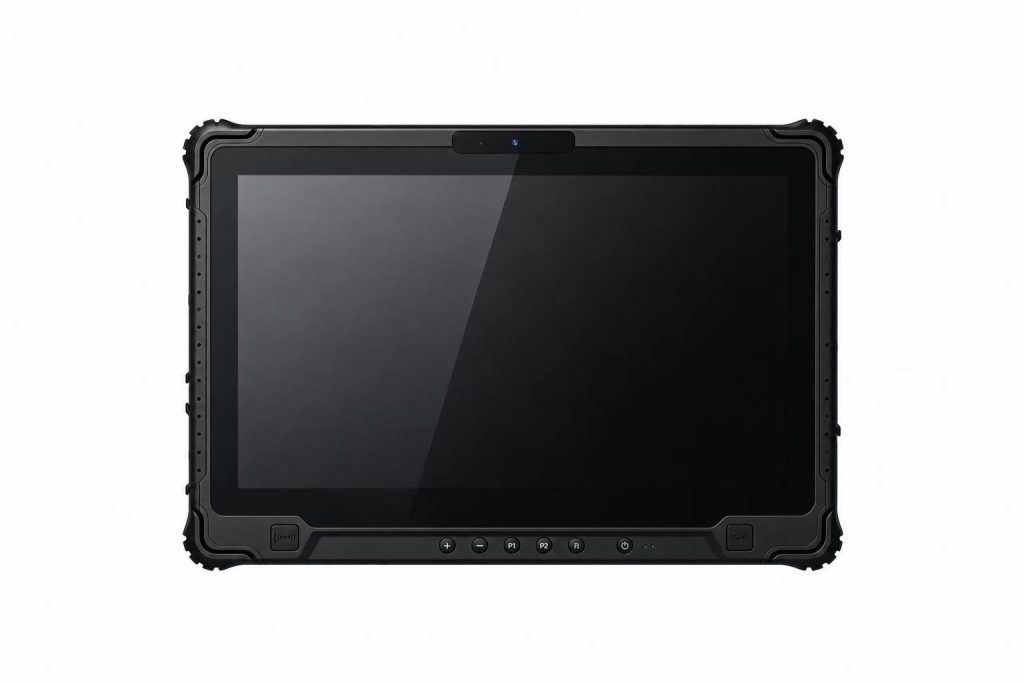
IR-14U Rugged Tablet
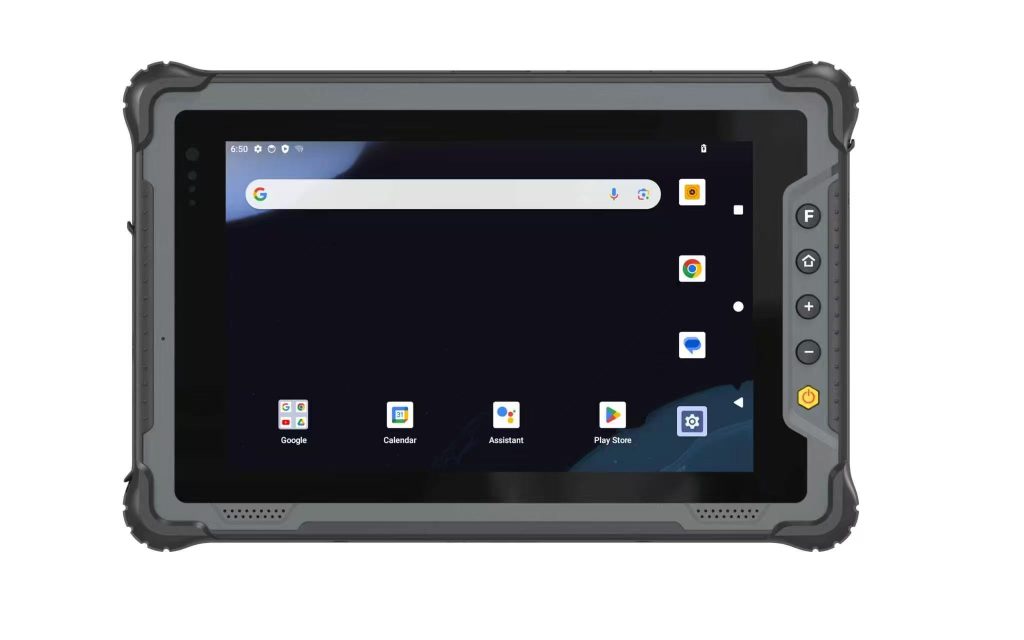
IR-80M Rugged Tablet
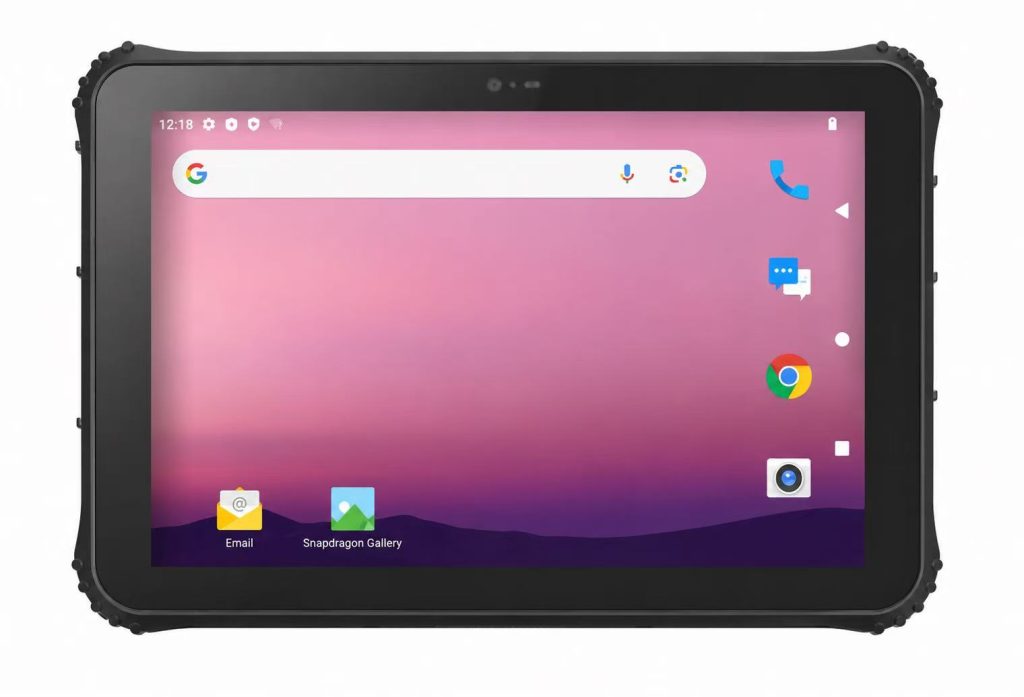
IR-11N Rugged Tablet
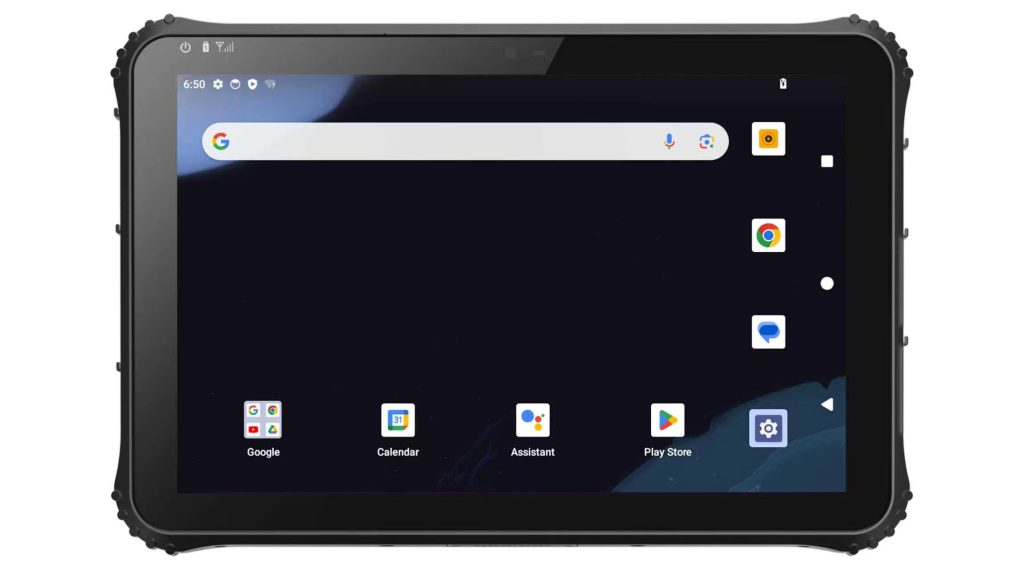
IR-20M Rugged Tablet
If you are still comparing specifications, operating systems, durability ratings and connectivity options, read our complete guide on how to choose a rugged tablet for industrial use.
Find answers to common questions about choosing and using rugged tablets for warehouse management.
The best rugged tablet for warehouse management depends on the workflow, software platform and working environment. An 8-inch Android tablet is often suitable for barcode scanning and mobile inventory tasks, while a 10-inch or 12-inch Windows tablet may be better for forklift mounting, ERP access and complex warehouse applications.
Rugged tablets provide better drop resistance, dust and water protection, longer service life, industrial accessories and more reliable operation in demanding warehouse environments. They also reduce device replacement costs and workflow interruptions.
Android is usually better for mobile scanning, inventory counting, order picking and cloud-based applications. Windows is more suitable for desktop software, legacy systems, ERP platforms and applications requiring industrial interfaces or external peripherals.
An 8-inch tablet is ideal for highly mobile employees and scanning tasks. A 10-inch tablet offers a good balance between portability and visibility. A 12-inch or larger tablet is better for vehicle mounting, dashboards and detailed enterprise applications.
Yes. Rugged tablets can support integrated 1D and 2D barcode scanners for inventory tracking, receiving, shipping, picking and asset management. Integrated scanners usually provide faster and more reliable performance than tablet cameras.
Yes, provided the tablet supports wide operating temperatures, glove touch and suitable battery performance. Cold storage projects should test the device under actual temperature conditions before full deployment.
Android and Windows rugged tablets can support many warehouse management and ERP platforms. Compatibility depends on the operating system, software requirements, browser, interfaces and enterprise security policies.
The battery should support the full work shift under actual conditions, including screen brightness, Wi-Fi, scanning and software usage. Multi-shift warehouses may require removable batteries, hot-swappable batteries or powered charging docks.
Yes. Rugged tablets can be installed in forklifts using powered vehicle docks that provide secure mounting and continuous charging. The tablet and dock should be tested for vibration resistance and long-term industrial use.
Choosing the Best Rugged Tablet for Warehouse Management
Warehouse management is becoming increasingly digital, requiring reliable mobile devices capable of operating in demanding industrial environments.
Choosing the right rugged tablet can significantly improve inventory accuracy, streamline logistics operations, reduce downtime, and increase workforce productivity. Features such as IP65 protection, 5G connectivity, integrated barcode scanning, long battery life, and sunlight-readable displays have become essential for modern warehouse operations.
Whether you operate a distribution center, manufacturing warehouse, cold storage facility, or third-party logistics business, investing in a professional industrial rugged tablet is a long-term decision that delivers measurable operational benefits.
By evaluating your workflow, software requirements, and environmental conditions, you can select a rugged tablet solution that supports your business growth well into the future.
Businesses should evaluate operating system compatibility, screen size, barcode scanning, battery life, wireless connectivity, durability, mounting options and total cost of ownership before making a purchasing decision.
A properly selected rugged tablet can improve inventory accuracy, accelerate receiving and shipping, reduce picking errors and give warehouse teams real-time access to critical operational information.
INNORUGGED provides Android and Windows rugged tablet solutions for inventory tracking, barcode scanning, forklift operations, cold storage, asset management and other demanding warehouse applications. Contact our team to discuss your project requirements and select the right device configuration for your business.
Looking for the Right Rugged Tablet for Your Warehouse?
At INNORUGGED, we specialize in designing reliable industrial rugged tablets for warehouse management, logistics, manufacturing, transportation, and field operations.
Our rugged tablets offer:
* Android 13 Operating System
* IP65 Waterproof & Dustproof Protection
* MIL-STD-810H Certified Durability
* 700 Nit Sunlight Readable Display
* Integrated 1D/2D Barcode Scanner (Optional)
* GPS, NFC, Bluetooth & Wi-Fi
* 4G / 5G Global Connectivity
* Long Battery Life with Hot-Swap Support
* OEM & ODM Customization Services
Whether you need handheld terminals, vehicle-mounted tablets, or enterprise mobility solutions, our engineering team can help you choose the ideal device for your application.
👉 Contact our experts today to receive a free consultation and product recommendation for your warehouse project.
Contact Us
* Email: sales@innorugged.com
* Website: https://www.innorugged.com/contact-us/
Need a Rugged Tablet for Your Warehouse Project?
Tell us your warehouse application, software platform, scanning requirements and required quantity. Our team will recommend a suitable Android or Windows rugged tablet solution.