Choosing the right rugged tablet can have a major impact on productivity, equipment reliability and long-term operating costs.
Unlike consumer tablets, industrial rugged tablets are designed for environments where devices may be exposed to drops, vibration, dust, moisture, temperature changes and continuous daily use. However, not every rugged tablet is suitable for every project.
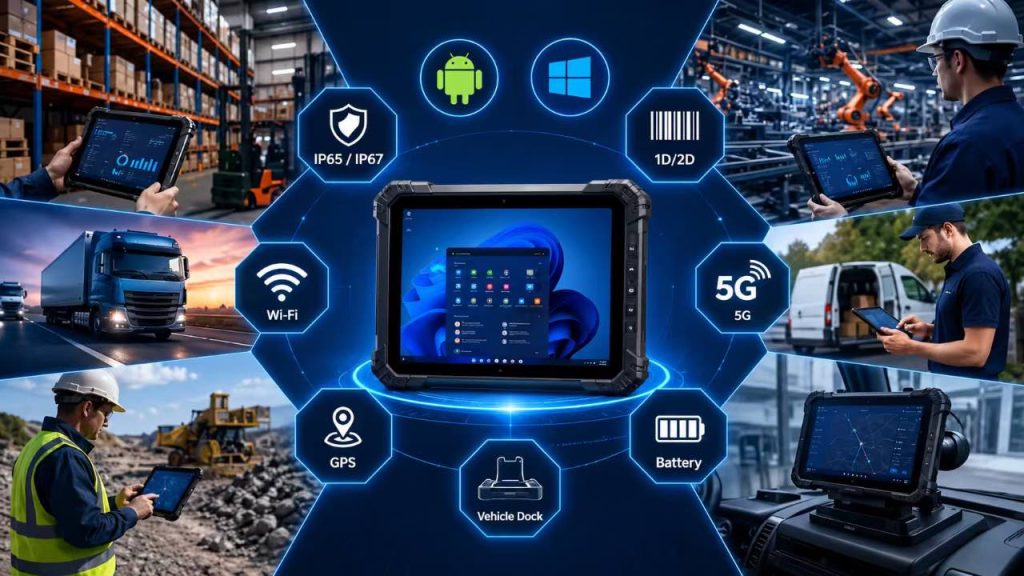
A warehouse employee may need a compact Android device with an integrated barcode scanner. A forklift operator may require a larger Windows tablet with a powered vehicle dock. Field service technicians may prioritize 5G connectivity, GPS and long battery life, while manufacturing facilities may require industrial interfaces and compatibility with existing ERP systems.
For this reason, learning how to choose a rugged tablet requires more than comparing processor speed or purchase price. Businesses should evaluate the operating system, screen size, durability level, display brightness, data collection requirements, wireless connectivity, battery design, accessories, software compatibility and total cost of ownership.
This complete buying guide explains the most important factors to consider before selecting a rugged tablet for industrial use.
Part 1: What Should You Consider Before Buying a Rugged Tablet?
The first step in choosing a rugged tablet is to understand exactly how the device will be used.
Industrial environments vary significantly. A tablet designed for indoor warehouse scanning may not require the same protection, connectivity or accessories as a device used outdoors by field technicians or installed inside a mining vehicle.
Before comparing specific models, businesses should define the application, working environment, software platform and daily workflow.
Important questions include:
• Where will the tablet be used?
• Will employees carry the device or mount it in a vehicle?
• Does the application require Android or Windows?
• Will workers scan barcodes, RFID tags or NFC cards?
• Is Wi-Fi sufficient, or is 4G/5G required?
• Will the tablet operate outdoors or under direct sunlight?
• Do employees wear gloves?
• How long is each work shift?
• Is a removable or hot-swappable battery required?
• Does the device need USB, RJ45, RS232 or other industrial interfaces?
• What software, WMS or ERP platform must the device support?
• Are OEM/ODM customization and specific certifications required?
Defining these requirements before requesting quotations helps businesses avoid purchasing devices with unnecessary specifications while ensuring critical features are not overlooked.
Buyer Requirement Checklist
Before contacting a rugged tablet supplier, prepare the following information:
✓ Industry and application
✓ Operating environment
✓ Android or Windows requirement
✓ Preferred screen size
✓ Barcode / RFID / NFC requirements
✓ Wi-Fi / 4G / 5G / GPS requirements
✓ Battery and shift requirements
✓ Required interfaces and accessories
✓ Software compatibility
✓ Quantity and delivery schedule
✓ Certification requirements
✓ OEM / ODM customization needs
Part 2: Choose the Right Operating System: Android vs Windows
The operating system is one of the most important decisions when learning how to choose a rugged tablet.
Android and Windows rugged tablets can both perform reliably in industrial environments, but they are designed for different workflows, software ecosystems and enterprise requirements.
Android rugged tablets are often preferred for mobile applications, barcode scanning, inventory management and field data collection. Windows rugged tablets are more suitable for traditional desktop software, ERP platforms, engineering applications and projects that require PC-style interfaces or industrial peripherals.
Choosing the correct operating system at the beginning of a project can reduce software compatibility issues, simplify deployment and improve long-term device management.
For a deeper comparison, read our guide to Android vs Windows rugged tablets for industrial use.
When to Choose an Android Rugged Tablet
Android rugged tablets are well suited for mobile-first industrial workflows where simplicity, touch operation and application flexibility are important.
They are commonly used for warehouse inventory management, barcode scanning, order picking, logistics, delivery operations, field service and mobile inspection.
Android devices are usually easy for employees to learn because the interface is familiar and optimized for touch-based operation. They also work well with browser-based platforms, cloud applications and dedicated enterprise mobile apps.
For high-volume scanning workflows, Android rugged tablets can be configured with integrated 1D/2D barcode scanners, NFC, cameras and wireless connectivity. This allows employees to collect data without carrying separate devices.
Android may be the better choice when the project requires:
• Fast mobile application deployment
• Barcode scanning and inventory workflows
• Lightweight handheld operation
• Long battery efficiency
• Touch-first user interfaces
• Cloud-based WMS or ERP access
• Simple employee training
• 4G/5G mobile connectivity
Businesses planning large Android deployments can also review enterprise device management guidance provided by Android Enterprise.
Best For
Warehousing • Logistics • Inventory Management • Barcode Scanning • Field Service • Delivery Operations
When to Choose a Windows Rugged Tablet
Windows rugged tablets are often selected for industrial projects that depend on traditional desktop software, enterprise applications or existing Windows-based infrastructure.
They are especially useful in manufacturing, engineering, production monitoring, vehicle-mounted systems and industrial environments where users need full desktop applications.
Windows rugged tablets can support familiar PC software and may provide broader compatibility with external peripherals and industrial interfaces such as USB, RJ45 Ethernet, RS232 serial ports, HDMI and docking stations.
A Windows rugged tablet may be the better choice when the project requires:
• Desktop or legacy Windows software
• ERP or MES applications
• Industrial control or engineering programs
• Full keyboard and mouse support
• Multiple external peripherals
• RJ45, RS232 or other industrial interfaces
• Vehicle-mounted operation
• Compatibility with existing Windows IT infrastructure
Best For
Warehousing • Logistics • Inventory Management • Barcode Scanning • Field Service • Delivery Operations
Android vs Windows Rugged Tablet Comparison
| Selection Factor | Android Rugged Tablet | Windows Rugged Tablet |
|---|---|---|
| Best For | Mobile scanning, inventory, logistics and field workflows | ERP, desktop software, engineering and industrial systems |
| User Interface | Touch-first and mobile-friendly | Desktop-style interface |
| Application Type | Mobile apps and cloud platforms | Windows desktop and enterprise applications |
| Barcode Scanning | Excellent for integrated scanning workflows | Also supported depending on hardware configuration |
| Industrial Interfaces | Usually simpler mobile connectivity | Better suited for USB, RJ45, RS232 and peripheral-heavy applications |
| Battery Efficiency | Generally strong for mobile workflows | Depends more heavily on processor and workload |
| Vehicle Mounting | Suitable for logistics and fleet applications | Suitable for advanced vehicle-mounted and desktop-style systems |
| Typical Industries | Warehousing, logistics, field service and retail | Manufacturing, engineering, utilities and industrial control |
Quick Recommendation
Choose Android when your priority is mobile scanning, inventory management, field data collection and simple touch-based workflows.
Choose Windows when your project requires desktop software, ERP systems, industrial interfaces, engineering applications or compatibility with existing Windows infrastructure.
For large projects, test both operating systems with your actual software before making a final purchasing decision.

Part 3: Select the Right Screen Size for Your Rugged Tablet
Screen size has a major impact on portability, readability, weight, mounting options and user comfort.
A smaller rugged tablet is easier to carry and better suited for high-mobility workflows, while a larger screen provides more space for dashboards, technical drawings, ERP interfaces and vehicle-mounted applications.
When learning how to choose a rugged tablet, businesses should match screen size to the actual workflow instead of simply choosing the largest display available.
1. 8-Inch Rugged Tablet: Best for Mobility
An 8-inch rugged tablet is compact, lightweight and easy to carry throughout long shifts. It is especially suitable for employees who move continuously between shelves, vehicles, customer sites or outdoor work areas.
Common applications include barcode scanning, inventory counting, order picking, field inspection, delivery operations and mobile data collection.
The smaller form factor also makes 8-inch tablets easier to use with hand straps or shoulder straps. For high-frequency scanning and handheld workflows, this size often provides the best balance between portability and functionality.
Choose an 8-inch rugged tablet when mobility and one-handed or handheld operation are more important than displaying large amounts of information.
2. 10-Inch Rugged Tablet: The Most Versatile Choice
A 10-inch rugged tablet offers a balanced combination of screen visibility and portability, making it one of the most versatile sizes for industrial use.
It provides enough display space for warehouse management systems, maintenance records, logistics dashboards, inspection forms and field-service applications without becoming too large or heavy for mobile use.
This size is also well suited for forklift mounting, vehicle docking and supervisor applications where users need to view more detailed information than is practical on a smaller screen.
For many general industrial projects, a 10-inch rugged tablet is an excellent starting point because it can support both handheld and mounted workflows.
3. 12-Inch and Larger Rugged Tablets: Best for Detailed Work
A 12-inch or larger rugged tablet is better suited for applications that require detailed visual information, complex software interfaces or extended screen time.
Typical use cases include manufacturing dashboards, engineering drawings, production monitoring, technical documentation, vehicle-mounted systems and industrial control applications.
The larger display makes it easier to view multiple data fields, maps, diagrams and enterprise software interfaces. However, larger rugged tablets are heavier and less convenient for employees who need to carry the device continuously.
Choose a 12-inch or larger model when screen visibility, multitasking and fixed or semi-fixed operation are more important than maximum portability.
Rugged Tablet Screen Size Comparison
| Screen Size | Best For | Main Advantages |
|---|---|---|
| 8 Inch | Scanning, inventory, field service, delivery | Lightweight, portable and easy to carry |
| 10 Inch | Warehouse, logistics, inspections, vehicle mounting | Balanced portability and screen visibility |
| 12 Inch+ | Manufacturing, engineering, dashboards, industrial control | Large display for complex information and multitasking |
Quick Recommendation
Choose 8 inches for maximum mobility and high-frequency scanning.
Choose 10 inches for the best balance between portability and information display.
Choose 12 inches or larger for vehicle-mounted applications, dashboards, engineering work and complex enterprise software.

Part 4: Understand Ruggedness: IP65, IP67 and MIL-STD-810H
Durability is one of the most important factors when learning how to choose a rugged tablet for industrial use.
However, terms such as IP65, IP67 and MIL-STD-810H are often misunderstood. A higher number does not automatically mean a device is better for every application. The correct level of ruggedness should match the actual working environment.
Before purchasing, businesses should understand what these ratings represent, which environmental risks they address and whether the device has been tested under conditions relevant to the intended application.
1. What Does IP65 Mean?
IP ratings describe the level of protection provided by an enclosure against the ingress of solid objects and liquids.
Under IEC 60529, the first digit indicates protection against solid particles such as dust, while the second digit indicates protection against water.
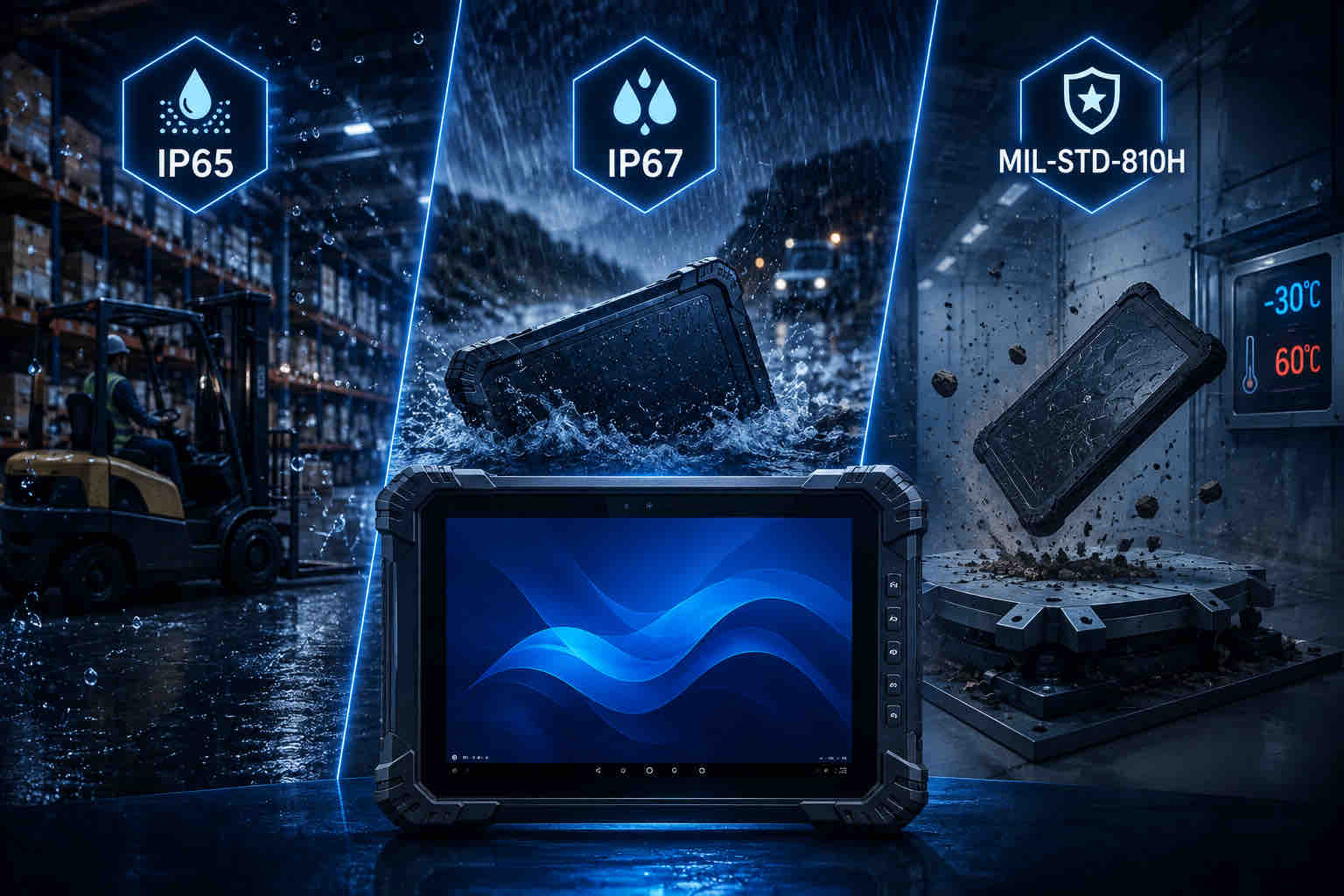
An IP65-rated rugged tablet is dust-tight and protected against water jets under defined test conditions. This level of protection is suitable for many warehouses, factories, loading docks, field-service operations and other industrial environments where devices may be exposed to dust, splashes or cleaning processes.
For many general industrial applications, IP65 provides a practical balance between environmental protection, device design and cost.
2. What Does IP67 Mean?
IP67 provides the same highest level of dust protection as IP65 but adds protection against temporary water immersion under specified test conditions.
This can be useful for outdoor operations, utilities, field service, mining, transportation or other applications where equipment may face greater water exposure.
However, IP67 does not mean that a tablet can be used underwater indefinitely. The actual protection depends on the test conditions, port covers, seals and manufacturer instructions.
Businesses should therefore select IP67 only when the application genuinely requires a higher level of water resistance.
IP65 vs IP67 Rugged Tablet Comparison
| Comparison Factor | IP65 | IP67 |
|---|---|---|
| Dust Protection | Dust-tight | Dust-tight |
| Water Protection | Protected against water jets | Protected against temporary immersion under specified conditions |
| Typical Use | Warehouses, factories, loading docks, field service | Outdoor work, utilities, mining and wetter environments |
| Best Choice When | Dust and splashes are the main risks | Greater water exposure is expected |
Learn more about the difference between an IP65 vs IP67 rugged tablet and which protection level is more suitable for your working environment.
3. What Is MIL-STD-810H?
MIL-STD-810H is a U.S. Department of Defense environmental engineering standard that describes methods for evaluating how equipment performs under environmental stresses throughout its service life.
The standard includes test methods related to factors such as vibration, mechanical shock, temperature, humidity, altitude, dust and other environmental conditions.
For rugged tablets, manufacturers may use selected MIL-STD-810H methods to evaluate device durability for specific applications.
Buyers should avoid assuming that the phrase “MIL-STD-810H” automatically means every test in the standard has been completed. The more useful question is which methods were tested, under what conditions and according to which configuration.
For a deeper understanding of environmental durability testing, read our MIL-STD-810H Rugged Tablet Guide.
Important Buying Tip
Do not choose a rugged tablet based only on the highest IP rating or a MIL-STD-810H label.
Ask the supplier for:
✓ IP rating test information
✓ Drop-test height and surface
✓ Relevant MIL-STD-810H methods
✓ Operating temperature range
✓ Whether port covers must remain closed during testing
✓ Test reports or certification documents when required
✓ Confirmation that the tested configuration matches the product being supplied
4. How Much Ruggedness Do You Actually Need?
The right ruggedness level depends on the real operating environment.
A warehouse used mainly indoors may only require IP65 protection, moderate drop resistance and stable operation across normal industrial temperatures.
Outdoor field service may require higher water resistance, sunlight-readable displays and wider operating temperatures.
Mining, utilities and heavy vehicle applications may place greater demands on vibration resistance, sealing, mounting systems and power connections.
Choosing specifications that match the real environment usually provides better value than selecting the highest available rating without considering the actual workflow.
Recommended Ruggedness by Application
| Application | Typical Requirement |
|---|---|
| Indoor Warehouse | IP65, drop protection, durable housing |
| Manufacturing | IP65, vibration resistance, industrial interfaces |
| Outdoor Field Service | IP65/IP67, bright display, wider temperature range |
| Mining | High dust resistance, vibration protection, wide temperature operation |
| Vehicle-Mounted Use | Vibration resistance, secure dock, stable power connection |
Quick Recommendation
Choose IP65 for most indoor industrial environments where dust and water splashes are the primary risks.
Choose IP67 when greater water exposure is expected.
For MIL-STD-810H claims, confirm which environmental methods were tested instead of relying on the label alone.
The best rugged tablet is not necessarily the one with the highest rating—it is the device whose protection level matches the real application.
Part 5: Evaluate Display, Touch and Outdoor Visibility
Display quality is another important factor when learning how to choose a rugged tablet for industrial use.
A screen that looks bright and clear in an office may become difficult to read at a loading dock, inside a vehicle or under direct sunlight. Industrial workers may also need to operate the touchscreen while wearing gloves or in wet conditions.
For this reason, businesses should evaluate screen brightness, touch technology, viewing conditions and user requirements instead of choosing a display based only on resolution.
1. How Bright Should a Rugged Tablet Screen Be?
Screen brightness is usually measured in nits. A higher nit value generally means the display can produce more visible light, which can improve readability in bright environments.
For indoor warehouses, factories and offices, standard display brightness may be sufficient. However, workers who frequently move between indoor and outdoor areas may benefit from a brighter industrial display.
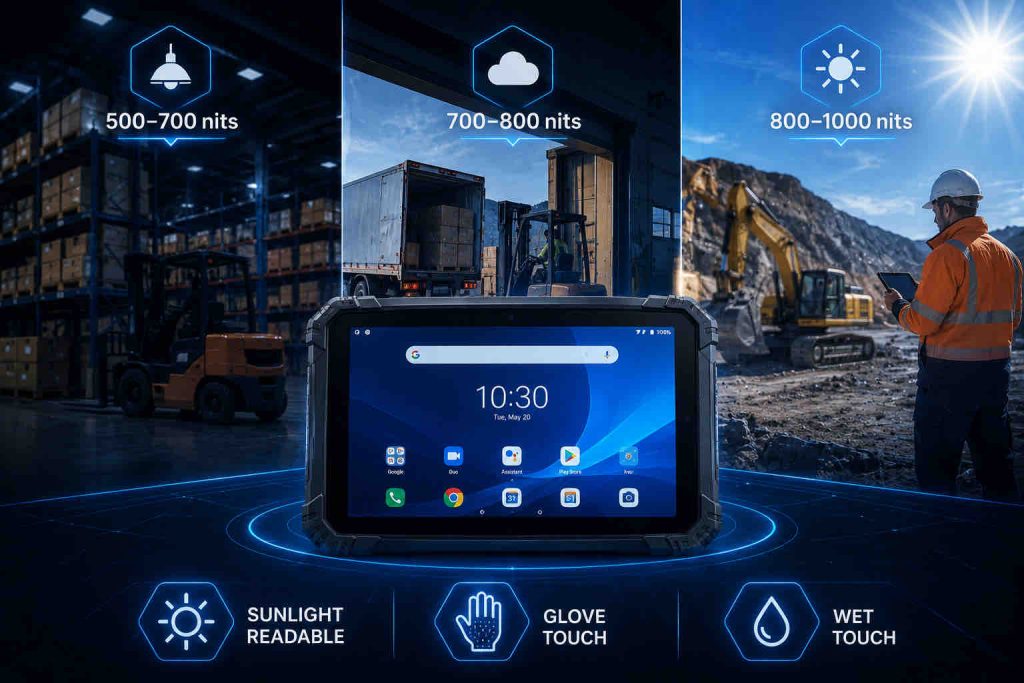
A rugged tablet with approximately 700 nits can provide good visibility for many mixed indoor and outdoor applications. For stronger sunlight or fully outdoor use, displays in the 800–1000 nit range may offer better readability.
Brightness should not be evaluated alone. Anti-glare coatings, screen reflections, viewing angle and the actual lighting environment also affect usability.
Recommended Screen Brightness by Application
| Application | Suggested Brightness | Why |
|---|---|---|
| Indoor Warehouse | Standard to 500–700 nits | Suitable for controlled indoor lighting |
| Loading Dock | 700–800 nits | Better visibility when moving between indoor and outdoor areas |
| Outdoor Field Service | 800–1000 nits | Improves readability under strong daylight |
| Vehicle-Mounted Use | 700–1000 nits | Helps maintain visibility through changing lighting conditions |
2. What Does Sunlight Readable Mean?
The term “sunlight readable” generally describes a display designed to remain visible under bright outdoor lighting.
However, brightness alone does not guarantee good outdoor readability. Screen coating, contrast, reflections and viewing angle also influence the result.
For projects that involve regular outdoor operation, businesses should test the device under real sunlight whenever possible rather than relying only on the listed nit specification.
A sample test is especially useful for field service, mining, logistics and public safety applications where screen readability directly affects productivity and safety.
3. Do Workers Need Glove-Touch Support?
Many industrial employees wear gloves for safety, hygiene or cold-weather protection.
Standard consumer touchscreens may not respond reliably to thick gloves. Rugged tablets can offer glove-touch modes or enhanced capacitive touch settings that allow workers to interact with the screen without removing protective equipment.
This feature is useful in warehouses, manufacturing plants, cold storage facilities, construction sites and field-service environments.
Before deployment, test the tablet with the actual gloves used by employees because glove thickness and material can affect touchscreen performance.
4. Is Wet-Touch Operation Required?
Some industrial environments expose tablets to rain, condensation, moisture or wet hands.
Wet-touch capability can help the touchscreen remain usable when small amounts of water are present on the display.
This feature may be valuable for outdoor service, utilities, transportation, cold storage and other applications where moisture exposure is common.
However, wet-touch support does not replace proper IP protection. The device should still have an appropriate enclosure rating for the actual environment.
5. Do You Need Higher Resolution?
Higher resolution can improve the readability of detailed dashboards, technical drawings, maps and enterprise software interfaces.
However, resolution should be matched to screen size and application. An 8-inch handheld tablet used mainly for barcode scanning may not require the same display resolution as a 12-inch tablet used for engineering drawings or production dashboards.
Businesses should focus on practical readability rather than selecting the highest resolution available.
Display Selection Checklist
Before choosing the display, confirm:
✓ Indoor or outdoor use
✓ Typical lighting conditions
✓ Required brightness level
✓ Whether workers wear gloves
✓ Whether wet-touch operation is needed
✓ Preferred screen size
✓ Required resolution
✓ Anti-glare or anti-reflective requirements
✓ Whether the device will be vehicle-mounted
✓ Whether users need to view detailed maps, drawings or dashboards
Quick Recommendation
Choose standard or moderate brightness for controlled indoor environments.
Choose around 700 nits for mixed indoor and outdoor use.
Choose 800–1000 nits when the tablet will frequently operate under strong daylight.
Confirm glove-touch and wet-touch requirements based on the actual working conditions.
Always test the display in the real environment before large-scale deployment.
Part 6: Choose the Right Data Collection Features
Data collection is one of the main reasons businesses choose rugged tablets for industrial use.
Depending on the workflow, a rugged tablet may need to scan product barcodes, identify assets, read NFC cards, capture inspection photos or collect field records.
When learning how to choose a rugged tablet, businesses should identify exactly what information employees need to capture and how frequently they perform each task.
Choosing the right data collection hardware can reduce manual entry, improve accuracy and allow one rugged tablet to replace several separate devices.
1. Do You Need an Integrated Barcode Scanner?
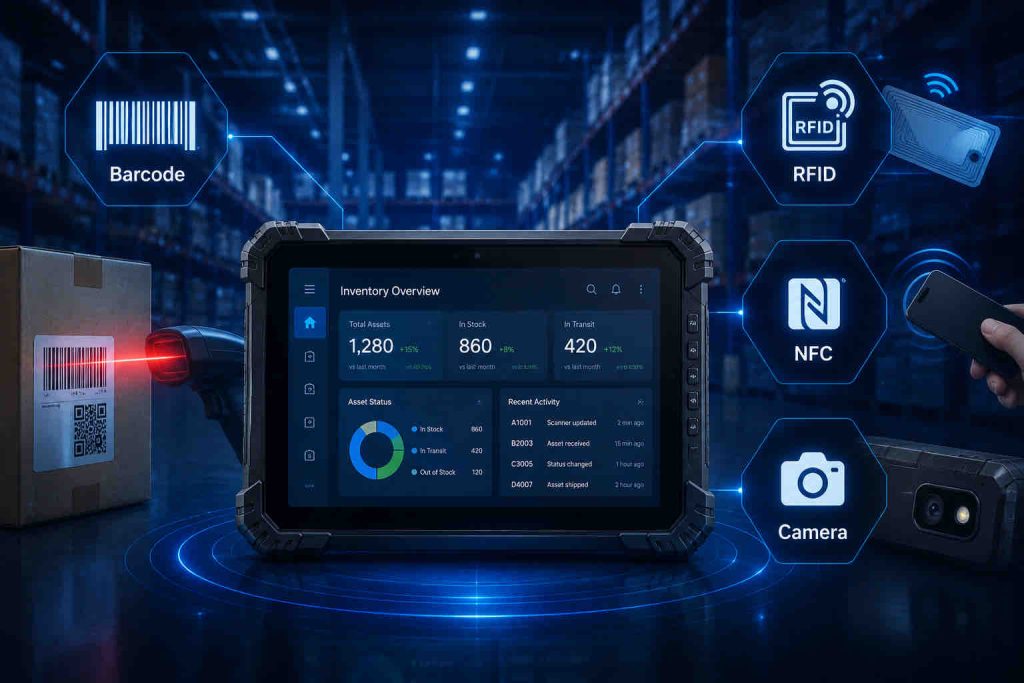
A rugged tablet can scan barcodes using its built-in camera, an external Bluetooth scanner or an integrated industrial scan engine.
For occasional scanning, the tablet camera may be sufficient. However, warehouses, logistics centers, retail operations and manufacturing facilities often process hundreds or thousands of scans during each work shift.
In these environments, an integrated barcode scanner usually provides faster recognition, better ergonomics and more reliable operation than a standard camera.
Integrated scanners also reduce the need for employees to carry and charge a separate handheld scanner, simplifying equipment management.
For supply-chain applications, businesses should also make sure that barcode workflows follow recognized GS1 barcode standards.
2. 1D vs 2D Barcode Scanning
Before selecting a scanner module, businesses should confirm which barcode formats are used in the actual workflow.
1D barcodes are commonly used for traditional product identification, inventory labels and logistics applications.
2D codes can store more information and include formats such as QR Code and Data Matrix. They are increasingly used for traceability, manufacturing, healthcare, logistics and advanced supply-chain applications.
A 2D scan engine can usually read both 1D and 2D codes, making it a more flexible option for projects that may expand in the future.
Before purchasing, test the scanner using actual labels, including damaged, small, reflective or poorly printed barcodes.
3. When Should You Consider RFID?
RFID can be useful when businesses need to identify multiple items without requiring direct line-of-sight scanning.
This technology is commonly used for asset tracking, inventory management, logistics, manufacturing and equipment identification.
RFID systems can vary significantly in operating frequency, reading distance, tag type and infrastructure requirements. For example, some industrial applications use UHF RFID for longer-range identification, while other projects may use HF technologies.
Before choosing RFID, businesses should confirm tag type, reading distance, software integration and whether the rugged tablet requires a built-in reader or an external accessory.
4. When Is NFC Useful?
NFC is useful for short-range identification and simple tap-based interactions.
Industrial rugged tablets may use NFC for employee identification, equipment authentication, access control, asset tracking or reading compatible smart cards and tags.
Because NFC operates over a very short distance, it is well suited for applications where users deliberately bring the tablet close to a card, tag or device.
Before deployment, confirm that the tablet supports the required NFC standards and that the software application can read the necessary data format.
5. Camera and Photo Documentation
Industrial workflows often require more than barcode scanning.
A rugged tablet camera can be used to document damaged goods, equipment conditions, installation work, maintenance results, delivery status or field inspection findings.
Photos can be uploaded directly to WMS, ERP, maintenance or field-service platforms, reducing paperwork and improving traceability.
When camera documentation is important, businesses should evaluate image quality, autofocus performance, low-light capability and whether the software can automatically attach photos to work orders or asset records.
Industrial Data Collection Options
| Technology | Best For | Main Advantage |
|---|---|---|
| 1D Barcode | Inventory, logistics, product labels | Fast and widely used identification |
| 2D Barcode | QR Code, Data Matrix, traceability | Stores more information and supports more applications |
| RFID | Asset tracking, bulk identification | Can identify tags without direct line of sight |
| NFC | ID cards, authentication, access control | Simple short-range tap interaction |
| Camera | Inspection photos, damage records, field reports | Captures visual evidence directly in the workflow |
Data Collection Checklist
Before choosing a rugged tablet, confirm:
✓ Which barcode formats must be scanned
✓ Daily scanning volume
✓ Required scanning distance
✓ Whether damaged or poorly printed labels are common
✓ Whether RFID is required
✓ RFID frequency and tag type
✓ Whether NFC cards or tags are used
✓ Whether inspection photos are required
✓ Whether one device should replace multiple handheld tools
✓ Software compatibility with scanner, RFID, NFC and camera data
Quick Recommendation
Choose an integrated 1D/2D scanner for high-volume warehouse and logistics workflows.
Choose RFID when multiple assets or tags must be identified efficiently.
Choose NFC for short-range identification, authentication and card-based applications.
Use the tablet camera for inspection records, damage documentation and field reporting.
Always test data collection hardware with your actual labels, tags and software before placing a large order.
Part 7: Connectivity: Wi-Fi, 4G/5G, Bluetooth, GPS and NFC
Reliable connectivity is essential when learning how to choose a rugged tablet for industrial use.
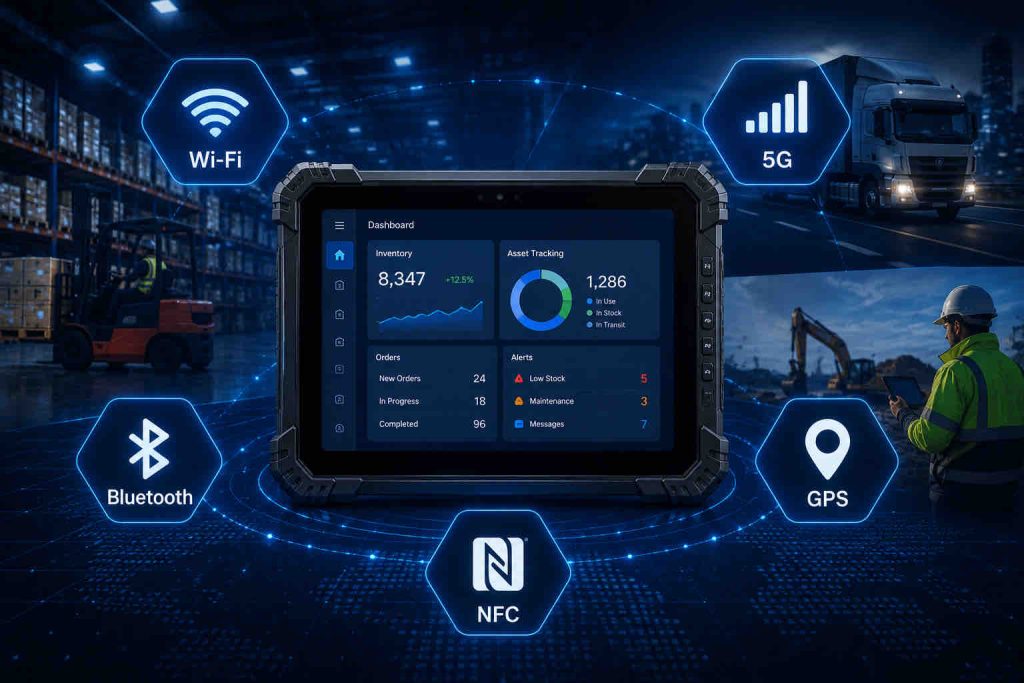
A rugged tablet may need to connect to warehouse Wi-Fi, communicate with Bluetooth peripherals, upload field data over 4G or 5G, provide GPS location information or identify employees and assets through NFC.
The correct combination depends on where the device will operate, which applications it must support and whether users move between indoor, outdoor and vehicle-based environments.
Businesses should evaluate network coverage, roaming requirements, peripheral compatibility and regional frequency bands before selecting the final configuration.
1. Wi-Fi and Wi-Fi 6 for Industrial Networks
Wi-Fi is the primary connection method for many warehouses, factories, hospitals and other indoor industrial environments.
A rugged tablet should maintain a stable connection while employees move between access points throughout the facility. Reliable roaming is especially important in large warehouses where workers continuously move through aisles, loading zones and storage areas.
Wi-Fi 6 can provide improved network efficiency in environments with many connected devices. This can be useful in distribution centers, factories and enterprise facilities where tablets, scanners, printers, sensors and other equipment share the same wireless infrastructure.
However, Wi-Fi performance depends on more than the tablet specification. Access-point placement, network design, interference and security configuration also affect real-world performance.
Businesses can also review wireless technology and certification information provided by the Wi-Fi Alliance.
2. When Do You Need 4G or 5G?
Cellular connectivity becomes important when rugged tablets operate outside reliable Wi-Fi coverage.
Field technicians, delivery drivers, logistics teams, public-safety personnel and outdoor workers may need 4G LTE or 5G to access cloud applications, upload reports, receive work orders and communicate in real time.
5G can provide higher data speeds and lower latency where network coverage is available, while 4G LTE remains suitable for many industrial applications.
Before purchasing, confirm supported cellular bands, SIM configuration and carrier compatibility, especially when devices will be deployed across different countries or regions.
For international projects, do not assume that one cellular configuration will support every market.
3. Bluetooth for Industrial Peripherals
Bluetooth allows rugged tablets to connect with wireless peripherals without cables.
Common devices include barcode scanners, printers, headsets, keyboards, sensors and measurement equipment.
This is useful when employees need additional tools but still require mobility.
Before deployment, confirm Bluetooth version, peripheral compatibility and whether the required accessories can maintain stable connections during long work shifts.
4. When Is GPS Important?
GPS is especially valuable for logistics, transportation, field service, mining, utilities and other outdoor applications.
A rugged tablet with integrated GPS can support navigation, vehicle tracking, route management, asset location and geographic data collection.
For projects requiring precise positioning, businesses should confirm whether standard GPS accuracy is sufficient or whether additional GNSS capabilities are required.
Indoor warehouse applications may not need GPS, while vehicle-mounted and outdoor field operations may depend on it every day.
5. NFC for Identification and Authentication
NFC provides short-range wireless communication for simple tap-based interactions.
Industrial rugged tablets can use NFC for employee identification, equipment authentication, access control, asset tracking or reading compatible cards and tags.
Because NFC operates over a short distance, it is well suited for controlled identification tasks where the user intentionally brings the tablet close to a card or tag.
Before purchasing, confirm that the tablet supports the required NFC standards and that the application software can process the necessary data.
Industrial Connectivity Comparison
| Connectivity | Best For | Main Benefit |
|---|---|---|
| Wi-Fi / Wi-Fi 6 | Warehouses, factories, indoor facilities | Reliable local network and enterprise application access |
| 4G / 5G | Field service, logistics, transportation, outdoor work | Mobile connectivity outside Wi-Fi coverage |
| Bluetooth | Scanners, printers, headsets and peripherals | Wireless accessory connectivity |
| GPS / GNSS | Navigation, vehicle tracking, outdoor assets | Location and route information |
| NFC | ID cards, authentication, asset tags | Fast short-range identification |
Connectivity Checklist
Before choosing connectivity options, confirm:
✓ Primary operating location
✓ Wi-Fi coverage and roaming requirements
✓ Whether Wi-Fi 6 is required
✓ Whether 4G or 5G is needed
✓ Supported cellular frequency bands
✓ SIM and carrier requirements
✓ Required Bluetooth peripherals
✓ Whether GPS or GNSS is necessary
✓ Whether NFC cards or tags are used
✓ Target countries and regional network compatibility
Quick Recommendation
Use Wi-Fi for indoor warehouses, factories and enterprise facilities.
Add 4G or 5G when employees work outside reliable Wi-Fi coverage.
Use Bluetooth for scanners, printers and other wireless peripherals.
Choose GPS or GNSS for vehicle, navigation and outdoor location workflows.
Add NFC when the project requires short-range identification, authentication or card-based interaction.
Always confirm regional network bands and accessory compatibility before placing a large order.
Part 8: Battery Life and Power Options for Rugged Tablets
Battery performance is another critical factor when learning how to choose a rugged tablet for industrial use.
Industrial employees may use tablets continuously for barcode scanning, GPS navigation, wireless communication, field reporting or production monitoring. In these workflows, an unexpected shutdown can interrupt operations and reduce productivity.
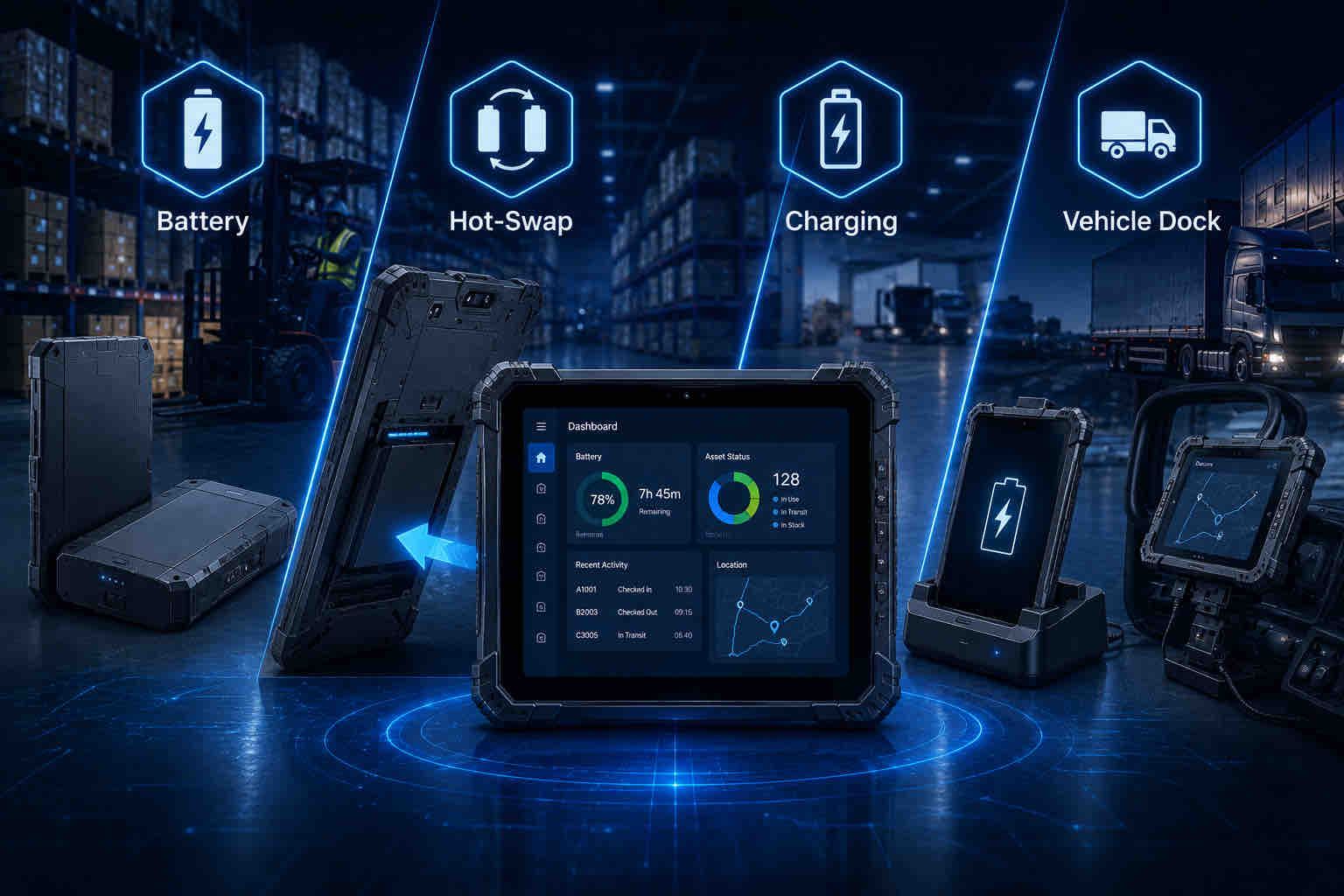
For this reason, businesses should evaluate battery capacity, real-world operating time, charging methods, removable battery options and whether hot-swappable batteries are required for multi-shift operation.
1. How Long Should a Rugged Tablet Battery Last?
Battery requirements should be based on the actual work shift rather than only the battery capacity listed in the specification sheet.
A standard eight-hour warehouse or factory shift may require enough battery capacity to support continuous Wi-Fi, barcode scanning, screen use and enterprise applications throughout the day.
Field-service and logistics applications may consume more power because GPS, 4G/5G connectivity, high screen brightness and camera use can increase battery consumption.
Businesses should test battery performance under the real workload because actual operating time depends on brightness, wireless connectivity, application usage, processor load and battery condition.
2. When Is a Removable Battery Useful?
A removable battery can significantly extend the usable life of a rugged tablet.
When battery capacity decreases after long-term use, businesses can replace the battery instead of replacing the entire tablet. This can reduce maintenance costs and simplify fleet management.
Removable batteries are also useful for employees who work long shifts away from charging stations. A spare battery can be carried and exchanged when necessary.
For large deployments, businesses should confirm battery availability, replacement cost and whether spare batteries will remain available throughout the expected device lifecycle.
3. Do You Need a Hot-Swappable Battery?
Hot-swappable battery systems are designed for workflows where the tablet must remain operational while the main battery is replaced.
The device typically uses an internal backup battery or secondary power source to keep the system running during the battery exchange.
This feature is especially useful in warehouses, logistics centers, manufacturing plants, public safety and other multi-shift environments where shutting down the tablet would interrupt the workflow.
For continuous operations, hot-swappable battery support can reduce downtime and allow the same device to remain in service across multiple shifts.
4. Charging Cradles and Multi-Bay Chargers
Industrial charging accessories can simplify device management when many rugged tablets are deployed.
Desktop charging cradles allow employees to place tablets in a fixed charging location between shifts. Multi-bay battery chargers can recharge several spare batteries simultaneously.
These solutions are useful for warehouses, factories and service centers where IT teams need to manage multiple devices efficiently.
Before purchasing, confirm charging time, dock compatibility, power requirements and whether batteries can be charged independently from the tablet.
5. Vehicle-Mounted Power Options
Rugged tablets installed in forklifts, trucks or service vehicles can use powered vehicle docks for continuous operation.
A powered dock can secure the tablet, provide charging and simplify device removal when workers need to continue using the tablet outside the vehicle.
This is especially valuable for logistics, warehouse forklifts, public safety, field service and fleet-management applications.
Businesses should confirm input voltage, charging stability, vibration resistance and whether the docking system is suitable for long-term vehicle use.
Rugged Tablet Power Options Comparison
| Power Option | Best For | Main Advantage |
|---|---|---|
| Standard Battery | Normal single-shift operation | Simple and cost-effective |
| Removable Battery | Long shifts and easy maintenance | Allows battery replacement without replacing the tablet |
| Hot-Swappable Battery | Multi-shift and continuous workflows | Keeps the device operating during battery replacement |
| Charging Cradle | Warehouses, offices and service centers | Convenient charging and device storage |
| Vehicle Dock | Forklifts, trucks and fleet operations | Provides secure mounting and continuous power |
Battery and Power Checklist
Before selecting a battery configuration, confirm:
✓ Length of each work shift
✓ Whether Wi-Fi, 4G/5G or GPS will run continuously
✓ Typical screen brightness
✓ Barcode scanning frequency
✓ Whether workers can access charging stations
✓ Whether removable batteries are required
✓ Whether hot-swapping is necessary
✓ Number of spare batteries needed
✓ Charging cradle or multi-bay charger requirements
✓ Whether vehicle-mounted charging is required
✓ Long-term replacement battery availability
Quick Recommendation
Choose a standard battery for normal single-shift use.
Choose a removable battery when long-term battery replacement and extended working hours are important.
Choose a hot-swappable battery for continuous multi-shift operations.
Use charging cradles or multi-bay chargers for centralized device management.
Choose a powered vehicle dock when tablets are installed in forklifts, trucks or service vehicles.
Always test battery life under the actual workload before large-scale deployment.
For a more detailed understanding of battery capacity, real-world runtime, and charging solutions, explore our rugged tablet battery life guide for industrial applications.
Part 9: Accessories, Vehicle Mounts and Industrial Interfaces
Accessories and industrial interfaces can significantly affect how well a rugged tablet fits into a real workflow.
When learning how to choose a rugged tablet, businesses should consider not only the device itself but also how employees will carry, charge, mount and connect it throughout the workday.
The right accessories can improve ergonomics, reduce accidental damage and support more efficient workflows, while the correct industrial interfaces ensure compatibility with existing equipment, networks and peripherals.
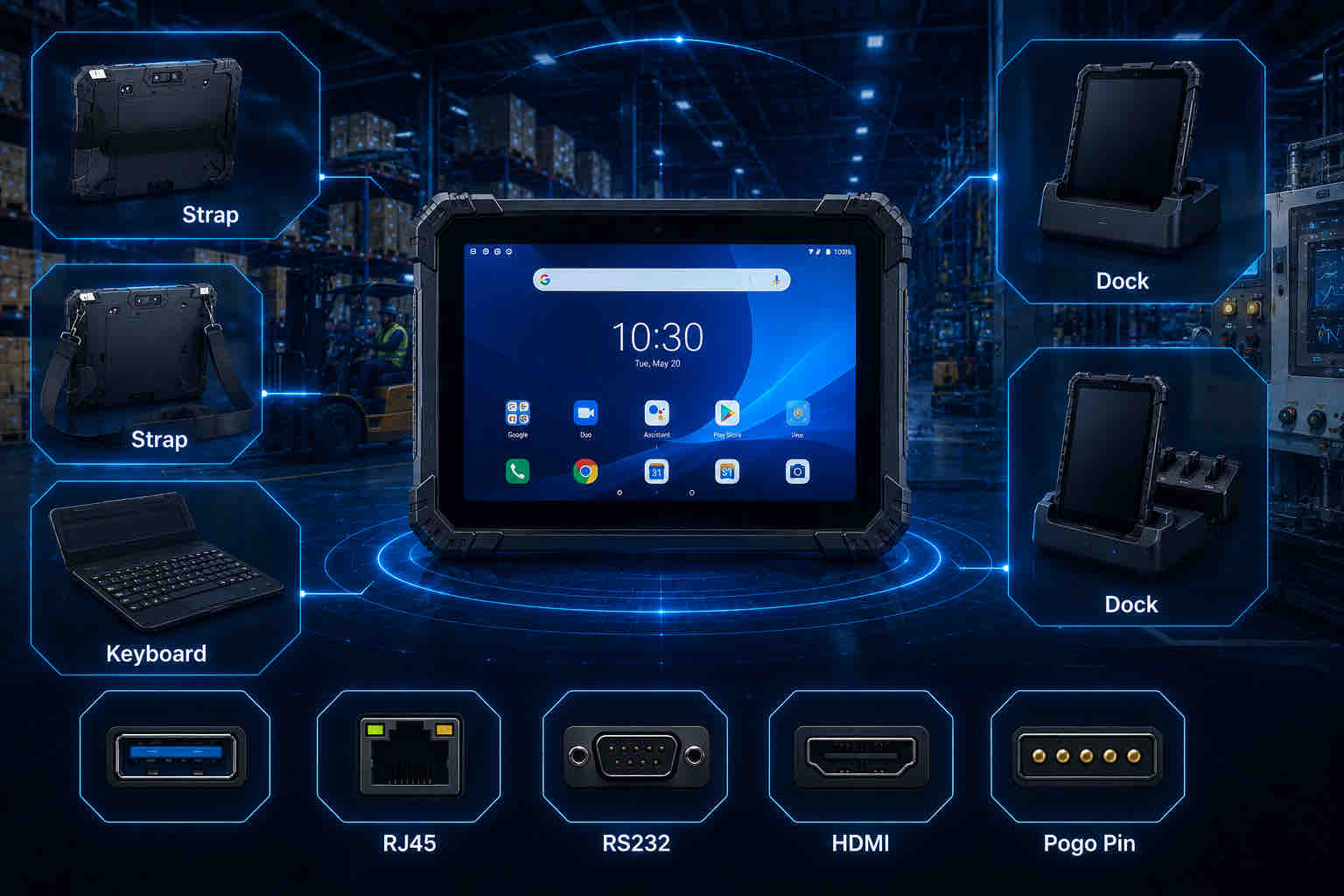
1. Hand Straps and Shoulder Straps
Hand straps are useful for workers who need to carry a rugged tablet continuously while scanning products, completing inspections or entering data.
A well-designed hand strap improves grip and reduces the risk of accidental drops during mobile work.
Shoulder straps are better for employees who need both hands free while moving between locations. They are commonly used in warehouses, field service, logistics and outdoor inspection applications.
Before purchasing, confirm that straps are securely attached to the tablet and can withstand long-term industrial use.
2. Keyboard and Stylus Options
Some industrial users need more than touchscreen input.
A detachable keyboard can improve productivity for reporting, ERP data entry, email communication and other text-heavy applications.
A stylus can be useful for signatures, inspection forms, annotations and technical work where precise screen input is required.
Businesses should test keyboard layout, connection method, durability and stylus accuracy before deployment.
3. Charging Cradles and Desktop Docks
Charging cradles provide a convenient place to store and recharge rugged tablets between work shifts.
Desktop docks may also provide additional ports such as USB, Ethernet or display outputs, allowing the tablet to function more like a workstation when required.
These accessories are especially useful for warehouse offices, maintenance centers, manufacturing workstations and shared-device environments.
Before purchasing, confirm charging time, connector durability and whether the dock supports the required interfaces.
4. Vehicle Mounts and Forklift Docks
Vehicle mounts are important for forklifts, trucks, emergency vehicles and field-service fleets.
A secure vehicle dock helps protect the tablet from vibration while keeping the screen visible and accessible to the operator.
Powered docks can also provide continuous charging and may offer additional interfaces for vehicle systems or external peripherals.
Businesses should confirm mounting position, vibration resistance, input voltage, locking mechanism and whether the tablet can be removed quickly when employees need to continue working outside the vehicle.
5. Which Industrial Interfaces Do You Need?
Industrial rugged tablets may need to connect with equipment that is not supported by standard consumer tablets.
Common interfaces include USB, RJ45 Ethernet, RS232 serial ports, HDMI, audio connectors and proprietary expansion ports.
RJ45 can provide a stable wired network connection, while RS232 is still widely used with industrial machinery, scanners, sensors and legacy equipment.
Some projects may also require GPIO, CAN bus or customized connectors depending on the application.
Before purchasing, confirm the exact interface type, connector location and whether adapters or docking stations are required.
6. Pogo Pin Expansion
Pogo-pin connectors allow rugged tablets to connect quickly with docks, charging cradles, keyboards and other accessories without repeatedly using exposed USB ports.
This can improve connector durability in environments where devices are docked and removed many times each day.
Pogo-pin designs can also provide charging, data transfer and accessory expansion through a single connection.
For long-term projects, businesses should confirm that compatible docks and accessories will remain available throughout the expected device lifecycle.
Rugged Tablet Accessories and Interfaces
| Accessory / Interface | Best For | Main Benefit |
|---|---|---|
| Hand Strap | Scanning, inspection, mobile workflows | Improves grip and reduces drop risk |
| Shoulder Strap | Field service, logistics, warehouse work | Keeps hands free while carrying the tablet |
| Keyboard | Reporting, ERP, office-style tasks | Faster text and data entry |
| Vehicle Dock | Forklifts, trucks and service vehicles | Secure mounting and continuous charging |
| RJ45 Ethernet | Factories and fixed workstations | Stable wired network connection |
| RS232 | Industrial machinery and legacy equipment | Supports serial communication |
| Pogo Pin | Docks, charging and accessory expansion | Durable quick-connect interface |
Accessories and Interface Checklist
Before selecting accessories and interfaces, confirm:
✓ Whether workers need hand straps or shoulder straps
✓ Whether keyboard or stylus input is required
✓ Charging cradle requirements
✓ Number of shared devices and docks
✓ Vehicle or forklift mounting requirements
✓ Required wired interfaces
✓ Whether RJ45 Ethernet is needed
✓ Whether RS232 or legacy serial communication is required
✓ Whether Pogo Pin expansion is necessary
✓ Long-term availability of compatible accessories
Quick Recommendation
Choose hand straps and shoulder straps for mobile workers.
Add a keyboard or stylus when employees perform detailed data entry, reporting or signatures.
Use powered vehicle docks for forklifts, trucks and fleet applications.
Confirm RJ45, RS232 and other industrial interfaces before placing an order.
Use Pogo Pin connections when devices need frequent docking, charging or accessory expansion.
Always select accessories together with the rugged tablet to ensure long-term compatibility.
Part 10: OEM/ODM and Customization Options for Rugged Tablets
Customization becomes important when standard rugged tablet configurations cannot fully meet the requirements of a specific industrial project.
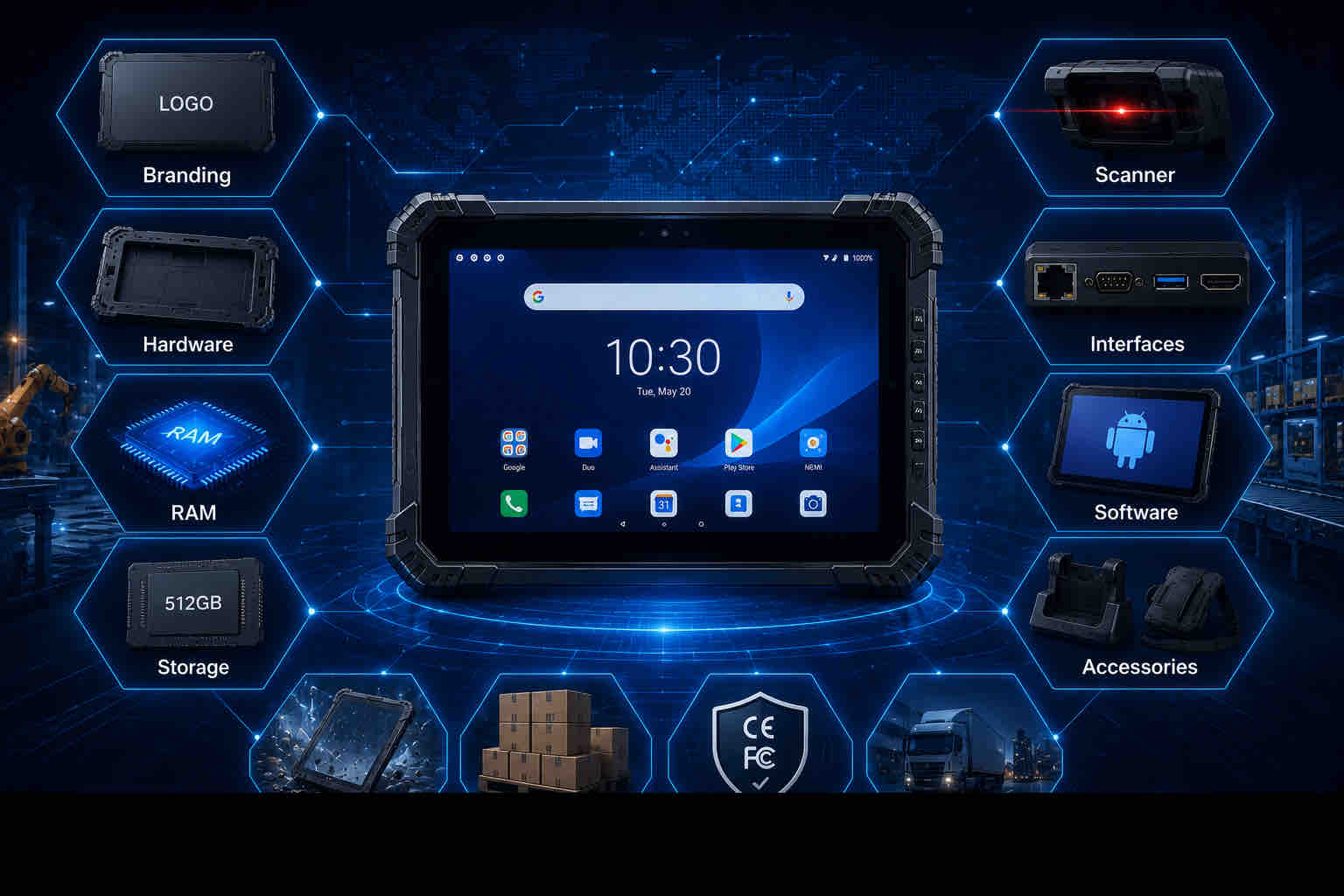
When learning how to choose a rugged tablet, businesses should consider whether they need custom branding, memory, storage, interfaces, scanner modules, accessories, operating-system settings or software images.
OEM and ODM services can help create a more consistent device fleet, simplify deployment and improve compatibility with existing business processes.
However, customization should be planned early because it can affect minimum order quantities, development cost, lead time, testing and certification requirements.
1. Branding and Appearance Customization
Branding customization is useful for distributors, system integrators and companies deploying devices under their own corporate identity.
Common options may include logo printing, startup logos, packaging, product labels and customized housing colors.
For large projects, consistent branding can improve device identification and create a more professional appearance across the deployed fleet.
Before ordering, confirm the approved artwork format, printing method, color requirements and whether branding affects the minimum order quantity.
2. Hardware Configuration
Industrial projects often require different combinations of processor, memory and storage.
A basic warehouse scanning application may need relatively modest hardware, while ERP, mapping, video, inspection or engineering applications may require more RAM and storage capacity.
Customization options may include RAM, internal storage, camera configuration, battery capacity and communication modules.
Businesses should select hardware according to actual software requirements rather than choosing the highest specification available.
3. Scanner and Interface Customization
Barcode scanners and industrial interfaces are common areas where standard products may need customization.
Projects may require specific 1D/2D scan engines, NFC, RFID, RJ45 Ethernet, RS232 serial ports, HDMI, USB or pogo-pin expansion.
Some applications may also need customized connector placement or dedicated interface combinations for vehicle, machine or docking integration.
Before finalizing the hardware design, confirm the exact peripheral, communication protocol and software requirements.
4. Software and Operating System Customization
Software customization can significantly simplify enterprise deployment.
Options may include pre-installed applications, custom Android or Windows images, startup screens, language settings, device-management configuration and security policies.
For large rollouts, a standardized software image can reduce setup time and help ensure that every device is delivered with the same configuration.
Businesses should confirm operating-system version, update policy, application compatibility and whether future software maintenance will be required.
5. Customized Accessories and Docking Solutions
Some projects require accessories designed around a specific workflow.
Examples include vehicle docks, forklift mounts, charging cradles, keyboards, hand straps, shoulder straps and specialized mounting brackets.
A customized dock may also provide power, USB, Ethernet or serial communication through one connection.
Businesses should evaluate accessories together with the rugged tablet to ensure correct fit, stable charging and long-term compatibility.
6. MOQ, Samples, Lead Time and Certification
Customization can affect purchasing conditions and project timelines.
Before confirming an OEM or ODM order, businesses should ask about minimum order quantity, sample cost, development fees, production lead time and tooling requirements.
A sample approval process is strongly recommended before mass production. The sample should be tested with actual software, accessories, networks and environmental conditions.
Projects for different countries may also require certifications such as CE, FCC, RoHS or other regional compliance documentation.
Certification requirements should be confirmed early because they can affect product configuration, cost and delivery schedule.
OEM/ODM Project Checklist
Before discussing customization, prepare:
✓ Target application and industry
✓ Expected order quantity
✓ Required operating system
✓ RAM and storage requirements
✓ Barcode / RFID / NFC requirements
✓ Required industrial interfaces
✓ Battery and charging requirements
✓ Accessories and docking needs
✓ Branding and packaging requirements
✓ Software image or pre-installed apps
✓ Certification requirements
✓ Target countries
✓ Sample testing requirements
✓ Target delivery schedule
Need a Customized Rugged Tablet Solution?
Tell us your application, quantity, hardware, scanning, interface, software and certification requirements. Our team can recommend a suitable OEM or ODM rugged tablet solution for your project.
Part 11:Rugged Tablet Selection Checklist
After comparing operating systems, screen sizes, ruggedness, displays, scanners, connectivity, batteries, accessories and customization options, the final step is to turn these requirements into a clear purchasing checklist.
When learning how to choose a rugged tablet, businesses should document the most important technical and operational requirements before requesting quotations from suppliers.
A structured checklist makes it easier to compare different models, avoid missing critical features and communicate project requirements clearly with manufacturers or system integrators.
1. Application and Industry Requirements
Start by defining where and how the rugged tablet will be used.
A warehouse, manufacturing plant, logistics fleet, mining operation or field-service project may require completely different hardware and accessories.
Document the main workflow, working environment, expected daily usage and whether the tablet will be handheld, vehicle-mounted or used at a fixed workstation.
✓ Industry
✓ Main application
✓ Indoor / outdoor use
✓ Handheld / mounted / fixed use
✓ Number of users
✓ Daily working hours
2. Operating System and Software Requirements
Confirm whether the project requires Android or Windows and identify all software that must run on the device.
Check WMS, ERP, MES, field-service, mapping, inspection or custom applications before selecting hardware.
Software compatibility should be verified with a sample device before large-scale purchasing.
✓ Android or Windows
✓ Required OS version
✓ WMS / ERP / MES compatibility
✓ Browser requirements
✓ VPN and security software
✓ Mobile device management
✓ Custom software image
3. Hardware Configuration
Choose processor, memory and storage according to the actual application workload.
Avoid selecting the lowest hardware specification simply to reduce cost, but also avoid paying for unnecessary performance that does not improve the workflow.
✓ Processor
✓ RAM
✓ Storage
✓ Camera
✓ Screen size
✓ Display brightness
✓ Touchscreen requirements
4. Ruggedness and Environmental Protection
Match the durability level to the real environment.
Confirm IP rating, drop resistance, operating temperature and relevant MIL-STD-810H test methods rather than relying only on marketing labels.
✓ IP65 / IP67
✓ Drop-test requirement
✓ Vibration resistance
✓ Operating temperature
✓ Humidity exposure
✓ Dust exposure
✓ Water exposure
5. Data Collection Requirements
Determine whether employees need barcode scanning, RFID, NFC or camera-based documentation.
Testing with actual labels, tags and software is strongly recommended.
✓ 1D barcode
✓ 2D barcode
✓ RFID
✓ NFC
✓ Camera
✓ Scan distance
✓ Daily scan volume
6. Connectivity Requirements
Confirm how the rugged tablet will connect to enterprise networks and field systems.
For international projects, cellular frequency-band compatibility should be checked before ordering.
✓ Wi-Fi / Wi-Fi 6
✓ Bluetooth
✓ 4G LTE
✓ 5G
✓ GPS / GNSS
✓ NFC
✓ Regional cellular bands
7. Battery and Charging Requirements
Battery configuration should match shift length and charging opportunities.
Multi-shift applications may require removable or hot-swappable batteries, while vehicle installations may require continuous powered docking.
✓ Required operating hours
✓ Removable battery
✓ Hot-swap requirement
✓ Spare batteries
✓ Charging cradle
✓ Multi-bay charger
✓ Vehicle charging
8. Accessories and Industrial Interfaces
✓ Hand strap
✓ Shoulder strap
✓ Keyboard
✓ Stylus
✓ Vehicle dock
✓ Charging cradle
✓ USB
✓ RJ45
✓ RS232
✓ HDMI
✓ Pogo Pin
9. OEM/ODM and Commercial Requirements
For customized projects, commercial conditions should be discussed at the same time as technical requirements.
This helps prevent unexpected delays later in the project.
✓ Branding
✓ Housing customization
✓ RAM / storage customization
✓ Scanner module
✓ Interfaces
✓ Software image
✓ Packaging
✓ MOQ
✓ Sample cost
✓ Lead time
✓ Certification
✓ Delivery schedule
Final Rugged Tablet Buying Checklist
| Category | Questions to Confirm |
|---|---|
| Application | Where will the tablet be used and what tasks will it perform? |
| Operating System | Android or Windows? Which software must be supported? |
| Screen | 8", 10" or 12"+? Indoor or outdoor brightness? |
| Ruggedness | IP65 or IP67? Drop, vibration and temperature requirements? |
| Data Collection | Barcode, RFID, NFC or camera required? |
| Connectivity | Wi-Fi, 4G/5G, Bluetooth, GPS or regional bands? |
| Battery | Single shift, removable battery or hot-swap? |
| Accessories | Straps, keyboard, cradle, vehicle dock or mounts? |
| Interfaces | USB, RJ45, RS232, HDMI or Pogo Pin? |
| Customization | Branding, hardware, scanner, software or packaging? |
| Commercial | MOQ, sample, certification, lead time and delivery? |
Ready to Select Your Rugged Tablet?
Send us your application, quantity, operating system, screen size, scanning, connectivity, battery, interface and customization requirements. Our team can help you identify a suitable configuration and arrange sample testing.
Frequently Asked Questions About Choosing a Rugged Tablet
The following answers cover common questions businesses ask when selecting rugged tablets for industrial applications.
To choose the right rugged tablet, start by defining the operating environment, required software, screen size, durability level, connectivity, scanning requirements, battery life and accessories. Businesses should also consider long-term support, certifications and total cost of ownership before making a final purchasing decision.
An 8-inch rugged tablet is suitable for mobile scanning and field work, a 10-inch rugged tablet provides a balance between portability and visibility, and a 12-inch or larger device is better for dashboards, engineering applications and vehicle-mounted use.
Android rugged tablets are well suited for barcode scanning, inventory management, logistics and mobile applications. Windows rugged tablets are better for desktop software, ERP systems, engineering programs and projects that require industrial interfaces or existing Windows infrastructure.
IP65 is suitable for many warehouses, factories, loading docks and field-service applications because it provides dust protection and resistance to water jets under defined test conditions. IP67 may be more appropriate when greater water exposure is expected.
MIL-STD-810H provides environmental engineering and test methods covering conditions such as vibration, shock, temperature and other environmental stresses. Buyers should confirm which specific test methods and conditions were applied to the device rather than relying only on the MIL-STD-810H label.
Yes. Depending on the model and configuration, rugged tablets can support integrated 1D/2D barcode scanners, RFID, NFC and cameras. The correct data collection option depends on the workflow, tag type, scanning distance and software requirements.
Around 700 nits can be suitable for mixed indoor and outdoor use, while stronger daylight environments may benefit from 800 to 1000 nits. Screen coating, reflections and viewing conditions should also be considered, so sample testing is recommended.
A hot-swappable battery is most useful in multi-shift or continuous industrial operations where the tablet cannot be shut down during battery replacement. For normal single-shift applications, a standard or removable battery may be sufficient.
Yes. A sample should be tested with actual software, Wi-Fi networks, cellular connections, barcode labels, accessories, gloves, vehicle docks and working conditions. Sample testing can identify compatibility problems before full-scale deployment.
Conclusion: How to Choose a Rugged Tablet for Industrial Use
Choosing the right rugged tablet requires more than comparing price, processor speed or screen size.
Businesses should evaluate the complete working environment, including operating system, display size, IP protection, MIL-STD-810H testing, screen brightness, barcode and RFID requirements, wireless connectivity, battery design, accessories, interfaces and software compatibility.
The best rugged tablet is not necessarily the model with the highest specifications. It is the device that matches the real application, integrates with existing systems and remains reliable throughout the expected deployment lifecycle.
When learning how to choose a rugged tablet, businesses should also consider sample testing, supplier support, long-term accessory availability, certification requirements and total cost of ownership.
INNORUGGED provides Android and Windows rugged tablet solutions for warehousing, logistics, manufacturing, mining, field service, public safety and other industrial applications. Our team can support product selection, sample testing, OEM/ODM customization, accessories and project deployment requirements.
Need Help Choosing the Right Rugged Tablet?
\Tell us your industry, software platform, screen size, ruggedness, scanning, connectivity, battery, interface, accessories and customization requirements. Our team can recommend a suitable rugged tablet configuration and arrange sample testing for your project.